ChatGPT for content creation: the honest 2026 playbook
How to use ChatGPT, Claude and Gemini for content creation in 2026: what they do well, where they fail, the prompts that work, and when to switch models.
Last verified · 2026-10-23 · by Moe Ameen
Published 2026-05-22 · Updated
Short answer
ChatGPT is good at the operator side of content creation: drafting from your outline, restructuring, captions, summaries and producing lots of hook variants. It is weak at strategy, meaning what to say, why and to whom. The 2026 playbook is to do the thinking and the outline yourself, then let ChatGPT speed up the writing. Switch to Claude for long-form prose and to Gemini when you need fresh web information.
Key takeaways
- Outline first, draft second, edit third. Never ask for a finished piece on the first turn.
- Paste examples of your own writing; they shape the voice far more than adjectives do.
- Ask for 30 hook variants and keep the best few.
- Use Claude for long-form prose, Gemini for web-grounded research and local models for sensitive data.
- Verify every fact that matters. Confident errors are the main failure mode.
ChatGPT has been pitched as a content-creation cheat code since it launched. It is not one. It is a fast typist with an above-average vocabulary, no taste of its own, and a strong bias toward the average of what the internet has already published. Used correctly it speeds up content production a lot. Used incorrectly it produces the kind of generic AI-flavored writing that audiences scroll past.
The honest framing on ChatGPT for content creation in 2026: it wins at operator-layer tasks — drafting paragraphs after you have done the thinking, restructuring text you have already written, generating 30 variations of a hook so you can pick the best two, captioning, summarizing, translating — and it loses at strategic-layer tasks — deciding what you should be writing about, what your unique angle is, who you are writing for, why the topic matters now. Treat it as a fast operator that needs strategic direction from you, not as a strategist that just needs better prompts.
This page is the working 2026 playbook. Where ChatGPT (and its peers Claude and Gemini) actually shine, the prompt patterns that consistently work, the failure modes that waste hours, and the model-switching rules that matter when one model stops being the right tool.
What does ChatGPT do well for content creation?
- Drafting after you have outlined. Give it a tight outline (the messaging, the points, the order) and it will write the connective prose much faster than you can type it yourself. The thinking has to come from you.
- Restructuring writing you have already done. "Take this paragraph and tighten it to 80 words" or "split this into three social posts" — high-quality output every time.
- Variant generation. "Give me 30 hook variants for this video." Most will be bad; a few will beat what you would have written, which is why you ask for so many.
- Translation and tone adaptation. Strong for converting English content into other major languages while preserving voice. Weaker on idiomatic nuance and culture-specific framing.
- Summarization. Long transcripts to short bullets, papers to one-page briefs, threads to single posts. Reliable if you check for cherry-picked emphasis.
- Outlining FROM a clear brief. Not coming up with the topic, but expanding "I want to write about X for Y audience" into a coherent section structure.
- Captions and alt text at scale. Boring work, repetitive structure, ChatGPT is excellent at it.
Where does ChatGPT fall short for content?
- Strategy. "What should I write about?" — useless. It will produce 10 generic topic ideas that any competitor could also have asked it for. Your differentiation has to come from you.
- Original opinion. It is trained to agree, hedge, and average. If you want a take with conviction, you have to bring the conviction.
- Voice (without heavy prompting). Default ChatGPT prose has telltale rhythm — em-dashes, "delve", "tapestry", "navigate the complexities". Readers who have seen enough of it spot it quickly.
- Factual accuracy on niche topics. Confidently wrong is the failure mode. Always verify load-bearing facts.
- Recent events. Model training cutoffs mean breaking news, recent product releases, and current platform-rule changes are unreliable. Use web-grounded modes (ChatGPT Search, Gemini, Claude with web tools) or verify externally.
- Long-form coherence. Quality drops as the doc gets longer, and Claude is the usual pick for long pieces.
- Code-level technical depth in specialized fields. Will pattern-match real code with broken code. Senior engineers spot it fast.
Which ChatGPT prompt patterns work for content?
Four patterns do most of the work: a brief with constraints and examples, an outline before the draft, many variants to pick from, and a critique of the model's own draft.
Pattern 1: Brief + constraints + examples
Tell the model what you want, the constraints (length, audience, tone), and 2-3 examples of the output style you want. Examples do far more than adjectives. "Write in a punchy, confident tone" produces nothing; pasting two paragraphs of your existing writing as a style reference produces something that sounds like you.
Pattern 2: Outline first, draft second, edit third
Never ask for a full draft on the first turn. Step 1: ask for an outline. Step 2: edit the outline yourself. Step 3: ask for the draft using your edited outline. Step 4: edit the draft yourself. Splitting the work this way is what separates working operators from people who paste raw ChatGPT output into LinkedIn and wonder why it dies.
Pattern 3: 30 variants, pick 3
For hooks, headlines, CTAs, post openings, and ad copy. Always ask for 30 variants. The first few are usually boring, many are usable, and a handful are good. One round of this beats refining a single output turn after turn.
Pattern 4: Critique-then-improve
After the model produces a draft, ask: "What is weak about this? Where is the argument thin? Where does the prose sound generic?" The critique itself is often more useful than the draft. Then ask it to rewrite addressing the critique. Two-pass output is dramatically stronger than one-pass.
When should you switch from ChatGPT to Claude, Gemini or a local model?
No one model wins everything in 2026. The working creator setup is multi-model. Switch when the task shape changes.
Switch to Claude for
Long-form prose (essays, scripts, long emails), structural editing of existing drafts, anything long where voice consistency matters. Claude has stronger long-context coherence and a less aggressive default voice.
Switch to Gemini for
Anything that requires fresh web information — current pricing, recent product launches, current platform policy. Gemini's web grounding is strong and citation-aware. Verify the citations; the grounding does not eliminate fabrication, it reduces it.
Stay in ChatGPT for
Speed-critical operator work (captioning at scale, batch translations, rapid variant generation), multimodal tasks (image + text), and structured outputs that need to land in a downstream pipeline. ChatGPT handles tool use and structured outputs well.
Switch to local models for
Sensitive data (legal, medical, internal IP), volume work where API costs would blow the budget, and offline workflows. Open models from the Llama and Mistral families handle much of the operator-layer work. Quality gap on strategic-layer tasks is still real.
What does a ChatGPT content workflow look like step by step?
- Pick the topic yourself. Do not ask the model what to write about — you know your audience better than it does.
- Draft a one-sentence message. The single point you want the reader to leave with. ChatGPT cannot do this for you because it does not know your business goals.
- Ask ChatGPT for an outline given that message and your audience. Edit it.
- Ask for the draft using your edited outline. Use the brief + constraints + examples pattern.
- Run the draft through the critique-then-improve loop once.
- Edit the final draft yourself. Cut anything that sounds generic. Replace any em-dash heavy sentences. Remove "delve" and "tapestry" on sight.
- For social-platform output, ask for 30 hook variants of the opening line and pick the best.
- Publish, then note which hooks and angles worked so the next brief starts from them.
Which AI models does Kompozy use under the hood?
Kompozy is an operator-layer tool that orchestrates these models for content production. Kompozy's text generation calls Anthropic's Claude and OpenAI's GPT models, and its image formats use OpenAI and Google image models. Starter $199/mo (5,500 credits) and Pro $499/mo (18,000 credits) include managed access via Kompozy credits; Enterprise is available through Contact Sales. The point of the operator layer is to remove the "which model do I use for this and how do I prompt it" overhead — you write the brief, Kompozy routes to the right model.
What does this look like in Kompozy?
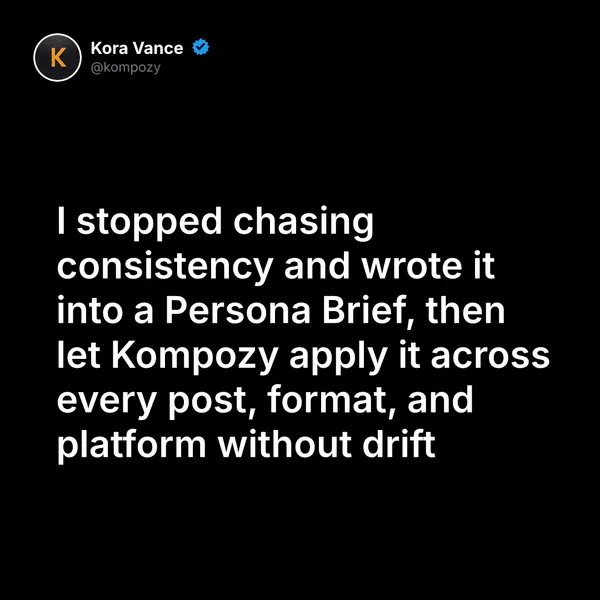
A quote graphic generated in the Kompozy workspace, a short-form text format where Kompozy writes the copy and renders the image in one pass.
Who is this for, and who should skip it?
Best for:
- Creators who already know their audience and want to write faster
- Marketers producing captions, hooks and variants at volume
- Writers who edit every draft before it ships
Not ideal for:
- Anyone hoping ChatGPT will pick their topics or positioning
- Niche technical or factual content that nobody will verify
- Breaking news, unless you use a web-grounded mode and check the sources
Frequently asked questions
Is ChatGPT good enough for content marketing in 2026?
For operator work, yes: drafting, restructuring, captions and variants. It cannot choose your positioning, audience or angle, so you have to bring the thinking.
Should I use ChatGPT or Claude for writing?
Use ChatGPT for short-form and structured output like captions, hooks and variants. Use Claude for long-form prose, scripts and structural edits. Plenty of creators use both.
Will Google penalize ChatGPT content?
Not for being AI-written. Google says it rewards high-quality content however it is produced, but churning out pages with AI that add no value for users can break its spam policy on scaled content abuse.
How do I make ChatGPT sound like me?
Paste two or three paragraphs of your own writing into the prompt as a style reference. Adjectives like "punchy" do little, while examples do a lot. Paste them again in long sessions, because the model drifts.
What is the best ChatGPT prompt for content?
There is no magic prompt. Give a brief (what, for whom, why), constraints (length, tone, format) and a few style examples, then ask for an outline first, a draft second and a critique third.
Can I use ChatGPT to write a full blog post?
You can, and it usually shows. Posts written only by ChatGPT read generic, and the ones worth ranking add original data, opinion and edits from someone who knows the topic.
When should I use a local model instead of ChatGPT?
Use one when the data is sensitive (legal, medical or internal IP), when API costs at your volume are too high, or when you need to work offline.
How do we know this?
This page is an editorial playbook, not a measured test. On 2026-10-23 we removed speed multipliers and percentages we could not source, checked the Google statements against Google's own guidance pages, and confirmed Kompozy plan details on kompozy.io/pricing.
Sources
- Google Search Central — Google Search's guidance on using generative AI content on your website (read 2026-10-23)
- Google Search Central Blog — Google Search's guidance about AI-generated content (Feb 2023) (read 2026-10-23)
- Kompozy — Pricing (read 2026-10-23)
What else should you read about AI content?
- AI script writing: the framework that beats blank-page anxiety
- AI caption generator guide: brand-voiced captions vs generic AI
- AI vs human content: what wins on each platform in 2026
- The best AI tools for creators in 2026 (honest ranked list)
- AI content detection in 2026: how the detectors actually work