The creator tool stack 2026: best-in-class for every job a creator does
The 2026 creator tool stack mapped to eight jobs, from recording and editing to monetization and finance, with a 5-tool starter stack and a 12-tool stack.
Published 2026-05-19 · Updated
Short answer
A 2026 creator tool stack covers eight jobs: recording (Riverside, Descript), editing (CapCut, Descript), scheduling (Buffer, Hypefury, Kompozy), audience growth (beehiiv, Kit), community (Circle, Discord), monetization (Stripe, Memberful, Patreon), analytics (native dashboards plus your email platform) and finance (Mercury, Stripe Tax). Start with five tools you learn deeply. Add more only when a specific job is going undone, and check fees, since Patreon takes 10% while Memberful charges $49 a month plus 4.9%.
Key takeaways
- Name the job before you buy the tool. If a tool maps to none of the eight jobs, cancel it.
- Free tiers are real production tools. beehiiv is free up to 2,500 subscribers and Kit up to 10,000.
- Fees compound: Patreon takes 10%, Memberful charges $49 a month plus 4.9%, and Stripe charges 2.9% plus 30¢ per US card charge.
- Native analytics cover most solo-creator decisions. Paid dashboards are for teams.
- Audit the stack every quarter. Any job served by two tools is a consolidation candidate.
A creator in 2026 is running a software company with the headcount of a freelancer. The tooling category sprawl is now extreme — there is a venture-funded startup serving every micro-job a creator has, and it is easy to end up paying for tools you never open. The expensive failure mode is not under-tooling, it is over-tooling: a dozen logins, none mastered, and a monthly bill that creeps toward what a part-time editor would cost.
This guide maps the eight load-bearing jobs every working creator has, names the verified 2026 best-in-class for each, and gives you two reference stacks: a lean stack you can ship a week from now, and a comprehensive operator stack for creators with a VA or editor. Kompozy prices on this page are read live from our pricing table. We checked other vendors' prices on 2026-10-23 and left out any price we could not confirm on the vendor's own page.
The honest framing up front: most creators over-tool. Top earners are the ones who picked five tools, learned them cold, and stopped shopping.
What are the eight jobs every working creator does?
Before you pick a tool, name the job. Creator tool stacks fail when the buyer reasons by category ("I need a scheduler") instead of by job ("I need to fan out one long-form into nine platform-native posts on a sane cadence"). The eight jobs that show up in every creator business — solo or team — are:
- Recording — capture raw audio and video at broadcast quality from anywhere.
- Editing — cut, caption, color, and rearrange the raw take into the final piece.
- Scheduling and distribution — queue platform-native posts at the right cadence across all your channels.
- Audience growth — own the email list and the home-base subscription that survives any platform algo change.
- Community — host the paid or free community where superfans live between drops.
- Monetization — collect money for products, memberships, sponsorships, and tips with sane fees.
- Analytics — measure what actually drove revenue versus what just got reach.
- Finance, taxes, and operations — keep the business legal, banked, bookkept, and tax-ready.
Every tool on the market sits inside one of these eight jobs (some serve two). If you cannot name which job a tool does, you do not need the tool. That is the entire shopping discipline.
| Job | Free / starter pick | Pro pick | Enterprise pick |
|---|---|---|---|
| Recording | Riverside free plan / Zoom | Riverside paid plan | Riverside business plan |
| Editing | CapCut free / DaVinci Resolve free | Descript + Submagic paid plans | Descript and Submagic business plans |
| Short-form clipping | OpusClip free plan | OpusClip or Submagic paid plan | OpusClip business plan |
| Scheduling | Buffer free plan | Buffer paid plan or Hypefury | Sprout Social (priced per seat) |
| Audience growth (email) | beehiiv Free (up to 2,500 subscribers) / Kit Free | beehiiv Lite or Kit Creator | beehiiv Pro / Kit Pro |
| Community | Discord free | Circle | Circle higher tiers |
| Monetization (subs / membership) | Gumroad (10% + $0.50 per direct sale, no monthly fee) | Memberful Standard $49/mo + 4.9% | Patreon (10% platform fee, no monthly fee) |
| Long-form repurposing | Manual | Castmagic / Kompozy Starter $199/mo | Castmagic business tier / Kompozy Pro $499/mo |
| Analytics | Native platform analytics | beehiiv / Kit built-in + native | Sprout Social |
| Finance & banking | Mercury / Stripe per transaction | Stripe + a bookkeeper | Pilot / Bench |
Two structural notes on this matrix. First, every "free / starter" cell is a real production tool, not a trial. A new creator can ship from the left column for a long time. Second, the "enterprise" column is rarely where a solo creator's money is well spent. The Pro column is where most creators get the best value.
Why does recording quality matter so much?
Recording is the job that breaks first when you skimp. In our experience, bad audio loses people faster than bad lighting, pacing or scripting. Viewers forgive a dim room. They don't sit through a voice that sounds like it was recorded in a tin can.
The 2026 best-in-class:
- Riverside — remote multi-track recording with AI editing tools on the paid plans. The choice for interview-format podcasts and remote video.
- Zoom Pro / Webinar — solid free fallback for guests who do not want to install another tool. Strip the auto-uploaded recording, run Whisper or Descript on the audio. Lossy compared to Riverside but acceptable.
- Local recording (iPhone / DSLR + Rode microphone) — still the best ROI per dollar at low scale. A decent microphone plus your phone camera beats most software tools for solo-creator talking-head content.
What to skip: anything that records solely through screen capture for podcasting use. You will fight latency and codec losses for the entire life of the show. A Riverside subscription pays for itself in the first dropped-frame interview you do not have to re-record.
Why is editing the highest-leverage tool category?
For most video creators, editing eats more hours per week than any other job. This is the category where tool selection compounds most aggressively into your unit economics.
The three tools that matter:
- Descript — text-based video editing (you edit the video by editing the transcript), with the Underlord AI co-editor. The category-defining tool for podcast and long-form video creators.
- CapCut — free tier covers most needs; CapCut Pro adds advanced effects and brand assets (check CapCut for the current price). Mobile-first; the dominant editor for TikTok / Reels / Shorts creators.
- Submagic — captions and short-form polish: caption templates, AI hook titles and audio cleanup.
The stack most working creators land on by year two: Descript for long-form, CapCut for short-form mobile edits, Submagic for caption styling. Three tools that together cost a small fraction of a full-time editor.
What should a creator look for in a scheduling tool?
Scheduling looks like a commodity category until you have shipped a few hundred pieces. Then the cracks show: tools that re-compress your media, tools that mangle aspect ratios, tools that publish but cannot read back what published, tools that bury threads inside their UI.
The 2026 landscape:
- Buffer — priced per connected channel, so the bill grows with every account you add. Reliable and predictable, weaker at threads and short-form video previews.
- Hypefury — an X-native scheduler built around automation such as auto-retweets. The pick for X-first creators who post several times a day.
- Sprout Social — priced per seat and overkill for solo creators; the right answer for content teams with approval workflows and brand-safety review.
- Kompozy — covered in the long-form repurposing section below; replaces a scheduler for creators whose fan-out happens inside Kompozy.
A lesson most creators learn the hard way: pasting the same caption into every platform tends to underperform, because each feed rewards a different shape of post. A scheduler is only useful if you author once per platform, not once total. Tools that do not let you customize per-channel text are net-negative on reach.
Why is email the channel creators should invest in?
The email list is owned; the platform follower count is rented. Of all eight jobs, audience growth is the one creators most consistently underinvest in. If a platform bans you or changes its algorithm tomorrow, the list is the audience you keep.
The two real choices in 2026:
- beehiiv — free up to 2,500 subscribers, then paid Lite and Pro plans. beehiiv takes 0% of your paid subscription revenue, and Pro supports up to 10 publications per account. The pick for newsletter-first creators who plan to scale.
- Kit (formerly ConvertKit) — a free plan up to 10,000 subscribers without automations; the paid Creator plan adds unlimited visual automations, and Pro sits above it. The pick for creators who sell multiple products via email (course + community + book).
How much should the stack cost as the audience grows? There is no honest universal number. Spend should follow jobs, not audience size: a bigger list justifies a paid email plan, and a paid community justifies a community tool, but neither justifies a dashboard nobody opens.
The frequent mistake: starting on Substack because the setup is zero-friction, then trying to migrate once the list is big. The move is doable, but you lose some subscribers along the way and reset the sending reputation you built. If you are sure you will scale, start on beehiiv or Kit from the first email. Pick the platform you want with a big list, not the easiest one with a tiny list.
Why does a creator business need a community?
A community is the asset that makes creator-business revenue defensible against algorithm changes. Without it, every drop in reach on TikTok / Instagram / YouTube translates directly into a revenue drop. With it, you have a direct channel that survives any platform change.
The 2026 choices:
- Discord — free — best for gaming, tech, and Gen-Z audiences. Highest activation among free options; lowest revenue extraction (no native paid membership tier).
- Circle — community, courses, events and paid memberships in one product. The pick for creators who charge for the community directly.
- Skool — gamified community plus courses, known for its engagement mechanics. Popular for cohort-based learning programs.
Discord wins on free; Circle wins when you charge for membership and need clean payment + content gating in one stack. Do not run both — community fragmentation is the failure mode that quietly kills paid programs.
How much do monetization tool fees cost over time?
Over a few years, the fee gap between monetization tools adds up to real money. The math is unforgiving.
The five real options:
- Stripe — per transaction (2.9% + 30¢ per successful domestic US card charge) — universal infrastructure. The right answer underneath almost every other monetization tool. Stripe Tax adds automated sales-tax handling.
- Memberful — $49/month Standard plan plus a 4.9% transaction fee — a full membership platform that runs on top of your own site. Lower long-term fees than Patreon once revenue grows.
- Patreon — 10% platform fee plus payment processing, currency conversion and payout fees — fastest setup, established brand, hardest economics at scale. On $10,000 a month in income, the platform fee alone is $1,000 a month.
- Gumroad — 10% + $0.50 per direct-link sale (30% on sales through its Discover marketplace); no monthly fee — simplest digital-product checkout. Gumroad has been the merchant of record since January 1, 2025, so it handles sales tax for you. Expensive for high-volume sellers because of the flat 10%.
- Whop — a checkout and marketplace for digital products and Discord-gated communities. Check its current fees on Whop before you compare it with Patreon.
| Monetization tool | Fixed monthly | Variable fee | Platform fee on $10k/mo in sales |
|---|---|---|---|
| Stripe direct + own site | $0 | 2.9% + 30¢ per US card charge | None beyond processing |
| Memberful Standard | $49 | 4.9% + Stripe processing | $490 + the $49 plan |
| Patreon | $0 | 10% + processing and payout fees | $1,000 |
| Gumroad (direct links) | $0 | 10% + $0.50 per sale | $1,000 + $0.50 per sale |
| beehiiv paid plan (paid subs) | Plan price | 0% take rate + Stripe processing | None beyond processing |
The pattern: pay a fixed monthly to escape the percentage take. Moving from a 10% platform to Memberful at $49 a month plus 4.9% breaks even at roughly $1,000 a month in revenue, where the 5.1-point fee gap covers the plan. Above that, the percentage take is pure friction.
Do creators need paid analytics tools?
Analytics is the most over-tooled category in the entire creator economy. Native dashboards from TikTok, Instagram, YouTube, X, LinkedIn, beehiiv, and Kit cover most of the decisions a solo creator actually makes.
The two cases where adding paid analytics earns its cost:
- You are running a content team and need consolidated reporting across all channels for weekly review meetings: Sprout Social (priced per seat), or Buffer for lighter use.
- You are running paid distribution (sponsored posts on your own audience, paid amplification of organic content) and need attribution to channel + creative variant. Custom GA4 + UTM discipline beats most creator-specific tools here.
What to skip: paid "AI insights dashboards" for solo creators. The extra insight rarely beats what the native platform gives you for free. Custom dashboards before the business is complex are operational vanity.
What finance setup does a creator need?
Creators who leave finance until tax season usually pay more for the cleanup than monthly bookkeeping would have cost. The minimum viable setup:
- Mercury or Relay — business banking with sane software. Open a business account the moment you incorporate; never use a personal checking account for creator revenue.
- Stripe Tax — automated sales-tax calculation and remittance for digital products. $0 fixed, paid as transaction add-on. Eliminates a major failure mode for course / digital-product creators.
- Bookkeeping — Bench, Pilot, or a local CPA. Outsource it once revenue is steady enough that the books start eating your weekends. Doing it yourself past that point is one of the biggest hidden costs in a creator business.
- TurboTax Self-Employed or a tax CPA — required by the time you have multiple income streams, multi-state nexus, or sponsor income.
The most expensive tool you can run is the one you do not have when the IRS or a state department of revenue sends a notice. Paying for clean books every month is cheaper than paying penalties and back taxes later. There is no third option.
What does long-form repurposing cost in 2026?
Long-form repurposing (turning one podcast, YouTube long-form, or webinar into a batch of platform-native pieces) used to be agency work. It is now a software category, and that is one of the biggest cost shifts in creator tooling.
The 2026 landscape:
- Castmagic — transcription plus text-heavy fan-out (show notes, newsletter, X threads, blog).
- OpusClip — short-form video clipping with a virality score on each clip. Best-in-class for the "long-form to clips" hop specifically; thin on text fan-out.
- Kompozy — Starter $199/month (5,500 credits), Pro $499/month (18,000 credits), Enterprise via Contact Sales (pooled credits) — multi-format fan-out across video, image, text, blog, and newsletter from one credit balance (avatar video runs on your own HeyGen account). It can replace several tools for active creators. BYO-key access is available for bring-your-own-API-keys economics, and you can top up credits in-dashboard (non-expiring).
How to pick: if you publish long-form only now and then, an entry tier of Castmagic or Kompozy Starter ($199/month) is enough. If you publish long-form every week and fan out to many destinations, Kompozy Pro ($499/month) or Castmagic's business tier can replace the three-part stack of clipper, caption tool and manual repurposing labor.
Honest framing: Kompozy slots into the content-production + distribution categories specifically. It does not replace your editor (still need CapCut / Descript for actual cuts), does not replace your email platform (still need beehiiv / Kit), does not replace your membership platform. It replaces the tools that handle "transform one source into many platform-native outputs and queue them."
What is the best 5-tool starter stack for creators?
For a creator who is just starting out, the right move is not "the right tool for every job" — it is "five tools you actually use, learned cold." This is the stack that ships the most content per dollar at the entry tier:
| Job | Tool | Monthly cost | What it replaces |
|---|---|---|---|
| Recording | Riverside free plan or a phone + Rode mic | $0 plus a one-time mic purchase | Studio rental |
| Editing + clipping | CapCut free + Submagic entry plan | Submagic plan price | A freelance editor |
| Scheduling + repurposing | Kompozy Starter $199 | $199 | A VA + Buffer + a clipper |
| Email + audience | beehiiv Free (up to 2,500 subscribers) | $0 | A paid Kit or Mailchimp plan |
| Payments + banking | Stripe (per transaction) + Mercury | $0 fixed on Stripe | Memberful + bank fees |
Move off this stack when revenue justifies it, not before. Most creators add tools because of FOMO ("I saw someone on X recommend this") instead of because of a job that is not getting done. The right test before adding any tool is: name the job, name the current tool serving the job, and name why the current tool is failing. If you cannot answer all three, the new tool is a distraction.
What does a 12-tool operator stack look like?
For a creator with steady revenue and at least one VA or part-time editor, the comprehensive stack adds operator-grade tools to every job. This is the configuration that runs a serious creator business with a very small team:
| Job | Tool | Monthly cost |
|---|---|---|
| Recording | Riverside paid plan | Check vendor |
| Long-form editing | Descript paid plan | Check vendor |
| Short-form polish | Submagic paid plan | Check vendor |
| Mobile editing | CapCut Pro | Check vendor |
| Multi-format fan-out | Kompozy Pro | $499 |
| X-native scheduling | Hypefury | Check vendor |
| Multi-channel scheduling | Buffer (priced per channel) | Check vendor |
| Email + audience | beehiiv Lite or Pro | Check vendor |
| Community | Circle | Check vendor |
| Membership / payments | Memberful Standard | $49 + 4.9% per transaction |
| Banking | Mercury | Check vendor |
| Bookkeeping | Bench or local CPA | Varies |
A simple check that works at any size: once a quarter, divide your monthly tool bill by monthly revenue. If that share keeps rising while your output stays flat, you are over-tooled. If you are turning down work because production cannot keep up, you are probably under-invested.
Where does consolidation save the most? Usually in the middle of the pipeline. Scheduling, clipping, captions and repurposing are often four separate subscriptions with four logins, and one multi-format fan-out tool can cover most of that work. Fewer handoffs also means fewer places for a post to get stuck.
Do more tools mean higher creator earnings?
Not in our experience. We don't have survey data on this, so read it as an operator's view: the creators who earn the most tend to know a handful of tools deeply rather than paying for many. The pattern usually runs in stages:
- Early on, creators often subscribe to far more tools than they use. The over-tooling tax is the gap between what they pay for and what they actually open.
- As revenue grows, most go through a pruning phase: they drop the tools they bought on someone's recommendation and keep the ones tied to a real job.
- Creators with a VA or editor can justify a bigger stack, because someone uses every tool every week. This is where the 12-tool operator stack starts to fit.
- The most established creators often run smaller stacks than the stage before them. They consolidated hard, and depth on a few tools beat breadth on many.
The lesson: the highest-earning creators do not run the biggest stacks. They run the most mastered stacks. The jump between the last two stages is not "add more tools" — it is "use the tools you have so thoroughly that the next tool would actually slow you down."
Read the related guides for the deeper category dives: monetization tool comparison at /creator-economy-tools/monetization-tools-comparison, creator analytics breakdown at /creator-economy-tools/creator-analytics-tools, and the multi-creator collaboration stack at /creator-economy-tools/creator-collaboration-tools. For the operator-grade workflow that runs on top of this stack, see /ai-content-tools/tool-stack-blueprint. Kompozy pricing in detail at /pricing; full tool catalog at /tools; comparison vs other repurposing tools at /alternatives.
How do you audit and consolidate your creator stack?
Run a short audit every quarter that maps each paid tool to one of the eight jobs. The steps:
- List every paid subscription, monthly cost, and the job from the eight-jobs list it serves. If a tool does not map to a job, cancel it this week.
- For each job, count how many tools you have serving it. Any job with 2+ tools is a consolidation candidate — pick the one you use most, cancel the rest, accept the feature gaps.
- Sum the monthly total and divide by monthly revenue. If that share keeps climbing from one quarter to the next while output stays flat, you are over-tooled.
- For every tool you kept, name the last time you used a feature beyond the basic one. If you cannot name one since the last audit, you are paying Pro pricing for Starter usage — downgrade.
- Re-run quarterly. The vendor-pricing landscape shifts faster than most creators check; tools you bought in 2024 may have shipped a free-tier expansion you missed.
The hardest part of this audit is psychological. Every cancelled subscription feels like admitting you over-bought. You did — and the audit is the discipline that stops the next round of over-buying. Treat the cancellation list as evidence of operator improvement, not as embarrassment.
Where does Kompozy fit in a creator tool stack?
To be transparent about the tool that publishes this guide: Kompozy occupies the long-form-repurposing slot in the eight-jobs map. It does the "transform one source into a batch of platform-native pieces and queue them across destinations" job specifically.
It is not your editor (still need Descript / CapCut). It is not your email platform (still need beehiiv / Kit). It is not your community or your payment processor or your banking. The category it does replace, for sufficiently active creators, is the cluster of (clipper + caption tool + scheduler + AI repurposing tool) that otherwise means four subscriptions and the overhead of juggling four UIs.
The pricing for honest comparison: Starter $199/month at 5,500 credits; Pro $499/month at 18,000 credits; Enterprise via Contact Sales with pooled credits. BYO-key access is available for bring-your-own-API-keys economics, and you can top up credits in-dashboard if a heavy month outruns the plan.
If you publish long-form only occasionally, the case for Kompozy is weaker, and manual repurposing on an entry Castmagic plan may beat it. If you publish long-form every week and want fan-out to many destinations, the consolidation math favors Kompozy's paid plans (see pricing). That is the honest decision rule.
What does this look like in Kompozy?
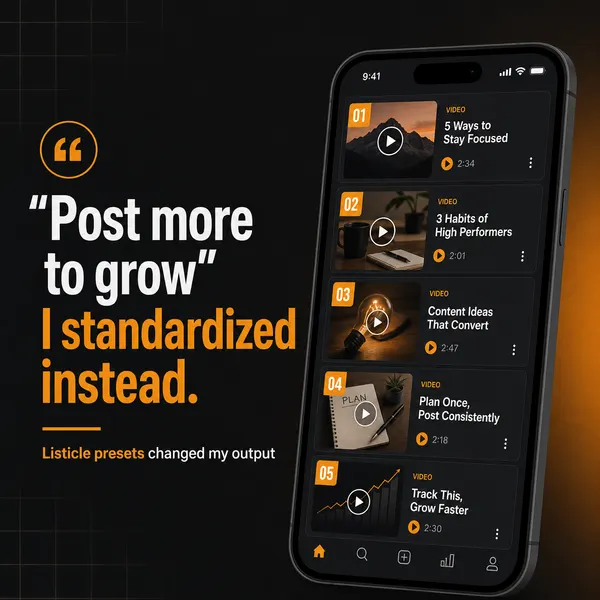
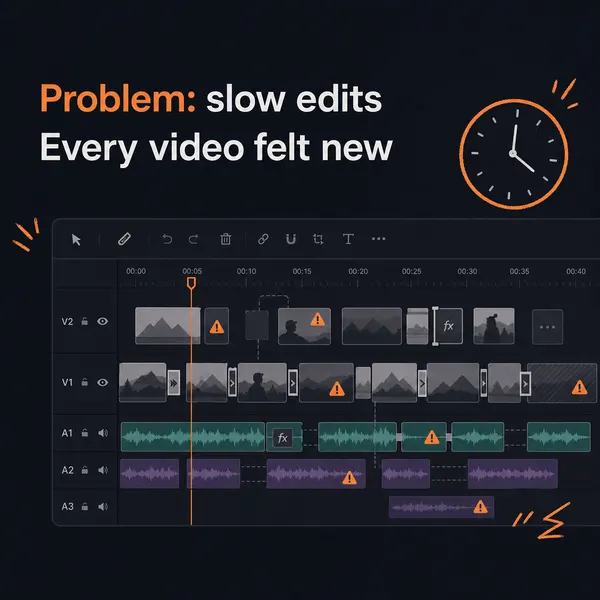
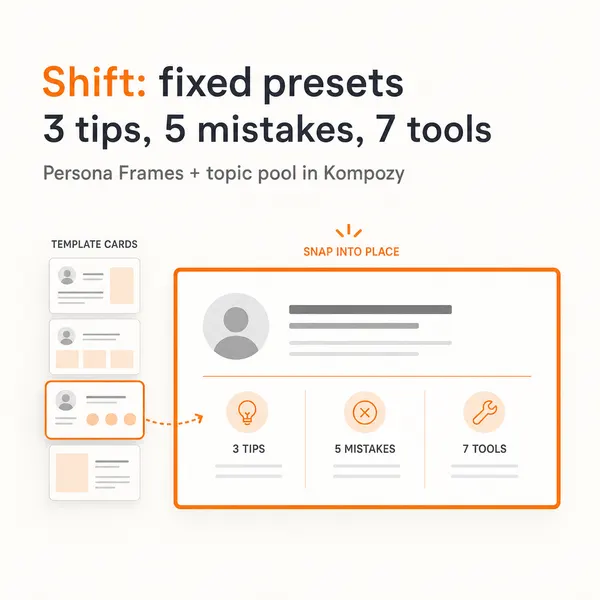
A real carousel made in the Kompozy workspace, shown as an example of the format. It was not made for this guide or for any customer.


Who is this for, and who should skip it?
Best for:
- Creators who pay for more tools than they use and want a rule for cutting back.
- New creators choosing a first stack across recording, editing, email and payments.
- Creators comparing membership fees across Patreon, Memberful, Gumroad and Stripe.
Not ideal for:
- Creators who only need clips from long videos. A dedicated clipper like OpusClip is the sharper buy.
- Anyone who publishes long-form only now and then. Manual repurposing on an entry plan may beat Kompozy.
- Teams that need a full social inbox and approval workflow. Sprout Social is built for that.
Frequently asked questions
How much should a content creator spend on tools per month in 2026?
There's no universal number. Spend should follow the eight jobs, not audience size. Check your monthly tool bill against revenue every quarter, and if that share keeps rising while output stays flat, you're over-tooled.
What are the must-have tools for a new content creator?
Five cover the basics: a way to record (Riverside's free plan or a phone and a decent mic), CapCut plus a caption tool for editing, a repurposing and scheduling tool such as Kompozy Starter, beehiiv's free plan for email, and Stripe plus a business bank account for payments.
Is Kompozy worth it compared to OpusClip and Submagic?
OpusClip and Submagic are strong at clipping and captions. Kompozy covers a wider fan-out (video, image, text, blog and newsletter from one source), so it can replace a clipper, caption tool, repurposing tool and scheduler. If you only need clips, OpusClip is the sharper choice.
What is the cheapest email platform for creators in 2026?
Both beehiiv and Kit have free plans. beehiiv's is free up to 2,500 subscribers, and Kit's is free up to 10,000 subscribers but has no automations. Kit's paid Creator plan adds unlimited visual automations.
Should I use Patreon or Memberful for paid memberships?
Patreon is easier to launch and takes 10% of income plus processing and payout fees. Memberful costs $49 a month plus 4.9% per transaction, which breaks even with Patreon at roughly $1,000 a month in revenue. Above that, Memberful is cheaper.
How many tools should a solo creator actually use?
As few as cover the eight jobs. The creators who earn the most tend to know a handful of tools deeply rather than pay for many. If two tools serve the same job, keep the one you use most.
When should a creator hire help instead of buying more tools?
Consolidate tools before your first hire. Once production can't keep up even with a lean stack, a part-time editor or VA usually adds more output than another subscription.
How do we know this?
On 2026-10-23 we checked Stripe, Patreon, Gumroad, Memberful, beehiiv and Kit against their own pricing pages and updated the figures that had changed, including Memberful's monthly price and beehiiv's plan names. We removed prices we could not confirm and every survey or benchmark figure, since none had a public source. Kompozy prices come from kompozy.io/pricing.
Sources
- Stripe: Pricing and fees (read 2026-10-23)
- Patreon: Pricing (read 2026-10-23)
- Gumroad: Pricing (read 2026-10-23)
- Memberful: Pricing (read 2026-10-23)
- beehiiv: Pricing (read 2026-10-23)
- Kit: Pricing (read 2026-10-23)
- Kompozy: Pricing (read 2026-10-23)
What other creator economy tools guides should you read next?
- Patreon vs Substack vs Beehiiv vs ConvertKit: creator monetization compared — The four leading creator monetization platforms in 2026, compared on fees, audience-ownership, monetization features, and the categories where each wins.
- Analytics stack for content creators: what to measure and what to ignore — The 8 metrics that matter for creator businesses, the 20+ metrics that don't, and the tool stack (native platform analytics + Buffer Analyze + Beehiiv 3D + custom dashboards) that surfaces the right data.
- Brand sponsorship and collaboration tools for creators in 2026 — How AI brand-matching, sponsorship marketplaces (Passionfroot, Creator Mode), and outreach automation tools change the economics of creator-brand deals.
- Financial and accounting tools for solopreneur creators — The 2026 creator finance stack: business banking (Mercury, Relay), accounting (Bench, Pilot, QuickBooks), tax tooling, and the corporate structure that maximizes after-tax income for solo creator businesses.
- Solo creator vs creator team: when to hire and what AI replaces — The new break-even math: how AI tools push the "I need to hire" threshold from $50k/year to $250k+/year for creator businesses. With the role-by-role analysis (editor, VA, manager, ops) of what AI replaces and what it doesn't.
Which adjacent topic clusters should you explore next?
- AI Content Repurposing — The complete methodology for turning one source into 25-35 pieces of native-format content across every platform — without producing AI slop.
- Autonomous Content Creation — How Kompozy autopilot really works: one workspace switch that approves and schedules generated posts, the checks that run before they publish, and a 14-day ramp for turning it on.