CTA
Call-to-action — an explicit instruction telling the viewer what to do next (follow, comment, click, subscribe, save).
Last verified · 2026-10-23 · by Moe Ameen
Published 2026-05-22 · Updated
Short answer
A CTA, or call to action, is the line that tells your audience what to do next: follow, comment, save, click or subscribe. Without one, even a post people enjoy rarely leads anywhere. The best CTAs ask for one specific thing and offer one clear reward, like "Comment GUIDE and I'll DM you the checklist." Put it at the end of short videos or in the caption's first line.
Key takeaways
- A CTA tells the viewer exactly what to do next.
- Ask for one action, not five.
- Pair the ask with a specific reward.
- Short-form: end of video or first caption line. Newsletters: the P.S. works well.
What does a CTA do in a post or video?
A CTA closes the loop between content and outcome. Without one, even highly engaging content produces no measurable next-step behavior. Common short-form CTAs: "follow for more", "save this for later", "comment X for the link", "send this to a friend who needs it". Common long-form CTAs: "subscribe", "hit the bell", "link in description".
CTAs work better when they're single, specific, and aligned with the content's value. "Like, comment, subscribe, hit the bell, and share with three friends" is a non-CTA — it asks for everything, gets nothing. "Comment 'GUIDE' and I'll DM you the checklist" is a CTA — one action, one specific reward.
Placement matters too. In short-form, put the CTA at the very end of the video or in the first line of the caption. In a long video, repeat it early, around the middle and at the end. In a newsletter, the P.S. line is a natural spot for it.
What does this look like in Kompozy?
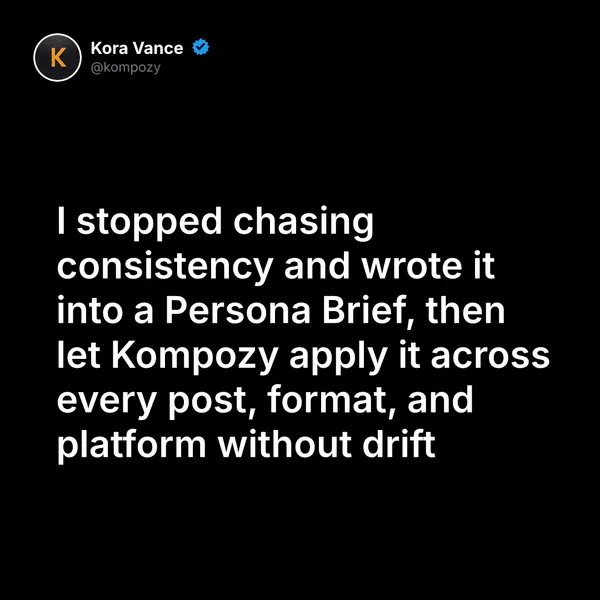
A real quote graphic from the Kompozy workspace. Single-message graphics like this are a simple place to carry one clear call to action.
Who is this for, and who should skip it?
Best for:
- Creators whose posts get views but no follows, comments or clicks
- Anyone running a lead magnet or a DM keyword offer
Not ideal for:
- Pure entertainment posts where a hard ask would feel out of place
- Anyone stacking several asks into one post
Frequently asked questions
What is a CTA?
A CTA, or call-to-action, is an explicit instruction telling the viewer what to do next — follow, comment, click, subscribe, or save. It closes the loop between content and outcome; without one, even highly engaging content produces no measurable next-step behavior.
What makes a CTA effective?
CTAs work better when they are single, specific, and aligned with the content's value. 'Comment GUIDE and I'll DM you the checklist' is a strong CTA — one action, one specific reward — whereas 'Like, comment, subscribe, hit the bell, and share with three friends' asks for everything and gets nothing.
Where should I place a CTA?
It depends on the format. Short-form CTAs go at the very end of the video or in the caption's first line. Long videos can repeat the ask early, around the middle and at the end, and newsletters can put it in the P.S. line.
How many CTAs should one piece of content have?
Use one clear CTA per piece. Asking for several actions at once dilutes the request. One specific ask with one reward is much easier for a viewer to act on than a stacked list of demands.
What are common short-form versus long-form CTAs?
Common short-form CTAs include 'follow for more,' 'save this for later,' 'comment X for the link,' and 'send this to a friend who needs it.' Common long-form CTAs include 'subscribe,' 'hit the bell,' and 'link in description.'
How do we know this?
This page is mostly practical guidance rather than data. On 2026-10-23 we removed timing percentages and performance claims we could not source, and checked the YouTube notification-bell reference against YouTube Help.
Sources
- YouTube Help — Manage YouTube notifications (read 2026-10-23)
Related terms
- Hook — The opening 1–3 seconds of a video or first line of a post — designed to stop the scroll and earn the next 5 seconds of attention.
- Engagement rate — The percentage of viewers who took an action (like, comment, share, save) divided by total reach or impressions.
- Caption — The text body that accompanies a social-media post — on Instagram and LinkedIn, often the difference between scroll-past and engagement.
- AI Content Repurposing — The complete methodology for turning one source into 25-35 pieces of native-format content across every platform — without producing AI slop.
- Autonomous Content Creation — Most "autonomous" AI content is slop.
- AI Brand Voice & Persona — Without a Persona Brief, every AI output averages to the LLM default voice.