How to make LinkedIn collaborative posts for reach (2026)
Co-author one LinkedIn Collab post with a partner or company page and reach both networks at once. Setup steps, who can collaborate, and the reach math.
Last verified · 2026-10-23 · by Moe Ameen
Published 2026-06-23 · Updated
Short answer
To make a LinkedIn collaborative post, start a post from the sharebox, click add collaborators, and invite up to five other members or Company Pages. LinkedIn announced the feature globally on July 23, 2026. Each invitee must accept before they appear on the post, and Company Pages need a super admin to take part. Co-author with partners whose audiences add new reach.
Key takeaways
- Collab posts are shared authorship. Every collaborator is listed at the top, unlike a tag.
- You can invite up to five other members or Company Pages per post.
- Invitees only show on the post after they accept, so agree timing with partners first.
- Company Pages need a super admin to enable collaboration and accept invites.
- Compare reach against a solo post on the same topic to see if the partnership added anything.
A LinkedIn collaborative post (LinkedIn calls it a "Collab" post) is a single post co-authored by two or more accounts — individual members and company pages — with every collaborator credited at the top. Unlike tagging or mentioning someone, a Collab post is shared authorship: the post surfaces to the followers of every collaborator, so one piece of content reaches multiple networks at the same time instead of one.
That shared distribution is the whole reason this matters for reach. A brand that co-authors with a creator borrows that creator's distribution, and two peers with overlapping audiences double their surface area off one post. It reads as a genuine partnership rather than a paid mention — an endorsement signal a tag does not carry.
One update before you plan around it: LinkedIn announced Collaborative Posts globally on July 23, 2026, with up to five other members or Company Pages on one post. If you do not see the option yet, update the app and check the sharebox again. This guide covers how it works, how to use it the moment it lands, and what to do in the meantime.
How do you start a LinkedIn collaborative post?
- Confirm you have access to Collab posts. Start a new post from the sharebox and look for the "add collaborators" option, which is where LinkedIn says the feature lives. If you do not see it, update the app and try again. Company pages are managed separately (see the page-specific step below).
- Turn on collaboration notifications. So you do not miss invitations, enable the notification. Go to Me → Settings & Privacy → Notifications and look for a Collaborations toggle. Turn it on. This is also where invitations to co-author someone else's post will surface — invited collaborators have to accept before they are listed on the post, so a missed notification leaves a partner off it.
- Write the post as the lead author. Compose the post the way you normally would: the hook in the first line, the body, and any media (a document, an image or a native video all work). The lead author drafts the content — collaborators are credited and distribute it, but the composer belongs to whoever starts the post. Write it so it reads as a shared point of view, not a one-sided pitch, since it will appear under multiple names.
- Add your collaborators. In the composer settings, choose "Add collaborators" and search for the members or company pages you want to co-author with. You can invite individual people, company pages, or a mix. Each one you add has to accept before they appear as a collaborator, and LinkedIn allows up to five. Keep the collaborator list tight and genuinely relevant — every name appears at the top of the post, and an audience reads three relevant co-authors very differently from a long list of loosely-connected tags.
- For a company page, have a super admin enable and accept. Company pages cannot accept collaboration invites the way a personal profile can. A super admin of the page must enable the feature for the page and accept the invitation on its behalf. If you are coordinating a brand-plus-creator post, line this up in advance — the page will not appear on the post until the page side accepts, and admins who are not watching page notifications are the most common reason a Collab post stalls.
- Send the post and wait for every acceptance. Publish from your side. Each invited collaborator appears on the post once they accept, and the post then shows across their networks as well as yours, with all names listed at the top. Because of the accept-gate, coordinate timing with your partners beforehand rather than firing an invite cold and hoping they notice.
- Track reach across both networks and repeat what works. After it goes live, watch impressions, unique reach, and engagement in your analytics, and compare them to a solo post on the same topic — the lift over your baseline is the real signal of whether the partnership added distribution. Treat collaborators like a channel: the pairs that consistently beat your solo reach are worth a recurring cadence (a monthly co-authored post, a launch series), not a one-off.
What should you check before co-authoring a LinkedIn post?
- LinkedIn now offers Collaborative Posts globally. If "add collaborators" is not in your sharebox, update the app and check again.
- Collaborators only appear on the post after they accept. One slow or unaware collaborator stays off the byline.
- Company pages need a super admin to enable the feature and accept on the page's behalf — a regular page admin or content admin may not be able to.
- LinkedIn caps a post at five invited collaborators. Check who can edit the post afterward and what analytics each collaborator sees in your own account before you promise a partner anything.
- Collaborators credited at the top is an endorsement signal, so only co-author with accounts you actually want to be publicly associated with. It is harder to walk back than a tag.
- Reach comes from genuinely non-overlapping or complementary audiences. Co-authoring with someone whose followers are identical to yours adds credibility but little net new reach.
What does LinkedIn Collab not do, and where does Kompozy fit?
The Collab feature is the LinkedIn-native distribution wrapper — the invite-and-accept handshake that puts one post in two networks. What it does not do is write the post or make it look like both brands. That is the part that decides whether a co-authored post earns the shared reach or wastes it, and it is where Kompozy fits: you produce the actual artifact two partners publish under their joint byline. From one source — a joint webinar, a co-hosted podcast, a shared launch announcement — Kompozy generates the LinkedIn-ready pieces a Collab post is built on: a multi-slide Carousel Post rendered pixel-exact through HyperFrames, a Text Post in the right voice, or a Persona video, all sized for LinkedIn specifically.
The practical co-marketing play: spin up a workspace per partner, set each Persona Brief to that partner's voice and brand, and generate matched halves of the same campaign so neither side is bolting their logo onto the other's template. Kompozy publishes natively to LinkedIn as one of its nine platforms, so the lead author's version ships straight from the engine; the partner accepts the Collab invite on LinkedIn's side. And because a partnership should not depend on one platform, the same generated assets fan out to the rest of your calendar — Instagram, X, a newsletter, a blog — through autopilot, so a partnership is not stranded waiting on one platform's rollout. Starter ($199/mo for 5,500 credits and 4 platforms) suits a solo operator running occasional co-marketing; Pro ($499/mo for 18,000 credits, 9 platforms, 2 workspaces and full autopilot) covers a small team working with one or two partners; Agency ($999/mo, 5 workspaces) covers an agency running many brand pairs; Enterprise is available through Contact Sales. LinkedIn supplies the shared byline; Kompozy supplies the on-brand content worth sharing it on.
What does this look like in Kompozy?
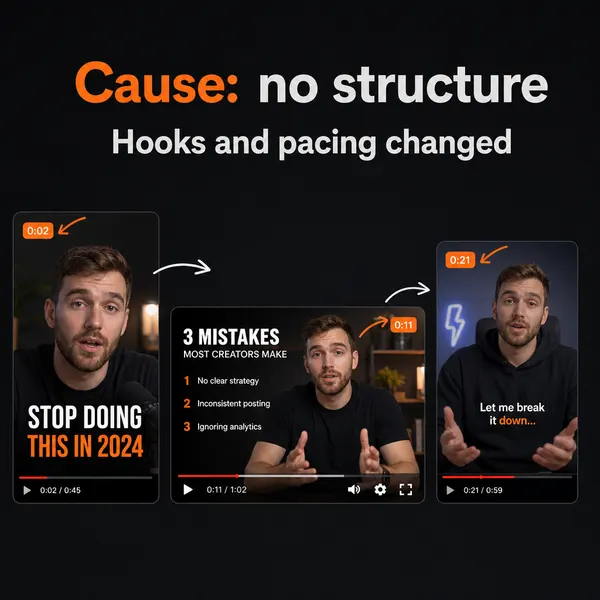
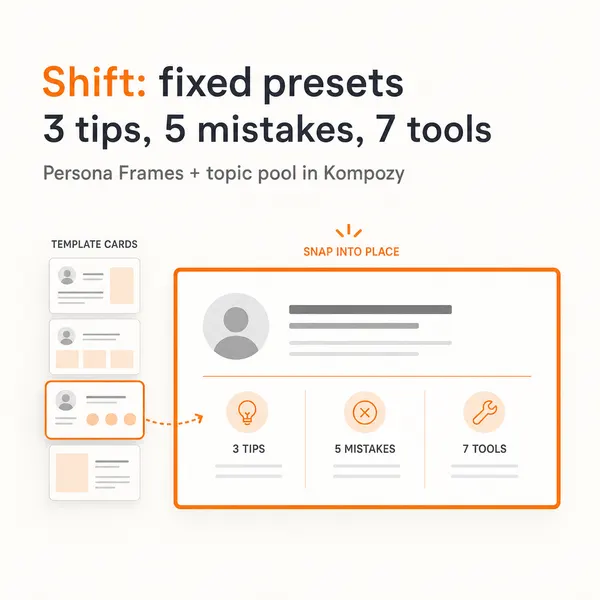
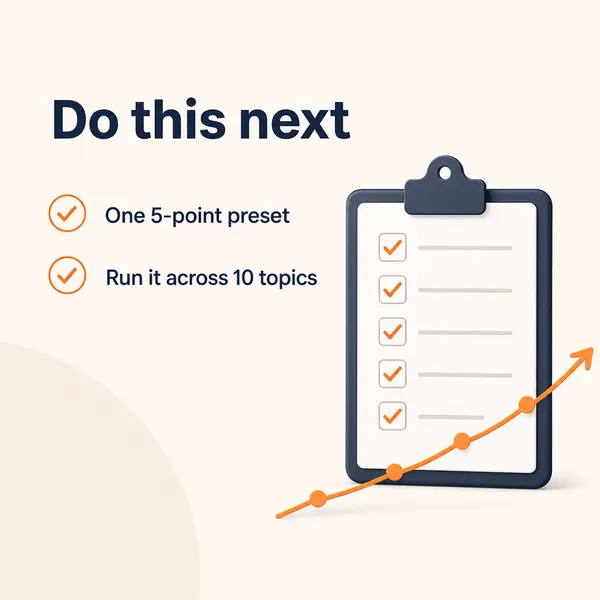
A real carousel made in the Kompozy workspace, shown as an example of the format. It was not made for this guide.


Who is this for, and who should skip it?
Best for:
- Brands co-marketing with creators, partners or other companies on LinkedIn.
- Peers whose audiences overlap a little but not completely.
- Agencies producing matched content for brand partnerships.
Not ideal for:
- Partners whose followers are identical to yours. You gain credibility but little new reach.
- Accounts you wouldn't want publicly tied to your name. The byline works like an endorsement.
- Teams expecting Kompozy to handle the invite. Partners accept on LinkedIn’s side.
Frequently asked questions
What is a LinkedIn collaborative post?
It is a single post co-authored by two or more accounts — individual members and/or company pages — with all collaborators credited at the top. It publishes to the followers of every collaborator at once, so one post reaches multiple networks instead of one.
When did LinkedIn launch Collab posts?
LinkedIn announced Collaborative Posts globally for members and Company Pages on July 23, 2026.
How do collaborative posts increase reach?
The post appears in every collaborator's followers' feeds simultaneously rather than just the lead author's. A brand co-authoring with a creator borrows that creator's distribution, and two peers stack their audiences off one post.
How is a Collab post different from tagging someone?
A tag mentions another account; a Collab post is shared authorship. Tagged users are not credited as authors and the post still lives on one person's feed. A Collab post lists every collaborator at the top and distributes through all of their networks, which reads as an endorsement rather than a mention.
Can a company page be a collaborator?
Yes. You can invite individual members, company pages, or a mix. For a page, a super admin has to enable the feature and accept the invitation on the page's behalf before the post goes live.
Why can't I find the Collab post option?
LinkedIn says the option sits in the sharebox under "add collaborators." If you do not see it, update the app and check again.
How many people can I add to a collaborative post?
Up to five other members or Company Pages, according to LinkedIn. Keep the list small and relevant regardless — every collaborator is credited at the top, and a tight set of genuine partners reads far better than a long list.
How do we know this?
On 2026-10-23 we checked the collaborative-post rollout, collaborator limit and Company Page rules against the sources listed below. Kompozy plan details come from kompozy.io/pricing.
Sources
- LinkedIn: Introducing Collaborative Posts, now available to members and Company Pages (read 2026-10-23)
- Buffer: Collaborative posts are coming to LinkedIn (read 2026-10-23)
- Kompozy: Pricing (read 2026-10-23)