SubSmith Arrives: a Local-Whisper Desktop App That Turns Your Own Videos Into Language-Learning Content
A new Birmingham, UK app transcribes your local video and audio with OpenAI's Whisper running on-device — private subtitles, a hover dictionary, and one-click Anki export, in 99+ languages.
2026-08-28 · by Moe Ameen
Published 2026-08-28 · Updated
Short answer
SubSmith is a language-learning app from a Birmingham, UK team that runs OpenAI's Whisper on your own computer to transcribe local video and audio. Files are not uploaded and there are no upload limits. It supports 99+ languages, a hover dictionary, Anki export and SRT or plain-text subtitles. It costs $15 a year or $40 for a lifetime license, with a 7-day trial.
Key takeaways
- SubSmith transcribes local files with Whisper on your own computer, so nothing is uploaded.
- It opens MKV, MP4, AVI and audio files and supports 99+ languages.
- It exports audio clips, screenshots and definitions to Anki, and subtitles as SRT or text.
- Pricing is $15 a year or $40 one time, with a 7-day trial and no card needed.
- It stops at subtitles and flashcards. Clipping and publishing need another tool.
What is SubSmith?
SubSmith, a language-learning app from a Birmingham, UK team, has surfaced in 2026 with a specific pitch: learn a language from the content you already have. You drop a local video or audio file into the app and it transcribes the speech using OpenAI's Whisper model running on your own machine, then builds a study workflow around the result.
The app's defining choice is that everything runs locally. Because Whisper runs on-device, files never upload, there are no upload limits, and transcription works offline once the model is downloaded. It opens common formats including MP4, MKV, and AVI video and MP3 audio, supports 99+ languages, and produces a timestamped, editable transcript. Around that transcript it adds a hover dictionary for instant word definitions, export of audio clips, screenshots, and definitions to Anki through AnkiConnect, and subtitle export as SRT or plain text.
SubSmith is positioned explicitly as a desktop alternative to browser tools like Language Reactor — it works on any local file rather than depending on a streaming platform or an extension — and it also markets to creators who simply want accurate, private subtitles for a video on their drive. Pricing is $15 a year or a $40 one-time lifetime license, with a 7-day trial that needs no credit card. Besides desktop versions for Windows, macOS, and Linux, the site lists iPhone and iPad apps, with Android in beta.
It's a new product, so treat specifics — operating-system support, format depth, the exact language count, and pricing — as a launch-window snapshot. SubSmith's own site (subsmith.app) is the source of truth as details settle.
Why does SubSmith matter for creators and learners?
- It's part of a clear 2026 pattern: creator and learner tools moving transcription on-device with local Whisper, trading cloud convenience for privacy. That shift matters for anyone who transcribes a lot of footage.
- For language teachers and polyglot creators, an accurate, editable subtitle track in the target language is the hard first step of making a lesson video — and SubSmith makes it privately and cheaply.
- Local processing means large or sensitive files never leave your machine, which matters if you would rather not send footage to a cloud captioning service.
- The workflow ends at a subtitle file and study cards. That's the whole point for a learner, but a creator who wants to publish still has clipping, repurposing, and distribution ahead of them.
- Cheap, focused tools like this are worth adding to a stack precisely because they do one job well — as long as you pair them with something that handles the steps they deliberately skip.
How can creators publish a subtitled lesson with Kompozy?
There are two ways for a creator to act on this. The first is to treat it as a live content moment: the move toward local, on-device AI is a topic your audience cares about, so drop "a new app runs Whisper locally to subtitle your own videos privately" into Kompozy's Quick Ingest and fan one take into a Text Post, an X thread, a LinkedIn carousel, a captioned Short, and a blog explainer in your own voice — then schedule and publish the set across the eight social platforms plus blog and email while the angle is fresh.
The second is the more durable read: SubSmith is a clean example of the emerging two-stage creator stack — generate or prepare locally, distribute at scale in the cloud. SubSmith privately produces an accurate target-language subtitle track; Kompozy takes that finished video and does everything after the subtitle, cutting captioned vertical shorts, building vocabulary carousels and quote graphics, drafting a blog and newsletter, and publishing the batch across nine platforms on one governed brand voice. The local tool keeps your files private and your transcription costs at zero; the engine turns one subtitled lesson into a week of published content. Neither replaces the other — together they're a full pipeline.
What are the quick takeaways?
- SubSmith (Birmingham, UK; new in 2026) transcribes local video and audio with OpenAI's Whisper running on-device — no uploads and no upload limits.
- It adds a hover dictionary and Anki export (audio clips, screenshots, and definitions), supports 99+ languages, and exports SRT or plain text.
- It's pitched as a desktop alternative to Language Reactor, working on any local file with a low annual plan, a one-time lifetime license, and a no-card trial.
- The workflow ends at a subtitle file — ideal for a learner, only the first step for a creator who wants to publish.
- The practical creator play is a two-stage stack: prepare locally with a tool like SubSmith, then generate and publish at scale with Kompozy across nine platforms.
What does this look like in Kompozy?
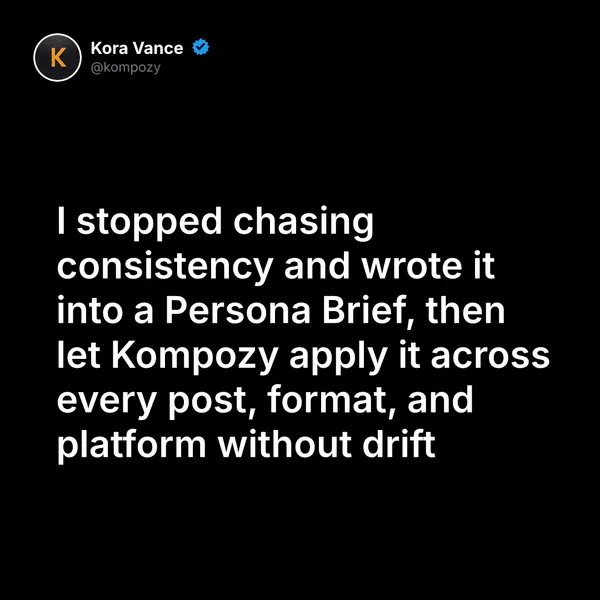
This quote graphic is a real output from the Kompozy workspace. A vocabulary line from a lesson could become a post like it.
Who is this for, and who should skip it?
Best for:
- Language learners who study from downloaded shows and podcasts
- Teachers and creators who want private subtitles for their own videos
- Anki users who mine sentences from local media
Not ideal for:
- People who mainly study on streaming sites, where a browser tool may fit better
- Creators who want clips and posts made for them
- Anyone who needs cloud sync of transcripts across a team
Frequently asked questions
What is SubSmith?
SubSmith is a language-learning app from a Birmingham, UK team. It transcribes your own video and audio with Whisper running on your computer and adds a hover dictionary and Anki export. It supports 99+ languages.
Does SubSmith run in the cloud or locally?
Locally. SubSmith runs Whisper on your computer once the model is downloaded, so you do not upload your files and there are no upload limits.
How much does SubSmith cost?
SubSmith lists $15 a year or a $40 one-time lifetime license. There is a 7-day free trial that does not need a credit card.
Can SubSmith publish or repurpose my videos?
No. SubSmith makes transcripts, subtitles and study cards. To cut the video into shorts and publish posts, you would pair it with a content engine like Kompozy.
How do we know this?
We checked every figure, date, quote and product claim on this page against the sources listed below on 2026-10-23, and removed or rewrote anything we could not confirm. Features, platforms and prices come from SubSmith's own site. We removed directory listings and file formats we could not confirm there. Kompozy plan and format details come from kompozy.io/pricing.
Sources
- SubSmith — Learn languages from real content (read 2026-10-23)
- SubSmith — Language Reactor desktop alternative (read 2026-10-23)
- Kompozy — Pricing and plans (read 2026-10-23)