Posting to Social Media From Claude (2026): Honest Review of the Buffer MCP Workflow
Honest 2026 review of posting to social media from Claude via the Buffer MCP: what the connector drafts and schedules well, and where it hits a hard wall.
Published 2026-08-12 · Updated
Short answer
Posting from Claude means connecting Claude to Buffer through Buffer's MCP server, so you can draft posts in a chat and send them to your Buffer queue. MCP access comes with every Buffer plan, including Free, and Buffer reaches 12 channels. Claude writes well and nothing posts without your review, but the setup makes no images or video and only runs inside a chat you start.
Key takeaways
- Buffer's MCP is free on every Buffer plan; the Free plan connects up to 3 channels.
- Setup is a custom connector in Claude's Customize > Connectors, using Buffer's MCP URL.
- Buffer reaches 12 channels, including Bluesky, Mastodon, Google Business Profile and Substack.
- Everything lands in Buffer's queue for review before it goes live.
- It generates no visuals, offers no analytics tools and needs you in the chat.
Posting from Claude through the Buffer MCP connector works well for one narrow job: drafting social copy in a conversation and dropping it into a review queue to schedule. Claude writes well, Buffer schedules cleanly, the connector is free, and nothing publishes unseen. The limits are just as clear. It generates no images, video, or carousels, and it only runs while you're in a chat, with no autonomous or scheduled publishing.
Posting to social media from Claude isn't a product so much as a workflow: Anthropic's Claude, connected to the scheduler Buffer through Buffer's MCP (Model Context Protocol) server, so you can draft a post in a conversation and send it to your Buffer queue without leaving the chat. This review scores that workflow for what it actually is — an AI drafting layer bolted onto a scheduler — not for things it never claimed to be.
Judged on that job, it does well, and the honest cons are about scope, not sloppiness. Claude is a strong writer that repurposes copy fluidly across platforms; Buffer is one of the cleanest schedulers in the category; the connection is free on every Buffer plan; and because everything lands in Buffer's queue, nothing publishes without you seeing it first. For interactive drafting — "turn this blog into a LinkedIn post and a Threads chain and queue them" — the pairing is fast and pleasant.
The ceiling is where the score comes down, and it's a real ceiling. The connection produces text only: no image generation, no video, no carousels, no clip detection, and media attaches to a queued post only as a hosted URL rather than a direct upload.
Buffer's MCP page lists post, queue, and idea tools but no analytics tools, and, most limiting for anyone imagining a hands-off system, it runs only inside a conversation you start. There is no event-triggered or scheduled generation. Scores below reflect the workflow's public state as of 2026-08-12; confirm current details on Buffer's and Anthropic's own sites before relying on them.
How does posting to social media from Claude work?
The workflow has two parts. Claude is the assistant doing the drafting — you paste a source or describe an idea, and it writes native, platform-specific variants and repurposes one post into another in the thread. Buffer is the scheduler on the receiving end: you connect your social channels in Buffer, and Claude reaches them through the Buffer MCP server, the open protocol connection that lets an AI assistant act inside an outside app with your permission. Setup is a connector you authorize in Claude's Customize → Connectors settings (you add Buffer's MCP URL as a custom connector and approve access; Claude Code users can add it with one command). Once connected, you ask Claude in plain language to draft posts, review your queue, save ideas, or schedule to a specific channel and time. Everything Claude creates arrives in Buffer's queue as a draft or scheduled post, and it can queue to every channel Buffer supports: LinkedIn, X, Instagram, Threads, Facebook, TikTok, Pinterest, YouTube, Bluesky, Mastodon, Google Business Profile, and Substack. MCP access is included on every Buffer plan, including Free. What it does not do is generate anything visual, offer analytics tools, or operate outside a live conversation — those are the workflow's defining limits, not incidental gaps.
Who is posting from Claude for?
This workflow fits people whose bottleneck is wording and scheduling, not making visual media. If you already use Claude, already schedule in Buffer, write or lightly co-write your own posts, and mostly need help drafting native variants and getting them into a reviewable queue, it's close to ideal and effectively free to add. It suits solo creators, writers, and lean teams publishing a manageable cadence who already own or don't need much visual content. It fits poorly for anyone whose real work is producing video, carousels, and images at volume; for creators who need a consistent brand voice and face across many posts without re-priming a chat each time; and for anyone who wants an unattended, event-triggered pipeline — the connection's chat-only nature rules that out.
How does the Claude and Buffer workflow score in our review?
| Dimension | Score | Why |
|---|---|---|
| Setup & connection | 4.2 / 5 | The connector path is simple: add Buffer's MCP URL in Claude's Connectors settings, approve access, and go. No code. |
| Drafting quality | 4.6 / 5 | Claude is a strong writer that produces clean, native copy and repurposes fluidly across platforms inside a conversation. |
| Repurposing & platform variants | 4.2 / 5 | Turning one source into per-platform variants is a genuine strength; you still steer tone and length, but the drafts are solid starting points. |
| Scheduling & queue | 4.5 / 5 | Buffer's queue and calendar are among the cleanest in the category, and the review-before-live step is built in. |
| Platform coverage | 4.4 / 5 | Broad native reach through Buffer: 12 channels including Bluesky, Mastodon, Google Business Profile, and Substack. |
| Media generation | 1.5 / 5 | A hard floor: no images, no video, no carousels, and media attaches only as a hosted URL — every visual is made elsewhere. |
| Automation & autonomy | 2.0 / 5 | Runs only inside a conversation you start; there is no event-triggered or scheduled generation, which rules out a hands-off pipeline. |
| Brand-voice consistency | 3.0 / 5 | Claude writes generically unless you re-prime it with your positioning and examples each session; there's no persistent persona layer. |
| Value for money | 4.3 / 5 | The MCP is free on every Buffer plan and rides tools you may already pay for — excellent value for the narrow job it does. |
What are the pros and cons of posting from Claude?
Pros
- Free to add: the MCP is included on every Buffer plan, including Free.
- Claude is a strong writer; conversational drafting and repurposing are fast and flexible.
- Everything lands in Buffer's queue, so nothing publishes without you reviewing it first.
- Broad channel coverage via Buffer: 12 platforms including Bluesky, Mastodon, Google Business Profile, and Substack.
- Simple, no-code connector setup; nothing new to learn if you already use both tools.
- Not locked to Claude — the same Buffer MCP works from ChatGPT and other MCP-capable clients.
Cons
- No media generation at all — no image, video, or carousel; you make every visual elsewhere and attach it by hand.
- Runs only inside a conversation you start; there is no autonomous, event-triggered, or scheduled publishing.
- Media attaches only as a hosted URL — no direct file upload through the connection yet.
- No analytics through the connection; Buffer's MCP tools cover posts, the queue, and ideas, not metrics.
- Generic voice unless you re-prime Claude with your positioning and examples every session.
- It's two subscriptions and two apps, and the "engine" is really you steering a chat.
How much does posting from Claude cost?
The pricing story is the workflow's strongest argument: it's essentially free to add. The Buffer MCP is included on every Buffer plan, including the Free tier (3 channels). If you already pay for Buffer to schedule and for Claude to write, wiring them together costs nothing extra and immediately makes both a little more useful. For the narrow job of drafting copy and queuing it, that's hard to argue with.
The cost only appears when you push the workflow past its scope. Claude drafts text and nothing else, so the moment your posts need video, carousels, or images, you're back to a stack of separate tools — a video editor, a design tool, stock media — each with its own price and its own tab. The "free" workflow quietly assumes you've solved the visual half somewhere else, and for most creators that assumption is where the real spend lives.
Against a content engine it isn't a like-for-like comparison, and framing it as one would mislead. Kompozy runs $199/mo (Starter, 5,500 credits) to $499/mo (Pro, 18,000 credits) with published self-serve pricing because it generates across 20 formats — video, carousels, images, blog, newsletter, posts — and publishes to eight social platforms plus blog and email. The Claude-and-Buffer route is cheaper because it does less; it prices a drafting-and-scheduling helper, not a content operation.
Which jobs does posting from Claude fit?
| Use case | Fit | Why |
|---|---|---|
| Drafting native post variants from a source and queuing them | Strong | Exactly the job — Claude writes clean per-platform copy and sends it straight to Buffer's queue. |
| Scheduling across many channels with a review step | Strong | Buffer covers 12 channels and everything passes through a queue you approve before it publishes. |
| Adding AI drafting to a Buffer setup you already like | Strong | The connector is free and no-code, so it augments your existing scheduler without moving you off it. |
| Keeping a consistent brand voice across high volume | OK | Doable if you build and reuse a strong prompt each session, but there's no persistent persona layer to lean on. |
| Producing images, video, or carousels as part of weekly output | Weak | The connection generates no visual media; those are made in other tools and attached in Buffer. |
| Running a hands-off, scheduled content pipeline | Weak | It operates only inside a live conversation — there is no autonomous or event-triggered generation. |
| Reading performance data to decide what to post next | Weak | Buffer's MCP page lists no analytics tools, so the assistant can't pull engagement numbers through it. |
What are the alternatives to posting from Claude?
- Kompozy — for the half this workflow can't do: an engine that generates video, carousels, and images (not just text) from one source in your brand voice, and publishes across eight social platforms plus blog and email on autopilot, with no chat to babysit.
- Buffer's own AI Assistant — draft-polishing inside Buffer itself, useful if you'd rather rewrite in the scheduler than in a separate chat window.
- ChatGPT + the same Buffer MCP — an identical drafting-and-scheduling setup driven from a different assistant, if you prefer ChatGPT to Claude.
- A native scheduler autopilot or Zapier MCP flow — for the event-triggered automation the chat-only Claude workflow can't provide.
How does posting from Claude compare with Kompozy?
The fair read is that this workflow and Kompozy answer different questions. Posting from Claude answers "how do I draft and schedule copy faster?" — and it answers it well, cheaply, inside tools you may already have. If that's your question, it's a good choice and this review scores it as one; you don't need a content engine to word a few posts and queue them.
Kompozy answers "how do I produce and publish a week of finished, visual, on-brand content without doing it all by hand?" It overlaps the Claude route on drafting and multi-platform publishing, then covers the two things the chat setup structurally can't: it generates the video, carousels, and images natively, and it runs unattended on a schedule into a per-post review queue.
So the honest guidance is a fork, not a verdict. If the caption is the hard part and your visuals are handled, keep posting from Claude. If the hard part is making the media and keeping it running without you, that's the line where the free workflow stops and Kompozy begins — compare them directly on the posting-from-Claude alternative page.
What does this look like in Kompozy?
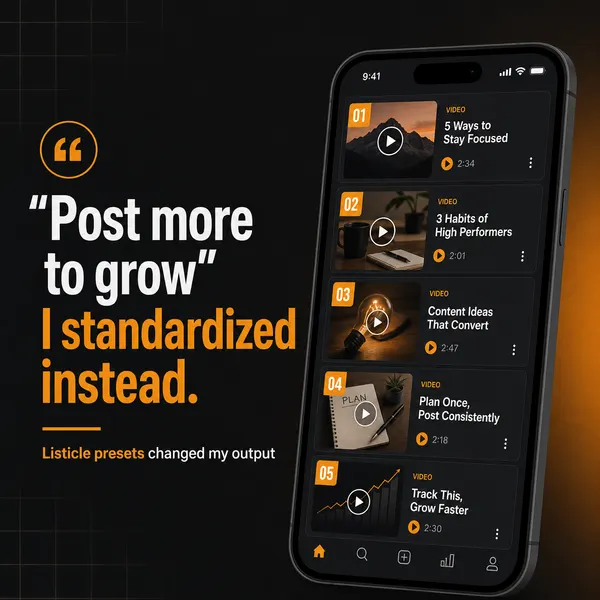
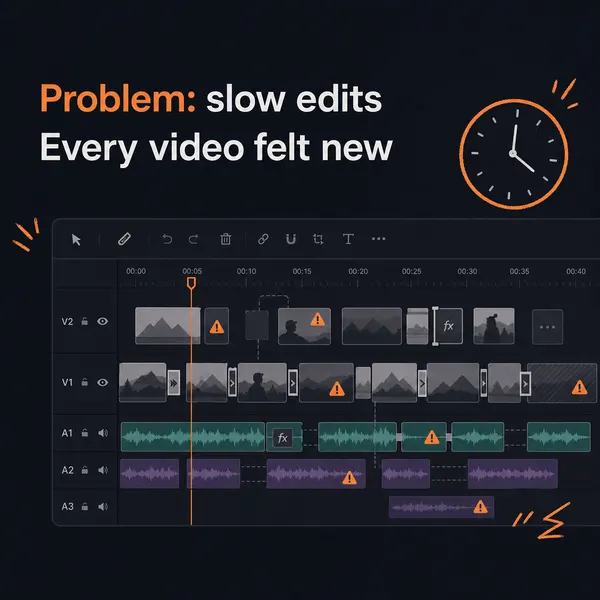
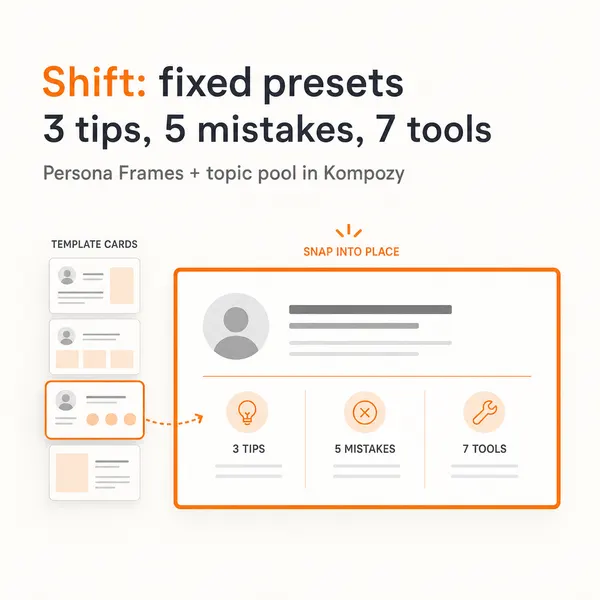
This is a real five-slide carousel made in the Kompozy workspace. It shows the kind of finished, postable format that a Claude and Buffer chat does not produce on its own.


Who is this for, and who should skip it?
Best for:
- Claude users who already schedule in Buffer
- Writers whose bottleneck is wording, not visuals
- Lean teams posting at a manageable cadence
Not ideal for:
- Creators who need video, carousels or images made for them
- Anyone who wants unattended, scheduled generation
- Teams that want performance data in the same chat
Frequently asked questions
Is posting to social media from Claude worth it?
For drafting and scheduling copy, yes. Claude writes well, Buffer schedules cleanly, the MCP connector is free on every Buffer plan, and posts land in a review queue before publishing. The caveats are firm: it generates no images, video, or carousels, offers no analytics tools, and only runs inside a chat you start — so it's a strong drafting helper, not a content engine.
Can Claude post directly to my social accounts?
No. Claude drafts the post and sends it to Buffer through the MCP connection; Buffer publishes to the channels you connected there. Posts arrive in Buffer's queue as drafts or scheduled items, and you review them before they go live.
Can Claude generate images or video for the posts?
Not through this integration. It produces text and issues queue commands only, and media attaches to a queued post as a hosted URL, not a direct upload. You create visuals in other tools and add them in Buffer. Engines like Kompozy generate those formats natively.
Does it publish automatically on a schedule without me?
No. The MCP connection operates only inside a conversation you start, so there is no event-triggered or scheduled generation. Finished posts sit in Buffer's queue until their scheduled time, but building them is always an interactive, in-chat step.
Which platforms does it support?
The channels Buffer supports: LinkedIn, X, Instagram, Threads, Facebook, TikTok, Pinterest, YouTube, Bluesky, Mastodon, Google Business Profile, and Substack. You connect each account in Buffer first, then Claude can queue to it.
How much does it cost?
The Buffer MCP is included on every Buffer plan, including Free, so the connection itself adds no cost on the Buffer side. You pay for whatever Buffer and Claude plans you choose. The real expense shows up in the separate tools you need to create the visuals Claude can't.
How does it compare to Kompozy?
They're different jobs. Posting from Claude drafts text and schedules it through Buffer — cheap and good if wording is your bottleneck. Kompozy generates video, carousels, images, and copy from a source in your brand voice and publishes them itself, including unattended on a schedule. Pick the Claude route for drafting; pick Kompozy when making the media and running it hands-off is the bottleneck.
How do we know this?
We checked every price, date, benchmark and competitor feature on this page against the sources listed below on 2026-10-23 and corrected what had changed. Kompozy plan details come from kompozy.io/pricing. The scores are Kompozy's editorial ratings.
Sources
- Buffer — MCP (read 2026-10-23)
- Buffer — Pricing (read 2026-10-23)
- Buffer — Claude integration (read 2026-10-23)
- Buffer Developers — API reference (read 2026-10-23)
- Kompozy — Pricing (read 2026-10-23)
- Autonomous Content Creation — Most "autonomous" AI content is slop.
- AI Content Repurposing — The complete methodology for turning one source into 25-35 pieces of native-format content across every platform — without producing AI slop.
See Posting from Claude (Buffer MCP) vs Kompozy comparison → · Get Started →