Best AI tools for podcasters in 2026 — the full stack, compared
The 2026 AI podcast stack compared: recording, transcription, clipping, show notes, hosting, and fan-out, with honest pricing and the 3-tool minimum stack.
Published 2026-05-19 · Updated
Short answer
Most podcasters need three tools: a recorder or editor (Riverside Pro at $29 a month or Descript), a clipper for video episodes (OpusClip Pro at $29 a month), and a generation engine such as Kompozy Starter that turns each episode into text, image, blog and newsletter posts in the host's voice. Add Castmagic, $19 a month billed yearly, only if show notes are a main deliverable.
Key takeaways
- A podcast workflow has seven jobs, and no single tool does all of them well.
- OpusClip Pro ($29/mo) is the first buy for video podcasts; audio-only shows can skip it.
- Castmagic Hobby is $19/mo billed yearly and is the specialist for show notes.
- A Persona Brief is what keeps AI posts sounding like the host.
- Hosting is cheap: Buzzsprout has a free plan and Transistor starts at $19/mo.
Podcasting is one of the richest source formats a creator has. One long episode produces a full transcript, which is enough raw material for short-form clips, image cards, text posts, a blog article and a newsletter. The bottleneck has never been recording. It is the operator work of turning one recording into many platform-native outputs in the host's voice.
AI tools now take most of that operator work off the host, leaving a review pass instead of a full production day, or no per-post review at all on autopilot. This spoke is the stack analysis: what each tool does well, where each one falls short, and the stack we recommend at each scale. Every third-party price below was re-checked against the vendor's pricing page on 2026-10-23.
What are the 7 jobs in a podcast workflow?
A podcast workflow has seven distinct stages, and almost no single tool does all seven well. Name the jobs before you compare tools. Most podcasters run several tools because category specialists go deeper on each job, but the consolidation play (one orchestrator plus one specialist) gets more attractive as weekly output grows.
| Stage | What it does | Best-in-class tool (2026) | Notes |
|---|---|---|---|
| Recording | Capture host + guest in studio quality, separate tracks, remote-friendly | Riverside Pro, SquadCast Creator | Both record local-first to avoid bandwidth artifacts; Riverside owns the polished UX, SquadCast owns audio purists |
| Transcription | Word-accurate speaker-labeled transcript with timestamps | Descript, Whisper (self-host), Castmagic | Descript Creator is $24/mo billed yearly ($35 monthly) with 30 media hours a month; Whisper is free if you can run it; Castmagic is built around the transcript |
| Editing | Cut filler, ums, dead air; light mixing; multi-track export | Descript Creator, Riverside Pro | Descript is text-based editing (cut the transcript, audio follows); Riverside has an AI editing agent baked into the Pro plan |
| Clipping | Detect strong moments, reframe 16:9 to 9:16, burn captions | OpusClip Pro, Riverside Magic Clips | OpusClip Pro is $29/mo; Riverside includes Magic Clips on its Pro plan ($29/mo, or $24/mo billed yearly) |
| Shownotes & timestamps | Episode summary, chapter timestamps, key quotes, guest bio block | Castmagic, Riverside Pro | Castmagic Hobby is $19/mo billed yearly with 30 hours of audio; Riverside Pro lists show notes among its AI features |
| Audiograms | Animated waveform graphic for audio-only static promos | Headliner, Descript | Most video-podcast workflows skip audiograms; audio-only podcasts still need them for IG / X |
| Hosting & distribution | Host the MP3, generate the RSS feed, push to Apple/Spotify directories | Buzzsprout, Transistor, Spotify for Creators | Buzzsprout's Audio plan is $15/mo billed yearly (a free plan allows 2 hours of uploads a month); Transistor starts at $19/mo |
How do the 2026 podcast tools compare on price?
Here is the side-by-side, read off each vendor's pricing page on 2026-10-23. Where a vendor shows both, the monthly-billing and yearly-billing prices are listed, since many podcasters pay yearly.
| Tool | Category | Entry plan | Key allowance | What it is best at |
|---|---|---|---|---|
| Riverside Pro | Recording + AI | $29/mo ($24/mo billed yearly) | 5 hours/mo of separate-track recording, 4K, unlimited text-based editing | End-to-end recording with Magic Clips, an AI editing agent and show notes bundled |
| Descript Creator | Editing + transcription | $35/mo ($24/mo billed yearly) | 30 media hours/mo + 800 AI credits | Edit-the-transcript workflows; team scaling up to 3 seats |
| Castmagic Hobby | Transcript-to-content | $19/mo billed yearly | 30 hours of audio, up to 3 seats | Dedicated podcast show notes and transcript-to-post outputs |
| Castmagic Starter | Transcript-to-content | $48/mo billed yearly | 100 hours of audio, 5 seats | Where agency and multi-show podcast workflows usually land |
| Buzzsprout Audio | Hosting | $15/mo billed yearly | 72 upload hours a year | A polished host with a free plan for testing (2 upload hours a month) |
| Transistor Starter | Hosting | $19/mo | 20K monthly downloads, unlimited podcasts | Running several shows under one account |
| OpusClip Pro | Video clipping | $29/mo | 2-user packs (up to 4 users), 100GB storage | AI clip detection and reframing for video podcasts |
| Submagic Pro | Caption styling | $39/mo ($23/mo billed yearly) | 40 videos/mo up to 5 min each, 3 users | Caption presets you add on top of a clipper for styled burn-in |
| ElevenLabs Creator | Voice cloning | $22/mo | 121k credits/mo, Professional Voice Cloning | Host-voiced sponsor reads, dubbing and pre-roll consistency |
| Kompozy Starter | Generation + publishing | $199/mo | 5,500 credits/mo, 4 platforms | Fanning one episode into video, image, text, blog and newsletter outputs from one Persona Brief |
| Kompozy Pro | Generation + publishing | $499/mo | 18,000 credits/mo, 9 platforms | Multi-show networks and high-cadence operators |
Castmagic or Kompozy: which should podcasters pick?
This is the question most podcasters ask, so the answer goes first: Castmagic is a dedicated podcast transcript-to-content tool. Show notes, chapter timestamps, LinkedIn posts and blog drafts are its whole product, built around the transcript. If show notes and timestamps are your main output, Castmagic Hobby at $19/mo (billed yearly) is hard to beat on price.
Kompozy is a different shape of tool. It is a generation and publishing engine that takes one source (a podcast episode, a long-form video, a newsletter) and produces outputs across five buckets (video, image, text, blog and newsletter) for the platforms your plan connects, all from one Persona Brief. The Persona Brief is the load-bearing piece: it codifies voice, banned words, reference posts and format-specific instructions so outputs sound like the host instead of generic AI.
The two products coexist cleanly. One common pattern: Castmagic Hobby ($19/mo billed yearly) runs the transcript-to-show-notes pipeline and exports a cleaned transcript, and Kompozy Starter ($199/mo) reads that transcript and produces the platform-native outputs. Combined that is $218/mo. The deeper methodology is in the podcast-to-social spoke.
Which outputs does each podcast stack cover?
Feature lists matter less than which kinds of output each stack actually covers. Here is the coverage by stack, with monthly cost at list price.
| Stack | Monthly cost | Video clips | Image cards | Text posts | Blog | Newsletter |
|---|---|---|---|---|---|---|
| OpusClip Pro alone | $29 | Yes | No | No | No | No |
| Castmagic Hobby alone | $19 (billed yearly) | No | No | Yes | Draft | No |
| OpusClip Pro + Castmagic Hobby | $48 | Yes | No | Yes | Draft | No |
| Kompozy Starter alone | $199 | Yes | Yes | Yes | Yes | Yes |
| Kompozy Starter + OpusClip Pro | $228 | Yes (plus dedicated clip detection) | Yes | Yes | Yes | Yes |
| Kompozy Pro + OpusClip Pro + Castmagic Hobby | $547 | Yes | Yes | Yes | Yes (plus show notes) | Yes |
The jump from a two-specialist stack to adding a generation engine is where coverage changes most: the image-card and newsletter buckets appear, and text output stops depending on a separate tool. Beyond that, the extra coverage per dollar shrinks, because most podcasters do not publish everything a larger stack could produce.
In what order should podcasters add AI tools?
If you are starting from zero or rebuilding your stack, add tools in this order. Each step unlocks a new kind of output.
- OpusClip Pro ($29/mo). The highest-leverage single tool for podcasters with video episodes: it turns each episode into platform-ready vertical clips with burned captions. Audio-only podcasters can skip this and start at step 2.
- Kompozy Starter ($199/mo). Turns one episode into platform-native outputs across five buckets from one Persona Brief. It replaces the operator work of converting a transcript into LinkedIn posts, X threads, Instagram captions, image cards, a blog post and the weekly newsletter, all in the host's voice.
- Castmagic Hobby ($19/mo billed yearly) or Descript Creator ($24/mo billed yearly). Add Castmagic if show notes and chapter timestamps are core to your distribution; add Descript if you want text-based editing of the recording itself before the rest of the pipeline runs.
Total cost: $247-252/mo at list price. It takes over the clip selection, caption writing and post drafting a part-time content coordinator would otherwise do, as long as you actually publish weekly.
Where do AI podcast tools still fail in 2026?
Honest list. Skip any tool sales pitch that does not acknowledge at least four of these.
- Hook rewriting per platform. Clippers find strong moments but usually ship one hook everywhere, and a TikTok hook is structurally different from a LinkedIn hook. Kompozy writes each platform's text from the Persona Brief rather than reusing one caption.
- Generic brand voice on text outputs. Transcript-to-content tools sound generic by default. A Persona Brief is what forces the voice, and podcasters who skip that setup ship outputs that read like default chatbot copy.
- Audio-only clip generation. Most video-clip tools do not produce native audio-only clips for Spotify, Apple Podcasts, or X audio embeds. Audio-only podcasters need Headliner, Descript, or a manual audiogram workflow.
- Non-English transcription. Accuracy varies by language and engine, so non-English podcasters should test transcription on their own audio before committing to a stack.
- Speaker diarization on noisy recordings. Tools mis-attribute lines when there are several speakers, overlapping audio or background noise. Always review speaker labels before publishing transcript-based outputs.
- Long-form video posting. YouTube long-form upload, chapter markers, and end-screen automation are still mostly manual. The AI stack handles short-form fan-out; long-form remains a human-driven publish step.
- Rights-cleared B-roll for clips. AI clippers use stock or auto-extracted footage that is rarely matched well to the spoken content. Manual B-roll selection remains the single largest quality lift on short-form clips.
- Live show notes during recording. The tools covered here all assume post-production; none of them is built to produce chapter markers while you record.
In what order does each podcast tool fire?
A 2026 podcast workflow runs in five waves. Knowing the order tells you which tools belong in the stack and which are duplicative.
- Wave 1: Record. Riverside or a similar tool captures local, separate-track audio and video. Output: raw multi-track files.
- Wave 2 — Edit + transcribe. Descript or Riverside Pro runs the cut, removes filler, exports the final cut + a speaker-labeled transcript. Output: published-quality MP4 / MP3 + transcript.txt.
- Wave 3: Host and distribute. The MP3 uploads to Buzzsprout, Transistor or Spotify for Creators. The RSS feed pushes to Apple, Spotify and other apps. Output: a live episode and a canonical episode URL.
- Wave 4: Fan out. OpusClip detects short-form clips. Kompozy reads the transcript and produces text, image, blog and newsletter outputs. Castmagic (optional) produces show notes and chapter timestamps in parallel. Output: the week's social calendar, populated.
- Wave 5: Schedule and publish. Kompozy, Buffer or a native scheduler queues each post to its destination platform. Output: posts in the queue, going live on schedule.
Most podcasters who feel "drowning in their podcast" are skipping Wave 4 entirely — recording and distributing the episode, then trying to manually convert the transcript into social posts after the fact. The whole stack exists to make Wave 4 close to zero operator effort.
Which stack fits your podcast's scale?
Solo podcaster, weekly, < 5,000 downloads
Buzzsprout's free plan (2 upload hours a month) or Spotify for Creators for hosting, plus OpusClip Pro ($29/mo) for clips and Kompozy Starter ($199/mo) for fan-out. Total: $228/mo. Skip Castmagic until show notes become a sponsor requirement. Skip Riverside until you have a regular co-host or guest workflow; most solo podcasters record locally and import.
Solo or duo podcaster, weekly, 5,000-25,000 downloads
Buzzsprout Audio ($15/mo billed yearly) or Transistor Starter ($19/mo) for hosting, plus Riverside Pro ($24/mo billed yearly) for recording, OpusClip Pro ($29/mo) for clips and Kompozy Starter ($199/mo) for fan-out. Total: about $267/mo. This is the sweet spot where the stack takes over most of the weekly operator work.
Agency or network running 3+ shows
Transistor Professional ($49/mo, unlimited shows, 100K monthly downloads) plus Riverside Pro per host, OpusClip Pro, Castmagic Starter ($48/mo billed yearly, 100 hours, 5 seats) and Kompozy Starter ($199/mo, 5,500 credits) or Pro ($499/mo, 18,000 credits). Total: $349-649/mo before extra hosts. At the multi-show level, one generation engine with a shared credit pool replaces separate text tools per show.
What do we recommend for most podcasters?
For most podcasters: Kompozy Starter + OpusClip Pro = $228/mo total. Kompozy handles transcript-to-content, text for each connected platform, the blog post, the newsletter and scheduling. OpusClip handles dedicated clip detection. Add Castmagic Hobby ($19/mo billed yearly) only if show notes are sponsor-facing or part of your deliverables. The full tool comparison spoke covers the cross-format trade-offs; the tool stack blueprint walks through sizing at different publishing cadences.
Related reading: the podcast-to-social methodology spoke covers the end-to-end fan-out workflow in depth; the for-youtubers spoke is the sibling for long-form-video creators; the pricing page, tools catalog, and alternatives comparison round out the evaluation set.
What does this look like in Kompozy?
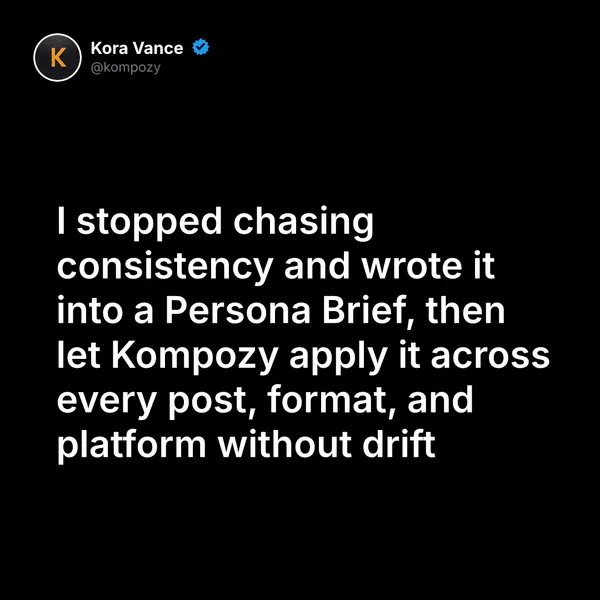
A quote graphic generated in the Kompozy workspace, one of the image formats a podcast episode can be turned into alongside clips and text posts.
Who is this for, and who should skip it?
Best for:
- Weekly podcasters who record but rarely turn episodes into posts
- Video podcasters who want clips plus written fan-out
- Networks running several shows that need one shared stack
Not ideal for:
- Podcasters who only need show notes; Castmagic alone is cheaper
- Audio-only shows that will not post short video
- Hosts publishing less than monthly, where tool costs outrun the output
Frequently asked questions
What is the minimum AI stack for a podcast?
A clipper for video episodes, a generation engine for text and images, and a show-notes or editing tool if you need one. A common setup is OpusClip Pro, Kompozy Starter and either Castmagic Hobby or Descript.
Is Castmagic worth it if I use Kompozy?
Only if show notes and chapter timestamps are a core deliverable. Kompozy writes posts, blog articles and newsletters from the episode; Castmagic is the dedicated show-notes tool.
How much does Riverside cost?
Riverside Pro is $29 a month, or $24 a month billed yearly, with 5 hours of separate-track recording a month. Grow is $39 a month with 15 hours.
Do audio-only podcasts need a clipper?
Usually not. Clippers are built for video, so audio-only shows get more from text posts, quote cards and audiograms.
Can AI replace a podcast producer?
AI can take over the coordinator work: clip selection, caption writing, post drafts and scheduling. Booking guests, shaping episodes and managing sponsors stay with people.
How do we know this?
We checked every price and plan detail on this page against the vendor pricing pages listed below on 2026-10-23, and removed figures we could not confirm. Kompozy plan details come from kompozy.io/pricing.
Sources
- Kompozy: Pricing (read 2026-10-23)
- Riverside: Pricing (read 2026-10-23)
- Descript: Pricing (read 2026-10-23)
- Castmagic: Pricing (read 2026-10-23)
- Buzzsprout: Pricing (read 2026-10-23)
- Transistor: Pricing (read 2026-10-23)
- OpusClip: Pricing (read 2026-10-23)
- Submagic: Pricing (read 2026-10-23)
- ElevenLabs: Pricing (read 2026-10-23)
Which other AI content tools guides should you read next?
- AI content tools comparison 2026: 40+ tools across 8 categories — The complete decision matrix — clipping, captioning, repurposing, voice cloning, avatars, scheduling, brand voice, end-to-end. Pricing, plan tiers, and the tool that wins each category.
- The 6-tool AI content stack we actually use at Kompozy — Transparent breakdown of the exact 6-tool stack — what we use, what we replaced, and what we built instead.
- Best AI content tools for YouTube creators in 2026 — AI clipping, thumbnail generation, A/B testing, Shorts repurposing, and channel automation tools for YouTubers in 2026.
- Credit-based vs seat-based AI tool pricing: which wins for your team — Per-seat pricing is dying in the AI era — here is the math on why credit-based wins for teams generating 100+ outputs a month.
- Best AI content tools for marketing agencies — Multi-brand workflows, white-label reporting, and per-client Persona Briefs. The agency-tier AI tool stack for 2026.
- Best AI content tools for founders and CEOs — Founder-led marketing on a 15-minute-a-day budget. The 6-tool stack that scales your voice across 9 platforms without losing it.
Which related topic clusters cover this from another angle?
- AI Content Repurposing — The complete methodology for turning one source into 25-35 pieces of native-format content across every platform — without producing AI slop.
- Autonomous Content Creation — How Kompozy autopilot really works: one workspace switch that approves and schedules generated posts, the checks that run before they publish, and a 14-day ramp for turning it on.