Meta AI Mac App
Meta AI's first dedicated desktop app for Mac — a native assistant with a global keyboard shortcut, on-screen context reading, dictation, and business connections to Instagram, Meta Ads Manager, and Google Workspace.
Last verified · 2026-10-23 · by Moe Ameen
Published 2026-08-19 · Updated
Short answer
The Meta AI Mac app is Meta's first native desktop app for its assistant, released August 19, 2026 as a 1.0 beta for Apple silicon Macs on macOS 15 or later. Option-Space opens a quick composer, a shortcut dictates into any app, and you can attach a window so it reads what is on screen. It connects to Instagram professional accounts, Ads Manager, and Google Workspace. It is free, with Meta One for higher limits.
Key takeaways
- Native Mac app (AppKit, SwiftUI, WebKit), released August 19, 2026 as a beta.
- Quick Invoke with Option-Space, system-wide dictation, and on-screen window reading.
- Business links to Instagram professional accounts, Meta Ads Manager, and Google Workspace.
- Free to use; advanced features sit behind the paid Meta One plan.
What is the Meta AI Mac app?
The Meta AI Mac app is a dedicated desktop application for Meta AI, released on August 19, 2026 as the assistant's first native home on the Mac. It is a small, native build for Apple silicon Macs running macOS 15 or later — written with AppKit, SwiftUI, and WebKit rather than shipped as an Electron wrapper — and it launched as a version 1.0 beta you download from Meta's site. The assistant runs on Muse Spark, which replaced Llama as Meta AI's model in April.
What makes the desktop version more than a bigger chat box is how it reaches into your Mac. A "Quick Invoke" shortcut (Option-Space) drops a compact composer over whatever app you are in; a system-wide dictation shortcut types your speech into any application; and you can attach a Mac window to a conversation so — with Screen Recording and Accessibility permission — Meta AI reads what is visible and answers questions, suggests edits, or drafts content based on it. It also switches thinking modes, attaches files, generates media, and sets recurring briefings and reminders, and it can hide its Dock icon to live behind the shortcut.
The release is pitched at creators and small businesses that run their marketing on Facebook and Instagram. It connects to Instagram professional accounts, Meta Ads Manager, and Google Workspace (email, calendar, documents), and grounds its answers in "the context only Meta has, like your account engagement and ad performance" — so you can ask what is working and get an answer from your own numbers. The app is free, with usage limits testing on the heavier features and a paid Meta One plan for higher allowances.
The Meta AI Mac app is a desktop advisor for the person at the keyboard. It drafts one thing at a time inside a chat window, its business insight is limited to what Meta can see, and it publishes to nothing you own. Turning what it tells you into finished, on-brand content across every platform is a separate job.
What can you make with the Meta AI Mac app?
- Draft captions, ad copy, and post ideas grounded in your own Instagram engagement and Meta ad-performance data
- On-screen answers — attach a window (your Ads Manager, a doc, your analytics) and get edits or drafts based on what is actually visible
- Dictated text typed straight into any Mac app via the system-wide voice shortcut
- Quick one-off images and media generated inside the chat
- Business documents — decks, spreadsheets, and reports built from your account data and public insights on comparable brands
- Recurring briefings and reminders pulled together at your desk
How does Kompozy turn Meta AI insights into content on every platform?
The Meta AI Mac app's genuinely distinctive move is that it can see your Meta numbers. Ask it what is landing and it answers from your Instagram engagement and Ads Manager — a real "what should I make more of" signal that a generic chatbot can't give you. Treat that as the front half of a workflow: the app is the analyst that tells you the winning theme, angle, or hook while you sit at your desk. What it cannot do is act on that answer at scale — it drafts one caption in a chat window and stops, and everything it touches stays inside Meta's world.
Kompozy is the back half: the engine that takes the winning theme the Mac app surfaced and turns it into a week of content published everywhere, not just where Meta can see. Feed the angle in as a source and Kompozy generates net-new formats the assistant can't — a captioned Persona Short or Persona Frames talking-head cut with a face-locked avatar, a brand-exact Carousel, Quote Graphics, a Blog Article, and an Email Newsletter — all written in one voice through your Persona Brief, auto-captioned, reframed to 9:16, 1:1, and 16:9, and pushed on Autopilot or through a per-post review queue to the eight social platforms plus blog and email.
The Mac app reads your Meta data and points you at what works; Kompozy manufactures and distributes the content that answer implies across TikTok, YouTube, LinkedIn, X, Pinterest, and Threads — the audiences Meta AI never sees.
- At your desk, use the Meta AI Mac app to read your Ads Manager or Instagram analytics on screen and identify the theme, hook, or format that is performing best.
- Have it draft a rough angle or caption from that data, then bring the idea into Kompozy as a source.
- Let Kompozy generate the full set in your Persona Brief voice — Persona Short, carousel, quote graphics, blog, and newsletter — from that one angle.
- Kompozy auto-captions and reframes each output to its destination feed.
- Schedule and publish the batch across the eight social platforms plus blog and email, or run it on Autopilot — reaching the audiences beyond Facebook and Instagram that the Mac app can't see.
What does this look like in Kompozy?
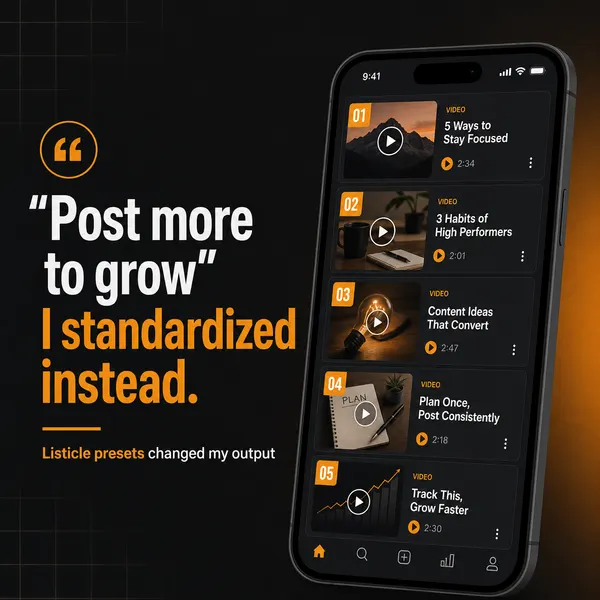
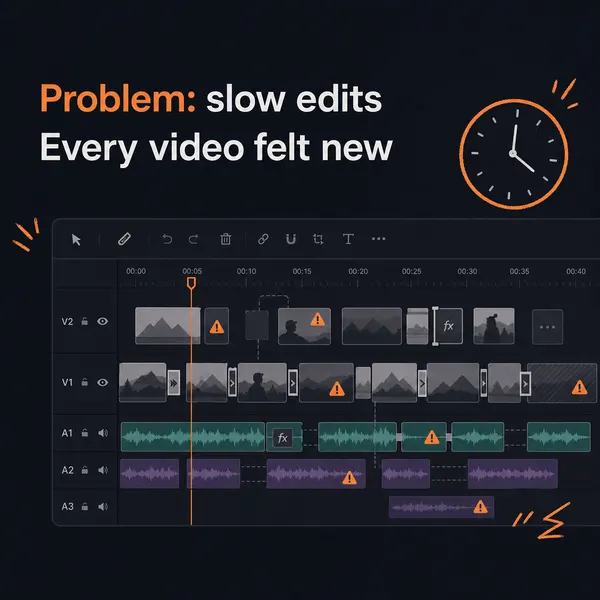
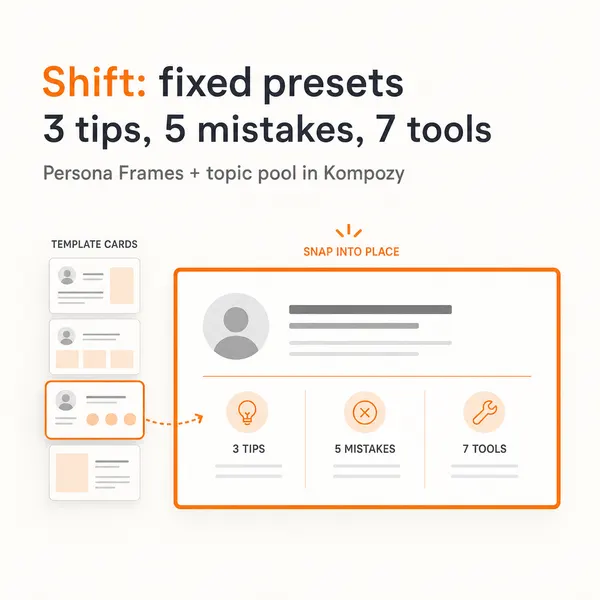
A real five-slide Carousel generated in the Kompozy workspace. It shows a format a winning post angle can become; it was not made with Meta AI.


Who is this for, and who should skip it?
Best for:
- Small businesses and creators running marketing on Instagram and Facebook
- Mac users who want an assistant that reads their screen and Ads Manager data
Not ideal for:
- Intel Macs or anything older than macOS 15
- Anyone who wants content made and published beyond Meta's own platforms
Frequently asked questions
What is the Meta AI Mac app?
It is Meta AI's first dedicated desktop application, released on August 19, 2026 for Apple silicon Macs on macOS 15 or later. It runs the Muse Spark model and adds Mac-native features like a Quick Invoke keyboard shortcut, system-wide dictation, and attaching an on-screen window so the assistant can read what you are working on and respond to it.
Is the Meta AI Mac app free?
Yes, the app is free to download and use. Meta is testing usage limits on its more compute-heavy features, and a paid Meta One plan raises those allowances for people who hit the free caps.
What can the Meta AI Mac app connect to?
It connects to Instagram professional accounts, Meta Ads Manager, and Google Workspace (email, calendar, and documents), which lets it answer questions using your own engagement and ad-performance data and pull in your work files.
Can the Meta AI Mac app create and publish content across platforms?
No. It can draft a caption or generate an image inside its chat window, but it works one output at a time, its context is limited to what Meta can see, and it publishes to nothing you own. To turn one idea into repurposed, scheduled posts across TikTok, YouTube, LinkedIn, X, and more, you pair it with a content engine like Kompozy.
How is the Mac app different from the Meta AI in Meta's other apps?
The Mac app is a standalone desktop program rather than a feature inside WhatsApp, Instagram, or Facebook. Its differentiators are desktop-specific: a global keyboard shortcut, dictation into any app, and the ability to read an on-screen window for context — features that don't exist in the mobile or in-app versions.
How do we know this?
We checked every figure on this page against the sources listed below on 2026-10-23 and removed or corrected any claim we could not confirm. App features and requirements come from 9to5Mac; business connections, the Meta quote, and Meta One pricing come from Engadget. Kompozy plan and format details come from kompozy.io and kompozy.io/pricing.
Sources
- 9to5Mac — Meta AI is now available as a more capable desktop app for Mac (read 2026-10-23)
- Engadget — Meta AI now has a dedicated desktop app for Mac (read 2026-10-23)
- Kompozy — Home (formats and platforms) (read 2026-10-23)
Related tools
- Gemini App — Google's consumer AI assistant — chat, voice conversations with live camera and screen sharing, image generation, and deep research on Android, iOS, web, and desktop. It crossed one billion monthly active users in August 2026.
- OpenAI Voice Mode (Desktop) — ChatGPT Voice on the macOS and Windows desktop app — talk to control your computer and direct Codex and ChatGPT Work agents by voice while it speaks, listens, and coordinates at once.
- Cowork — Anthropic's Claude-powered desktop agent that reads, edits, and creates files on your computer to finish whole tasks.
- Perplexity Personal Computer — Perplexity's agentic desktop AI — a "general-purpose digital worker" that reads your local files, opens your apps, drafts and edits documents, updates spreadsheets, and runs multi-step workflows on your own machine, now on Windows as well as Mac.
- Muse Spark 1.1 — Meta's multimodal reasoning model built for agentic coding and computer use — with a 1M-token context window and parallel sub-agents, now open to developers on the Meta Model API.