AI podcast cover art in 2026: the models, the Apple spec, and the thumbnail test that gets you approved
Which AI image models make podcast cover art that passes Apple review (Ideogram, Midjourney, DALL-E, SDXL), the 1400×1400 spec, and the 55×55 thumbnail test.
Published 2026-05-19 · Updated
Short answer
Choose an AI image model for podcast cover art by how it handles text. Ideogram documents text in images as a core feature, while Midjourney and DALL-E work best when you add the show name in a layout tool. Apple wants a square 3000 × 3000 PNG or JPG with no transparency, accepting 1400 × 1400 and up by RSS. Then check the cover still reads as a tiny thumbnail.
Key takeaways
- Apple's show cover is 3000 × 3000; via RSS it accepts 1400 to 3000 pixels.
- No transparency or alpha channel, and no Apple logos or hardware.
- Add the show name in Canva or Figma so it stays editable.
- Test every cover at 55 × 55 pixels before you ship it.
- Reverse-image-search AI covers for resemblance to existing brands.
Podcast cover art is one of the most under-invested decisions podcasters make. It is the thumbnail in every podcast app, the avatar in every social mention and the single visual a potential listener judges before hearing a second of audio. A weak cover does not just look unprofessional; it costs discovery, episode after episode, in a way no amount of audio quality recovers.
AI image models can now produce publication-quality cover art cheaply, which removes the old excuse that good art needed a designer retainer. But the failure modes are specific and unforgiving. AI tools over-detail because they are trained on full-resolution images, so they produce covers that look gorgeous at full size and turn to mush as a small thumbnail. They render typography as fixed pixels you cannot edit, so one misspelled show name means regenerating from scratch. And they occasionally produce work close enough to an existing brand or cover to cause problems.
This guide covers which models work and for what, Apple's show-cover spec, the thumbnail readability test that separates professional covers from amateur ones, and the per-episode variant workflow. Cover art is a sibling problem to the show-notes and clip-detection work in the ai-podcast-tools-2026 stack: the visual layer of the same episode pipeline.
Why is podcast cover art a discovery lever?
Most podcasters treat cover art as a launch-day task: commission or generate one image, upload it, and never think about it again. That framing misses what the cover actually does. It is the most-viewed asset your show owns — rendered every time the episode appears in a feed, a search result, a social share, or a recommendation carousel. It is working thousands of times a week whether you invested in it or not, and a weak one is quietly suppressing conversion every one of those times.
The leverage runs in two directions. The static show cover is your brand identity and the thumbnail in app feeds; it has to read instantly at a tiny size and survive on the dark backgrounds podcast apps default to. Per-episode covers — distinct artwork for individual episodes — are a separate discovery surface that some platforms display and others ignore, so they are worth investing in only after you confirm your audience listens where episode-specific covers actually show. Treating both as engineering problems with measurable acceptance criteria (the thumbnail test, the Apple spec, the dark-mode contrast check) is what converts cover art from a guess into a lever.
AI changed the economics. A static cover that once needed a designer retainer can now be explored across dozens of AI concepts before you pick a final, and per-episode variants become cheap enough to make every week. The remaining constraint is taste and process: knowing which model to reach for, which spec to hit and how to test the output before it ships. Cover art is the visual layer of the same episode pipeline that produces show notes, clips and the transcript that feeds them; the transcription-quality deep-dive covers the upstream input and content-repurposing covers the full fan-out.
Which AI image models are best for podcast cover art?
Four models cover the practical range of podcast cover-art work. The deciding axis is usually typography, because a cover has to carry the show name legibly, and that is where image models differ most.
- Ideogram: documents text in images as a core feature, and lets you describe wording, layout and colors in the prompt. Reach for it when the show name has to be rendered inside the image.
- Midjourney: an aesthetic-first model for illustration and photographic concepts. Check letterforms closely; many creators add the typography afterward in a layout tool instead of trusting the model with it.
- DALL-E: strong instruction-following for fast concept iteration and per-episode scene variants. Check spelling on any embedded text, or add type afterward.
- Stable Diffusion XL (SDXL): the self-hosted option. It needs a GPU and setup, but it is the cheapest route at high volume, which matters once you generate per-episode variants every week.
Plan pricing for these image tools changes often and is bundled differently across plans, so check each vendor's current page before budgeting. The deciding factor is fit, not a few dollars of monthly difference: choose on typography reliability first, aesthetic ceiling second, and volume economics only if you run per-episode variants at scale.
| Model | Text handling | Best for | Watch-out |
|---|---|---|---|
| Ideogram | Text in images is a documented core feature | Show name embedded directly in the image | Still proofread every letter before export |
| Midjourney | Check letterforms closely | Illustration or photo concepts, with type added in layout | Do not rely on it alone for the show name |
| DALL-E | Check spelling closely | Fast concept iteration, per-episode scene variants | Embedded text can misspell; add type afterward |
| SDXL (self-hosted) | Depends on model and setup | High-volume per-episode variants at lowest cost | Needs a GPU and setup; no turnkey UI |
The recurring mistake is asking one model to do both jobs: generate a beautiful scene and render perfect typography in the same pass. The professional workflow usually splits the two: generate the visual in whichever model gives you the look you want, then set the typography either in Ideogram or, more reliably, in a layout tool (Canva, Figma) where the text stays editable as vector rather than baked into pixels.
What is the Apple Podcasts cover art spec?
Apple's show-cover spec is the one to design to, since it is strict and widely used. Apple's published requirements, with the parts that matter most for AI-generated art:
- Size: 3000 × 3000 pixels, square. If you submit through an RSS feed, Apple accepts show covers from 1400 × 1400 up to 3000 × 3000, with the larger size preferred. Generate at 3000 × 3000.
- File type: PNG or JPG. PNG keeps typography edges cleaner than heavily compressed JPEG.
- No transparency: show covers cannot contain transparency or an alpha channel, so make sure the artwork has a solid background before export.
- No Apple marks: do not add Apple logos or hardware; Apple says artwork may be rejected if it includes any visual representation of Apple.
- Legibility: keep the podcast title clear and prominent, with strong contrast, high-resolution imagery and no awkward cropping or text overlap.
- Safe areas: use Apple's show-cover template so key elements are not covered by interface elements like the play button, labels or subscription offers.
Two issues catch AI-generated covers in particular. The first is resemblance: image models occasionally produce art recognizably close to an existing brand or another podcast's cover, because they were trained on images like them. The second is borrowed marks, such as a platform logo you do not own. Reverse-image-search any candidate cover before submitting; a cover that resembles a known mark or another show's art is a rejection risk at best and a legal problem at worst.
What is the 55×55 readability test?
The biggest reason AI-generated cover art looks amateur: it is designed and judged at full size, but podcast apps mostly show it as a small thumbnail in feed lists. AI image models over-detail because they are trained on full-resolution images, so they happily produce intricate covers that are gorgeous at full size and an unreadable smear as a thumbnail. We use 55 × 55 pixels as the stress-test size. The test that catches this before submission:
- Export the cover at full resolution (3000×3000).
- Resize a copy down to 55 × 55 pixels, our stress-test stand-in for a feed thumbnail.
- View both side by side. Can you read the show name? Does the visual hierarchy survive? Is it distinguishable from competitors' covers in the same niche at that size?
If the answer to any of those is no, the cover is too detailed, so strip elements until the 55 × 55 version still reads. That usually means one bold focal element, the show name in one large readable typeface that dominates the design, and high contrast. The urge to add an intricate background is exactly the urge to resist: detail that does not survive the thumbnail works against you in the view that matters most for discovery.
Why do AI podcast covers fail on typography?
Typography deserves its own treatment because it is both the most important element of a podcast cover (the show name has to read) and the element AI image models handle worst. Two failure modes recur:
First, image models render typography as fixed pixels, not editable text. Once the model bakes the show name into the image, you cannot correct a misspelling, adjust kerning, or swap a word — the only fix is regenerating the whole image and rolling the dice on the rest of the composition again. This is why the reliable workflow generates the visual without text and adds the typography in a layout tool where it stays vector-editable, or uses Ideogram specifically because its text rendering is dependable enough to trust.
Second, the typography that survives the thumbnail test is narrow: one font, large, high-contrast, no script faces, no stacked or rotated text. The show name should dominate the design. Script fonts, thin weights and clever layouts read fine at full size and collapse as a thumbnail. Choose type for the thumbnail first and the full-size view second, the reverse of how most people design.
How does the per-episode variant workflow work?
Static show art is one job; per-episode artwork is a separate workflow with a different cost-benefit profile. Per-episode covers can lift episode-level discovery, but only in apps that actually display them, so check that first.
- Lock the static show cover first. This is the visual base every episode variant inherits — same color palette, same typographic rules, same identity.
- For each episode, generate a variant that holds the base style but changes one element: the guest's face, a visual metaphor for the topic, or a pulled quote.
- Enforce consistency with a template system (Canva, Figma, or an orchestration layer's template engine) so every variant is unmistakably from the same show rather than a one-off.
- Confirm the payoff before scaling the effort. Apps differ in whether and where they show episode-level art, so check how the apps your listeners actually use display it before you commit to weekly variants.
The per-episode variant is where AI economics shine. Producing a distinct, on-brand cover for every weekly episode is affordable with AI in a way custom design never was, provided the template keeps them consistent and you have confirmed your listeners' apps show them. It is the same fan-out logic as the rest of episode repurposing; see content-repurposing for how per-episode visual assets fit the one-episode-to-many-outputs pattern.
| Asset | Where it shows | Effort cadence | AI vs human verdict |
|---|---|---|---|
| Static show cover | Every app feed, search, social avatar, home screen | Once (then rare refreshes) | AI to explore concepts; a human is defensible for a years-long brand mark |
| Per-episode variant | Apps that display episode-level artwork | Every episode | AI wins outright; custom design is rarely economic at weekly cadence |
What are the most common cover-art mistakes?
- Designing for full size, failing the thumbnail. The number-one amateur tell. Run the 55×55 test on every candidate before it ships.
- Baking uneditable typography into the image. Once the model renders the name as pixels, a typo means a full regeneration. Add type in a layout tool or use Ideogram for reliable embedded text.
- Color schemes that die in dark mode. Podcast apps render covers on dark backgrounds. Test every cover on pure black — a design that relies on a light background disappears in the feed.
- The generic "Midjourney look". Soft lighting, dreamy gradients, generic abstract shapes — this flags as AI to any discerning listener. Push the prompt toward a brand-specific aesthetic and iterate until the cover feels distinct rather than defaulted.
- Submitting art that resembles existing covers or trademarks. Image models occasionally reproduce recognizable brands or other shows' art. Reverse-image-search before submitting to Apple to avoid both rejection and infringement.
- Over-detailing the background. Intricate detail that does not survive the thumbnail is detail working against discovery. Strip until the focal element and the name carry the whole design at 55×55.
When should you use AI, and when should you commission a designer?
The honest split is by asset type and time horizon. For the static show cover, your core brand identity that may run for years, a human designer can still be the right call if you want a bespoke mark you own outright. AI is the right call when you want to iterate across many concepts fast, when budget is the constraint, or when your taste is sharp enough to direct the model and run the thumbnail test yourself. For per-episode variants, AI wins outright on cost and speed.
The practical middle path most operators land on: generate the static cover concepts with AI, pick and refine the winner (possibly with a few hours of a designer's time to perfect the typography and spacing), and run all per-episode variants on AI through a locked template. That captures the cost collapse where it matters most while keeping a human hand on the one asset that defines the brand.
What is the one rule for podcast cover art?
Judge every cover as a thumbnail (a 55 × 55 pixel stress test), not at full size, because the thumbnail is where discovery happens. Pick the model by how it handles text: Ideogram for embedded text, Midjourney for scenes with type added in layout, DALL-E for fast iteration, SDXL for high-volume variants. Hit Apple's spec (3000 × 3000 preferred, 1400 × 1400 minimum via RSS, PNG or JPG, no transparency, no Apple logos) and keep the title clear and high-contrast. Lock the static cover, then fan per-episode variants through a template. Start with the full stack in ai-podcast-tools-2026, see how visual assets fit the episode fan-out in content-repurposing, and size the orchestration plan on pricing.
What does this look like in Kompozy?
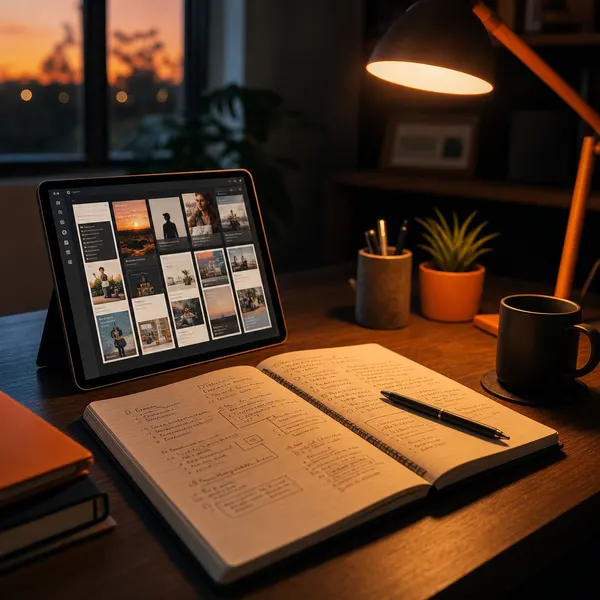
A photo post generated in the Kompozy workspace, an example of the AI image output a cover art workflow starts from before text is added.
Who is this for, and who should skip it?
Best for:
- Podcasters making a first cover without a designer budget
- Shows that want per-episode artwork
- Hosts who can judge design and run a thumbnail test
Not ideal for:
- Shows wanting a bespoke, owned brand mark, where a designer may be better
- Anyone who cannot proofread embedded text
- Audiences in apps that do not show episode artwork
Frequently asked questions
What size should podcast cover art be?
Apple's template is 3000 × 3000 pixels. Through an RSS feed, Apple accepts show covers from 1400 × 1400 up to 3000 × 3000, and prefers the larger size.
Which file types does Apple accept?
PNG or JPG, with no transparency or alpha channel.
Which AI model is best for cover text?
Ideogram documents text in images as a core feature. With other models, it is safer to add the show name in a layout tool.
Why does my AI cover look amateur?
It probably has too much detail for a thumbnail. Shrink it to 55 × 55 pixels and strip elements until the name still reads.
How do we know this?
We checked Apple's show-cover requirements against Apple's template page and Ideogram's documentation on 2026-10-23. The 55 × 55 thumbnail check is our recommended stress test, not an Apple rule.
Sources
- Apple Podcasts for Creators: Show cover template and specs (read 2026-10-23)
- Ideogram: Documentation (read 2026-10-23)
Which other AI podcasting guides should you read next?
- Launching a new podcast in 2026 with an AI-augmented workflow — The 30-day pre-launch checklist. Cover art, trailer, 3 evergreen episodes, distribution, repurposing pipeline — all AI-augmented.
- AI show notes that do not read like AI: the structure that earns episode-page rank — The 6-section show-notes template that ranks for episode keywords. Plus the AI tells to ban in podcast show notes specifically.
- Best AI podcast tools 2026: the complete production + distribution stack — The 8-tool reference stack covering transcription, clipping, show notes, cover art, scheduling, and cross-platform fan-out for podcasters in 2026.
- How AI changes podcast monetization economics in 2026 — AI voice cloning for personalized sponsor reads, AI brand-deal matching, AI-assisted membership content. The four AI-driven shifts in podcast revenue.
- AI clip detection for podcasts: which moments actually go viral — How AI clipping models pick the moments they pick, why they miss yours, and the manual override workflow that fixes the gap.
- Turn every podcast episode into a 1,500-word blog post automatically — The end-to-end workflow: transcript → structured outline → SEO-optimized blog draft → published HTML. Zero manual writing required after calibration.
Which related topic clusters cover this from another angle?
- AI Content Tools — The opinionated 2026 map of every AI content tool that matters — across 8 categories — with decision frameworks for podcasters, YouTubers, founders, and agencies.
- AI Content Repurposing — The complete methodology for turning one source into 25-35 pieces of native-format content across every platform — without producing AI slop.