Apple Podcasts automation: turn every new episode into native posts (2026 guide)
Wire your podcast RSS feed into Kompozy to draft posts from each new episode's show notes, then upload the recording for transcripts and clipped shorts.
Published 2026-05-19 · Updated
Short answer
Podcast automation starts with your show's RSS feed, which Apple Podcasts and other directories read. Kompozy polls that feed every 15 minutes by default, and each new episode's title and show notes become source text for posts, a blog recap and a newsletter draft in your voice. The poller does not download or transcribe the audio, so for transcript-based posts and clipped shorts you upload the recording. You approve drafts unless auto-publish is on.
Key takeaways
- An RSS-distributed show already has a trigger: each new episode is a new feed item.
- Kompozy reads the title and show notes from the feed, so detailed notes give it more to work with.
- For transcripts and clipped shorts, upload the recording; the feed poller does not fetch audio.
- Spread the fan-out over about two weeks instead of dumping it on publish day.
- Keep auto-publish off for sponsored or sensitive episodes, and check guest quotes by hand.
Podcasts are one of the richest sources a content operation can have, and most shows barely mine them. An hour of real conversation holds several load-bearing ideas and plenty of quotable moments, enough for clips, quote cards, threads, a blog recap and a newsletter. The bottleneck has never been the source material. It is the operator time required to mine it: transcribing, finding the strong moments, cutting clips, writing posts in voice, drafting the recap, and scheduling all of it across platforms. Done by hand, that is a lot of work per episode, every week, which is exactly why most podcasters publish the episode and stop.
The thing that makes podcasts uniquely automatable is that every podcast already has an RSS feed. A show distributed through RSS publishes a feed that Apple Podcasts and the other directories read, and Apple's requirements say each episode needs an enclosure tag with the audio URL, length and type. That means your show is already emitting a clean, standardized, machine-readable signal on every publish, with the episode title, the show notes and a link to the audio file. Kompozy's RSS source reads the title and show notes as text. It does not download or transcribe the audio, so detailed show notes give it more to work with, and for transcript-based posts and clips you upload the recording.
This is the complete 2026 setup for podcast-driven content automation at the product level: how podcast RSS feeds work and why yours is already automation-ready, the five-bucket fan-out that turns one episode into a full set of native pieces, the publish cadence that spreads those pieces across two weeks instead of cannibalizing them, which checks Kompozy runs before unattended publishing (and which it does not), and an honest comparison against the clippers and shownotes tools that handle only one slice of the job. For the underlying feed-automation model, see rss-to-social; for the repurposing methodology itself, the content-repurposing hub.
How do podcast RSS feeds work?
Podcast hosts such as Buzzsprout, Captivate, Transistor and Libsyn publish an RSS feed for each show. That feed is the canonical record of your show: it lists each episode with a title, a description and the audio file URL, usually with the publish date, duration and artwork. For an RSS-distributed show, that feed is what Apple Podcasts and the other directories read.
The practical consequence is that the hardest part of automation — getting a reliable, structured signal whenever new content exists — is already done for you, by the standard, for free. You do not need a scraper, an API integration, or a webhook. You need the feed URL, which your host exposes in its admin dashboard, usually labeled "RSS feed" or "distribution." Point Kompozy's RSS source at that URL and it has the trigger (a new item appeared in the feed) and a first layer of source material (the episode's title and show notes). The audio URL is in the item too, but Kompozy's poller does not fetch it. The full conversation reaches Kompozy only when you upload the recording.
One caveat if you plan to work from the feed's audio link: some hosts serve the file through a signed URL that expires after hours, so a link saved today can be dead tomorrow. Download the episode from your host's dashboard, or grab it while the link is fresh, and upload that copy to Kompozy for transcription and clipping.
What does one podcast episode turn into?
A 60-minute episode becomes a fan-out across five content buckets, each shaped for different destinations, instead of a single post. This is the heart of podcast automation and the part no single-purpose tool delivers, because turning an hour of audio into clips and cards and threads and a blog and a newsletter is five different generation jobs, not one. The engine treats the episode as a quarry to be mined, pulling the ideas out once and then casting each into the formats that fit it.
| Bucket | Typical count | What it is | Destinations |
|---|---|---|---|
| Video | Several | Clipped shorts from high-energy moments | TikTok, Reels, YouTube Shorts |
| Image | Several | Quote graphics, framework visuals, statistic callouts | Instagram, LinkedIn, Pinterest |
| Text | The largest bucket | X threads, X standalone, LinkedIn, Threads, Facebook | X, LinkedIn, Threads, Facebook |
| Blog | 1 | Long-form recap | Owned site, SEO |
| Newsletter | 1 | Email draft summarizing the episode |
What matters is the total. Done by hand, that fan-out is a lot of skilled operator work: the transcription, the clip-hunting, the per-platform writing, the quote-card design, the blog draft, the newsletter. Through a pipeline, the operator's job shrinks to review, and on autopilot it shrinks to spot-checks. That shift is the economic argument for podcast automation, and it is why a weekly show can sustain a continuous multi-platform presence that would otherwise require a full-time content marketer. The full methodology behind the fan-out is the content-repurposing hub.
What happens when a new episode is detected?
When the feed surfaces a new episode, the sequence starts with detection. Steps 2 and 3 only happen when you upload the recording; from the feed alone, Kompozy goes straight from detection to drafting from the title and show notes. The steps a single-purpose tool skips are exactly where the fan-out comes from, which is the difference between a podcast clipper and a podcast engine.
- Detection. The poller reads the feed, dedups by item GUID, and isolates the genuinely new episode. The GUID guarantees the launch episode is never accidentally re-fanned.
- Recording upload. Kompozy's feed poller does not fetch the audio, so for a transcript-based fan-out you upload the episode file, or give the clipper a video file or link for Clipped Shorts.
- Transcription. Kompozy transcribes the uploaded file with OpenAI's Whisper. The transcript does not label speakers, so on a multi-guest episode you confirm who said each quote.
- Idea extraction. Drafting starts from the ideas in the source text, whether that is a full transcript or only the show notes: claims, frameworks, stories, statistics. The source sets the ceiling on every downstream output.
- Format mapping. The formats you allow for the source decide what it produces, such as text posts, quote graphics, carousels, a blog article and a newsletter, with Clipped Shorts coming from an uploaded recording.
- Generation. Every output is generated against the Persona Brief, so the posts carry your voice and the host's actual phrasing rather than LLM-default cadence.
- Checks. Persona Short and Persona Frames scripts get a critic pass and the newsletter draft gets a three-layer gate; the other outputs rely on the prompt rules. A generation that fails lands as Failed and the credit is refunded.
- Routing and scheduling. With Auto-Publish Generated off, outputs wait in the pipeline for approval; with it on, they are approved and placed into the posting days and posts-per-day slots set for each format, which spreads the fan-out across days.
The two steps a clipper cannot do are idea extraction and the multi-format mapping that follows it. A clipper finds the strong 30-second moments and hands you video — that is one bucket. The engine mines the same transcript for ideas and casts each into video, image, text, blog, and newsletter, which is the whole fan-out. One limit to plan around: Kompozy's transcripts do not label speakers, so on a two-guest episode a person still confirms who said each quote.
How fast should you publish an episode's fan-out?
Spread the fan-out across about 14 days instead of dropping it on publish day. Having the pieces is not the same as publishing them well. Dropping the entire fan-out on publish day is the single most common podcast-automation mistake, because it floods every platform at once — your followers see a wall of you in a single afternoon, the algorithms read the burst as low-effort flooding, and the long-tail pieces that would have performed on day 9 get buried on day 0. Kompozy's scheduler does the spreading through your per-format settings (posting days and posts per day, one a day on weekdays by default), so set them to match the life of an episode.
- Day 0 (publish day): announce the episode on LinkedIn, X, Threads, and the newsletter, plus one clip each on TikTok, Reels, and Shorts. This is the launch, not the whole fan-out.
- Days 1-2: two to three clips per day across the short-form platforms, one per platform per day, never stacking same-platform clips.
- Days 3-5: the image cards and the text posts that reference specific episode moments, now that the episode has had a few days to circulate.
- Day 6: publish the long-form blog recap and send the newsletter — the deeper assets land after the short-form has driven awareness.
- Days 7-14: the residual content — deep-dive threads, the slower-burning clips, the framework carousels — trickled out one to two pieces a day to keep the episode alive for two full weeks.
We have no measured engagement figure for a two-week stagger versus a launch-day blast. The case rests on mechanics: same-platform posts stacked in a short window compete with each other, and the long-tail pieces (blog, deep-dive threads) tend to land better once short-form has built awareness. Kompozy's per-format posting limits do most of the staggering, so you are not hand-scheduling every post.
The structural insight is that a single weekly episode, fanned and staggered correctly, fills the entire week with native content across every platform — which means the episode is not a Tuesday event, it is the week's content engine. Per-format scheduling is what converts a pile of outputs into a sustained presence, and it is one of the capabilities that separates an engine from a clipper-plus-spreadsheet workflow. The cross-platform timing rules in depth are covered in our multi-platform-scheduling spoke.
What keeps podcast autopilot safe?
Podcast automation runs unattended by design: the point is that a new episode fans out without you touching it. That only works if something stands between the generated outputs and your audience, because at 2am when the episode publishes and the pipeline fires, you are asleep. In Kompozy that something is mostly the prompt plus your approval during calibration, with a few format-specific checks. The full map is the quality-gates spoke; here is what applies to a podcast.
- Prompt rules. Every output is generated under the host's Persona Brief, voice settings and Prohibited Keywords, plus built-in rules against AI phrasing and invented figures. Podcast voice is distinctive and often informal, so a tight brief matters. These are instructions; nothing scans the finished post for a banned word.
- Per-format scheduling, not platform caps. Each format has posting days and a posts-per-day limit, and approved posts fill those slots. There is no built-in per-platform cap, so set the limits low enough that a fan-out cannot blast LinkedIn three times in a day or stack TikTok clips.
- No transcript check. Nothing compares a generated quote or claim with the transcript after generation, so an output that puts words in the host's mouth is not caught automatically. Check attributed quotes yourself, which is critical when you are quoting guests.
- Format-specific checks and publish limits. Persona video scripts get a critic pass, the newsletter draft gets a three-layer gate, and every post is trimmed to platform character, media and video-length limits at publish.
Checking quotes carries extra weight for podcasts because of guests. When an episode has an interviewee, every generated quote attributed to that guest is a claim about what a real, named person said on the record. An output that misattributes or fabricates a guest quote is not just off-brand, it is a reputational and potentially legal problem. Kompozy does not tie attributed claims back to the transcript automatically, so keep a person on guest quotes, or keep Auto-Publish Generated off for episodes with guests.
How does podcast automation compare with OpusClip and Castmagic?
OpusClip and Castmagic each cover one slice of the five-bucket job, and most podcasters have used at least one of them. OpusClip handles clipping: it takes your episode and produces captioned vertical shorts, with one-click publishing. Castmagic goes wider: its site lists transcripts, show notes, blog articles, newsletters, social posts, clips and quote cards, plus a "podcast autopilot" that drafts from your RSS feed for each new episode. What neither site describes is a voice brief applied to every output or per-format scheduling that spreads the fan-out over days.
| Capability | OpusClip (clipping) | Castmagic (extraction) | Podcast automation (Kompozy) |
|---|---|---|---|
| Auto-trigger on new episode | Not described on its site | Yes — podcast autopilot from RSS | Yes — RSS poll |
| Video clips | Yes — core strength | Yes | Yes, Clipped Shorts from an uploaded recording or video link |
| Image cards / quote graphics | Not described on its site | Quote cards and audiograms | Yes |
| Text posts | Not described on its site | Yes | Yes — governed by the Persona Brief |
| Blog recap | Not described on its site | Yes | Yes — long-form |
| Newsletter draft | Not described on its site | Yes | Yes |
| Cadence-aware scheduling | Not described on its site | Not described on its site | Yes — per-format posting limits |
| Checks before publish | Not described on its site | Not described on its site | Prompt rules; critic and newsletter checks on some formats |
| Representative price | See OpusClip pricing page | See Castmagic pricing page | Kompozy Starter $199/mo |
The clarifying question is how much of the fan-out you want to do yourself. If you only want clips, OpusClip may be all you need. If you want drafted show notes, posts and a newsletter from each episode, Castmagic covers a lot of that. If you want each episode to become native pieces across five buckets, held to your Persona Brief and scheduled across days by format, with the feed triggering text-based drafts and an upload adding transcripts and clips, that is the engine, and the deciding features are the voice governance and the scheduling. See pricing to size the tier and autopilot-explained for the hands-off end state.
How do you set up podcast automation?
The setup is short, and most of the time goes into the Persona Brief rather than the wiring. The sequence below assumes a content engine; the bare-connector version is just the first and last steps with the whole fan-out missing in between.
- Get your podcast RSS feed URL from your host's admin dashboard — it is usually labeled "RSS feed" or "distribution." Open it in a browser to confirm it lists your episodes with full show notes, since the notes are what Kompozy reads from the feed.
- Add it as an RSS source in Kompozy settings. The 15-minute poll suits a weekly show.
- Write the Persona Brief: who the host is, how the host sounds, the structures you want and 3-5 reference posts, plus your Prohibited Keywords. For a podcast this is what preserves the host's distinctive, often informal voice, so it is the step that decides output quality.
- Set the bucket allocation. Start modest and tune it once you see what your episodes support.
- Choose destination platforms, matching where your listeners actually are rather than checking every box.
- Set the manual-review window to 14 days. This is the calibration ramp — leave it on until the edit rate is low enough that you trust the pipeline to write in the host's voice unattended, then flip to autopilot.
The step that dominates the result is the Persona Brief. Everything else is configuration that takes minutes; the brief is the instrument that turns a generic generation model into the host's voice, and a podcast voice is distinctive enough that rushing it shows immediately in the outputs. Operators who write a tight brief up front spend far less total time than those who lean on calibration to fix a thin one. See pricing to size the tier before you start.
What should you check before putting a podcast pipeline on autopilot?
Start with episode-type gating, because not every episode should auto-fan-out. A few production realities separate a podcast pipeline that runs clean from one that ships something you regret, and building them in from the start costs nothing.
- Episode-type gating. Not every episode should auto-fan-out. Sponsored episodes with read constraints, or sensitive interviews, should be excluded. Kompozy's feed poller has no keyword skip, so keep Auto-Publish Generated off for the source and reject those drafts in review, or pause the source before those episodes go out.
- Guest attribution. Always tag the guest in the social posts. Pull guest handles from the episode shownotes or metadata, and check every quote's speaker yourself before anything ships, because Kompozy's transcripts do not label speakers.
- Music and ad copyright. If your podcast uses licensed music or carries ad reads, strip those from the clipping source. Native voice only is the safest clipping pattern — a clip that carries a licensed music bed inherits the rights issue on every platform.
- Time-zone optimization. Schedule clips for the time zone where your largest audience segment watches each platform. Set the workspace time zone to match, and use your own analytics rather than a guess.
- Calibration before autopilot. Run the 14-day calibration window the whole cluster recommends. Podcast voice is distinctive enough that the Persona Brief needs real episodes to tune against before you trust it to write in the host's voice unattended.
The episode-type gating and guest-attribution points are the two that most affect whether a podcaster trusts the system. A pipeline that auto-fans a sensitive interview the host wanted to keep low-key, or that misattributes a guest's words, erodes trust faster than any quality issue. Reviewing those episodes by hand and checking speaker attribution during calibration are the cheap insurance against both. The reward, once calibrated, is real: every episode silently becomes two weeks of native multi-platform content, and the host's only job is to keep recording good episodes. See autopilot-explained for the configuration and the rss-to-social spoke for the broader feed-automation model this rests on.
What does this look like in Kompozy?
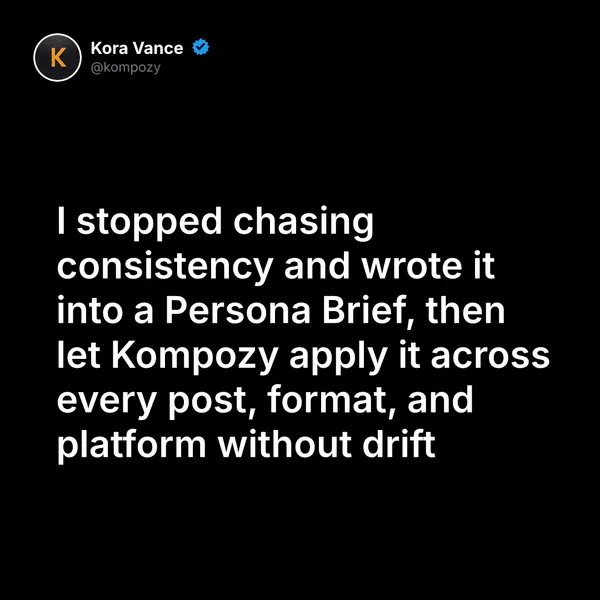
A quote graphic generated in the Kompozy workspace, one of the image formats a podcast episode can fan out into.
Who is this for, and who should skip it?
Best for:
- Weekly podcasts with detailed show notes that want each episode turned into drafts automatically
- Interview shows that need guest quotes attributed correctly
- Hosts with a distinctive voice who will invest in a Persona Brief
Not ideal for:
- Shows that only want clips; OpusClip may be all you need
- Podcasters who want drafted show notes and posts but no scheduling; Castmagic covers a lot of that
- Episodes with licensed music or ad reads you cannot strip from clips
Frequently asked questions
Is my podcast already set up for automation?
If your show is distributed through an RSS feed, mostly yes. Each new episode is a new feed item, and Kompozy reads its title and show notes. Apple's requirements also put an enclosure tag with the audio URL in each episode, but Kompozy's poller does not download that audio.
Does Kompozy transcribe new episodes automatically?
No. The RSS poller works from the episode's title and show notes. Upload the recording to get a transcript, or give Kompozy a video file or link for Clipped Shorts.
How quickly does Kompozy pick up a new episode?
Kompozy polls RSS feeds every 15 minutes. With auto-publish off, nothing ships until you approve it, and your per-format posting limits spread the rest of the fan-out across the following days.
Why not publish every post on episode day?
Same-platform posts stacked in a short window compete with each other, and long-tail pieces like the blog recap land better after short clips have built awareness. Spreading the fan-out keeps the episode alive for two weeks.
How is this different from OpusClip or Castmagic?
OpusClip focuses on captioned clips with one-click publishing. Castmagic drafts transcripts, show notes, posts, blogs, newsletters and clips, and can import from RSS. Kompozy adds a Persona Brief applied to every output and per-format scheduling that spreads the fan-out across days.
Can I stop specific episodes from auto-publishing?
Kompozy's feed poller has no keyword skip. Keep Auto-Publish Generated off for the source and reject drafts from sponsored or sensitive episodes in review, or pause the source before those episodes go out.
How do we know this?
We checked podcast feed requirements against Apple's podcast requirements page, and competitor features against opus.pro and castmagic.io, on 2026-10-23. Kompozy's polling interval comes from its RSS worker code and plan details from kompozy.io/pricing; unsourced time and output counts were removed. We also checked Kompozy's RSS worker and transcription code on 2026-10-23: the poller stores each item's text, does not fetch or transcribe audio, and has no keyword filter, and the page now says so.
Sources
- Apple Podcasts for Creators — Podcast requirements (read 2026-10-23)
- OpusClip — Product site (read 2026-10-23)
- Castmagic — Product site (read 2026-10-23)
- Kompozy — Autonomous content and quality gates (read 2026-10-23)
- Kompozy — Pricing (read 2026-10-23)
Which other content automation guides should you read next?
- RSS-to-social automation: the complete setup for podcast and blog feeds — How to wire RSS feeds (podcast hosts, Substack, Ghost, WordPress) directly into a content generation pipeline that fans out to 9 platforms automatically.
- YouTube RSS automation: auto-clip new uploads into shorts — YouTube channel RSS feeds wired into Whisper transcription + AI clipping + auto-publishing on TikTok, Reels, and Shorts.
- Multi-platform scheduling automation across 9 platforms — How Kompozy schedules across 9 platforms: per-format posting days and limits, workspace time zone, native formats versus cross-posting, and avoiding cannibalization.
- Content automation in 2026: definition, mechanics, and what it is not — The clean definition of content automation, what separates it from scheduling, and the 4 layers every real automation pipeline needs.
- The 7 ways content automation breaks (and how to detect each) — Drift, hallucinations, platform deprecations, OAuth expirations, rate-limit blocks, queue overflow, voice degradation — the 7 failure modes every automation operator must monitor.
Which related Kompozy topics cover this next?
- AI Content Repurposing — The complete methodology for turning one source into 25-35 pieces of native-format content across every platform — without producing AI slop.
- Autonomous Content Creation — How Kompozy autopilot really works: one workspace switch that approves and schedules generated posts, the checks that run before they publish, and a 14-day ramp for turning it on.