Multi-platform scheduling automation: the publishing layer across 9 platforms
How the publishing layer ships content to 9 platforms in native format: per-format posting limits, native vs cross-posting, time zones, and spreading posts across days.
Published 2026-05-19 · Updated
Short answer
Multi-platform scheduling is the publishing layer of a content pipeline. In Kompozy each format has posting days, a posts-per-day limit (one a day on weekdays by default) and preferred times, and approved posts take the next open slot. There is no built-in per-platform cap, so set each format's limit for the platforms it posts to. Schedule in your audience's time zone and spread one source across days.
Key takeaways
- Native posts beat cross-posts because each platform rewards content made for it.
- Kompozy limits posts per format, not per platform; set each format for the strictest platform it reaches.
- Set the workspace time zone to where your audience is, not where you are.
- Stagger identical clips by a day or more across overlapping platforms.
- Review a few signals monthly: first-hour engagement, completion and follower growth.
Cross-posting the same output to nine platforms at the same moment is the fastest way to underperform on all nine at once. Every platform algorithm has a different cadence preference, a different optimal posting window, a different format expectation, and a different tolerance for content that was obviously not shaped for it. A naive "blast to everywhere simultaneously" approach wastes much of that work: you produce the content and then hand a lot of its reach back to the algorithms.
The scheduling and publishing layer is the visible last step of a content automation pipeline, and it is the step most people mistake for the whole thing. Schedulers like Buffer and Hootsuite own only this layer, which is why they get called automation tools when they are really timers. In a real pipeline, this layer sits downstream of ingest and transform, and of your approval — it receives outputs that have already been generated in your voice, and its job is to release them across platforms in a coordinated, native, non-cannibalizing way.
This is the 2026 reference for that layer. It covers native posting versus cross-posting and why the difference matters for reach, how Kompozy's per-format posting limits work (there are no built-in per-platform caps), time-zone optimization that most operators get wrong by posting at their own local time, and the queue-balancing algorithm that turns one dense source's outputs into a multi-week release schedule instead of a same-day dump. It is the operational complement to the quality-gates (which decide whether an output may ship) and the autopilot loop (which decides whether a human approves it first).
Where does the scheduling layer sit in a content pipeline?
The scheduling layer is the fourth and final layer of a content automation pipeline, and its position is what separates it from a standalone scheduler. Upstream of it, the ingest layer pulled in a source and the transform layer turned that source into outputs in your voice. In Kompozy, an output reaches the calendar when you approve it, or automatically when Auto-Publish Generated is on. The scheduling layer does not judge whether an output is good. It decides when each approved output goes live: every format has posting days, a posts-per-day limit and preferred times, and each approved post takes the next open slot for its format.
This is why a standalone scheduler and the scheduling layer of a pipeline look identical from the dashboard but behave differently in practice. A standalone scheduler receives whatever a human loads into it — thirty hand-written posts — and times them. The pipeline's scheduling layer receives voice-governed, multi-format outputs from one source and has to coordinate a release across platforms with different rhythms. One podcast can produce a large batch of outputs at once, and the per-format limits are what keep that batch from landing on the same afternoon.
Is native posting better than cross-posting?
Yes, because each platform rewards content made for it. The single most important decision in multi-platform publishing is native posting versus cross-posting, and most operators get it wrong by default because cross-posting is easier. Cross-posting takes one finished output — say, a square Instagram graphic with an Instagram-shaped caption — and mirrors it verbatim to Facebook, Threads, LinkedIn, and X. Native posting produces a distinct, platform-shaped output for each destination: the same underlying idea, but reframed for the format, length, hook style, and culture of each platform. Cross-posted content tends to look imported: wrong ratio, wrong length, wrong hashtag habits.
The reasons are concrete, not mystical. A vertical 9:16 video native to TikTok looks out of place in a LinkedIn feed. An X-length hook reads as abrupt on LinkedIn and a LinkedIn-length post reads as a wall of text on X. Hashtag conventions differ — what is native on Instagram looks spammy on LinkedIn. Aspect ratios, character limits, and pacing all carry platform-specific signals, and an output that violates them reads as imported. Platforms want people to stay on-platform, so content that looks made somewhere else starts at a disadvantage. This is why Kompozy generates by format (a vertical clip, a carousel, a text post) rather than one output to mirror everywhere, and why each format should map only to the platforms it fits. The fan-out is what makes native publishing possible at automation scale, where producing nine hand-shaped versions manually would never happen.
| Platform | Native format | Cross-post penalty when violated | What native shaping requires |
|---|---|---|---|
| TikTok | 9:16 video, hook up front | Heavy — looks imported, low completion | Vertical video, platform-native hook, in-caption hashtags |
| Instagram Reels | 9:16 video | Heavy — same as TikTok | Vertical video, strong opener, Reels-style captioning |
| Instagram feed | 1:1 / 4:5 / carousel | Moderate — wrong ratio reads off | Square or portrait image / carousel, feed-style caption |
| Text + optional image, or PDF carousel | Heavy — short hooks and 9:16 read wrong | Longer professional framing, contextual intro | |
| X / Twitter | Short text, threads, short video | Moderate — long-form reads as a wall | Tight hook, thread structure, terse phrasing |
| YouTube Shorts | 9:16 video up to 3 min | Heavy — hashtags belong in title/desc | Vertical, title-and-description hashtags |
| Threads | Short text + optional media | Moderate — terser and more conversational than X | Conversational tone, fewer hashtags |
| Image / video / link | Moderate — over-frequency caps reach hard | Native media, lower posting frequency | |
| Vertical Pins, high volume tolerated | Light — but needs vertical, keyworded | Vertical Pin, keyword-rich description |
The practical upshot is that "schedule it everywhere" should never mean "the same thing everywhere." In Kompozy each format maps to a list of platforms, and a post publishes to every platform on that list at its scheduled time. So when a 9:16 clip format maps to both TikTok and Reels, both go out together. Kompozy does not stagger one post across platforms, so if the overlap between two audiences worries you, map that format to one of them.
How often should you post on each platform?
Kompozy has no built-in per-platform cap. You set posting days and a posts-per-day limit for each format (one a day on weekdays by default), plus preferred times, and the scheduler places approved posts into those slots. Each platform still has a rhythm it rewards, and both over-posting and under-posting cost reach, so think about which platforms a format reaches when you set its limit. Starting points to tune with your own analytics:
- TikTok: a steady daily rhythm. Post when your audience is active, which TikTok analytics will show you.
- Instagram Reels: a steady daily rhythm rather than bursts. Same vertical-video constraint as TikTok.
- Instagram feed (carousel/photo): fewer, stronger posts beat volume.
- LinkedIn: restraint pays. A second same-day post competes with the first, so keep formats that reach LinkedIn at one a day or less.
- X / Twitter: tolerates several posts a day, with a thread when you have one and standalones filling the gaps.
- YouTube Shorts: place them between long-form uploads so the channel stays active between videos.
- Threads: short, conversational posts, closer to X than to LinkedIn in rhythm.
- Facebook: a modest, steady rhythm on a business page.
- Pinterest: a steady stream of fresh, keyword-rich vertical Pins.
- Email newsletter: a schedule your list expects and you can keep. Sending more often than your content justifies wears the list out.
The mechanism behind the caps is reach-budget allocation. Algorithmic platforms hand each account a finite reach budget per window, and posting more than the native rhythm splits that budget across posts — the first post earns the most engagement, the algorithm reads that engagement as the quality signal for the next post, and the next post (going to an audience that already saw your content that day) earns less and gets penalized in future reach. Under-posting has a cost too: go quiet long enough and your audience forgets you. Your per-format limits are what keep the pipeline in the band each platform rewards, neither flooding nor starving it.
Niches differ. News and media accounts can usually post more short video, large creators can sustain more volume, and e-commerce accounts with shopping integrations often post more on Instagram. Set limits conservatively at first, because the cost of over-posting is asymmetric: going past a platform's rhythm reliably hurts, while sitting a little under it rarely does. Raise a format's posts-per-day when your analytics say the audience wants more.
How do the 9 platforms compare on cadence and timing?
Pulling typical rhythms, optimal windows, and over-posting penalties into one view makes the asymmetry obvious: the platforms cluster into a low-frequency professional tier (LinkedIn, Facebook) where restraint pays, a short-form video tier (TikTok, Reels, Shorts), a conversational tier (X, Threads) that tolerates several posts a day, and Pinterest and email, which run on their own rhythms. Use it as a guide when you set each format's posting limits; Kompozy does not enforce it per platform:
| Platform | Typical rhythm | Optimal window (audience local) | Over-posting penalty severity |
|---|---|---|---|
| 1 / day at most | Your audience's working hours | High — same-day posts compete | |
| Modest, steady rhythm | Check Page insights | Moderate | |
| TikTok | Steady daily rhythm | Check TikTok analytics | High — clips compete |
| Instagram Reels | Steady daily rhythm | Check Instagram insights | High — clips compete |
| Instagram feed | Fewer, stronger posts | Check Instagram insights | Moderate |
| YouTube Shorts | Between long-form uploads | Between long-form upload days | Moderate |
| X / Twitter | Several a day | Spread through the day | Low — tolerates volume |
| Threads | Several short posts | Conversational peaks | Low |
| Steady stream of fresh Pins | Less time-sensitive | Low |
Which time zone should you schedule posts in?
Schedule in your audience's time zone, not your own. The most common avoidable mistake in multi-platform publishing is posting at the operator's local time instead of the audience's. An operator in one time zone running content for an audience concentrated in another ends up publishing while that audience is asleep. The fix is to schedule per platform-audience time zone, not per operator time zone — and because the audience's center of gravity can differ by platform, the optimization is per-platform, not global.
The pattern in practice: a US-skewing audience might schedule to US Eastern time; an EMEA audience schedules to Central European time; a multi-region audience schedules each platform to the time zone of that platform's largest segment, which means LinkedIn might post on US-Eastern while the same brand's TikTok posts on US-Western because the audiences cluster differently. In Kompozy you set the workspace time zone (it defaults to US Eastern), and the scheduler places posts at the preferred times you choose in that zone, so set it to where your audience is, not where you are. This is pure found reach — the same content, the same cadence, just published when the audience is actually awake and scrolling, which on a large audience is the difference between a post landing and a post being buried under everything that accumulated overnight.
How does Kompozy spread one source's outputs across days?
A dense source can produce, say, 30 outputs at once, and releasing them all today would break every platform's rhythm. Kompozy spreads them with its per-format scheduler rather than a cross-platform balancing algorithm, so it helps to know exactly what it does:
- Format-to-platform mapping. Each format maps to the platforms you choose in your output settings. A 9:16 clip format might map to TikTok, Reels and Shorts; a text post to LinkedIn and X. A post publishes to every platform its format maps to, at the same time.
- Per-format limits. Each format has posting days and a posts-per-day limit (one a day on weekdays by default), capped by the number of preferred times you set. Approved posts take the next open slot, so a batch of clips is metered out one slot at a time.
- Spreading across days. Because every format has its own limit, one source's text posts, clips and carousels fill their own slots side by side, and the batch becomes several days of posts instead of one afternoon.
- Output-type rotation. Mix formats within a platform (clip, then text, then carousel) so followers do not see the same format from you over and over.
- Manual rebalancing. If an early output underperforms, hold the next output from the same source on that platform and give the slot to something else.
The result is a calendar: each approved output gets a date and time from its format's settings, in your workspace time zone. That is what makes one weekly podcast sustainable across platforms. Without it, the same outputs would either flood the platforms or need an operator to hand-schedule every slot. If a format has no posting days or a limit of zero, its posts wait in Generated with a note asking you to fix the settings.
How do you stop your own posts from cannibalizing each other?
Keep each format's daily limit low enough for the platforms it reaches, and watch how formats overlap. Cannibalization is when two of your own posts compete for the same audience attention and split the reach one would have captured alone. Within one platform it is the over-posting case, two LinkedIn posts in a day competing with each other, which a posts-per-day limit of one prevents. Across platforms, Kompozy publishes a post to every platform its format maps to at the same moment, so the same clip on TikTok and Reels reaches overlapping followers together. If that overlap matters for your audience, map the format to fewer platforms.
There is a subtler audience-overlap version worth handling deliberately: when a large share of your followers overlap across two platforms (someone who follows you on both X and Threads), publishing the same content to both trains the overlapping audience to see you as repetitive. The mitigation is alternating rather than duplicating — post output A to platform one and output B to platform two, then flip the next day — so the overlapping audience gets variety across platforms instead of an echo. Identical hashtags across platforms are harmless, but identical calls-to-action across platforms muddy conversion tracking, so vary CTAs per platform even when the underlying idea is shared. The throughline is that the scheduling layer is not just timing outputs; it is timing them so they reinforce rather than compete.
Nobody has handed us a measured lift figure for native scheduling versus a same-day blast, and we will not make one up. The two effects this page describes stack: native shaping makes each post fit its platform, and staggering keeps your own posts from competing. Compare your analytics before and after you switch.
Which scheduling signals should you review each month?
A scheduling layer that runs unattended still needs a thin set of signals an operator reviews monthly to catch problems before they compound. These are scheduling-specific metrics, distinct from the pipeline-wide monitoring covered in the failure-modes reference:
- First-hour engagement by platform. A sustained drop on one platform is the leading indicator of algorithmic punishment — usually from a posts-per-day limit set too high for that platform.
- Video post-completion rate. Low completion on one platform suggests the native hook for that platform is not strong enough, which points back at the transform layer's per-platform hook shaping.
- Follower-growth rate per platform. One platform plateauing while others grow signals a cadence or content-mix mismatch specific to that platform.
- Posting-time drift. If the audience's peak window shifts over a season, the time-zone optimization needs to follow; a slow decline in first-hour engagement across all platforms can mean the optimal-time model has gone stale.
The discipline is the same as the rest of the pipeline: do not watch every scheduled post, watch the aggregate signals monthly and dig in only when one moves. A healthy scheduling layer is mostly invisible — outputs reach the right platforms in native format, on the limits you set, at the right local time, spread to reinforce each other, and the operator's only job is the monthly metric read and the occasional intentional override for a launch or a live event. For the tiers that include the nine-platform publishing layer, see pricing; for the same outputs viewed from the production side rather than the distribution side, see the content-repurposing workflow.
What does this look like in Kompozy?
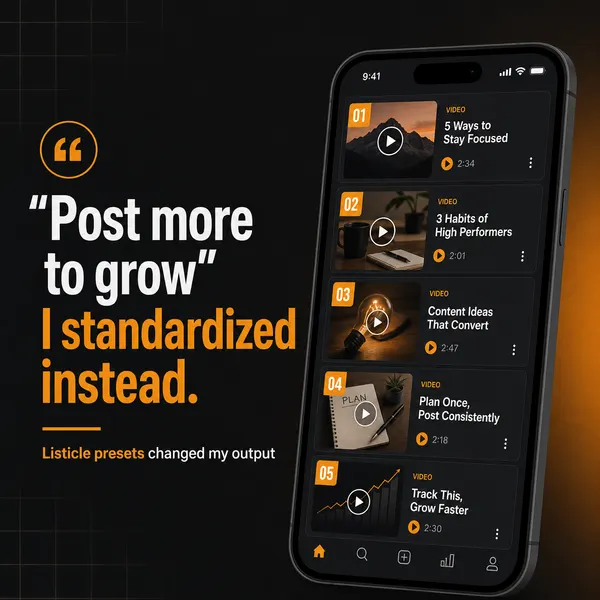
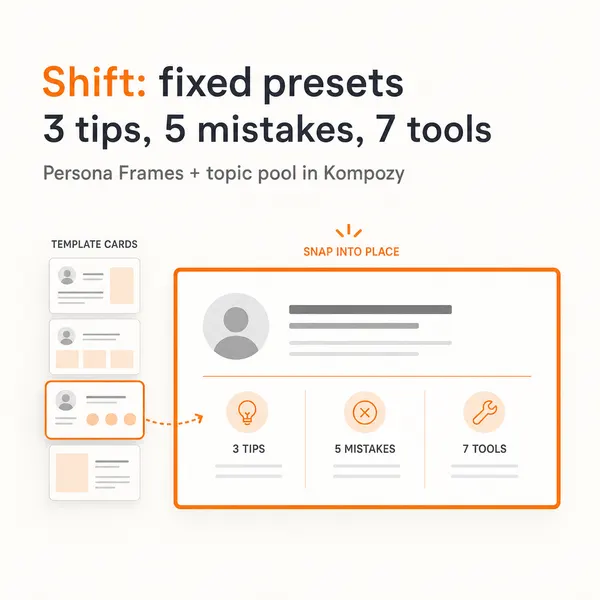
A five-slide carousel generated in the Kompozy workspace, one of the native formats the publishing layer can schedule.
Who is this for, and who should skip it?
Best for:
- Brands publishing one dense source across several platforms
- Teams that keep cross-posting identical files everywhere
- Operators whose audience sits in a different time zone
Not ideal for:
- Paid social campaigns, which run in the platforms' ad managers
- Single-platform creators who only need a basic scheduler
- Anyone looking for measured lift percentages; this page gives mechanics, not benchmarks
Frequently asked questions
How many posts per day should I publish on each platform?
There is no single right number. LinkedIn rewards restraint, X tolerates several posts a day, and short video rewards a steady daily rhythm. In Kompozy you set posting days and posts per day for each format, so start conservative and tune with your own analytics.
What is the difference between native posting and cross-posting?
Cross-posting mirrors one finished file everywhere. Native posting reshapes the same idea for each platform's format, length and conventions, so it does not look imported.
Which time zone should I schedule in?
Your audience's. In Kompozy you set a workspace time zone, which defaults to US Eastern, and choose preferred posting times in it.
Can I post the same clip to TikTok, Reels and Shorts?
Yes, a vertical clip fits all three. Stagger the releases by a day or more so followers who use several platforms do not see it twice in an hour.
Does multi-platform scheduling cover paid ads?
No. Paid social runs in Meta Ads Manager, TikTok Ads Manager or LinkedIn Campaign Manager. The scheduling layer handles organic posts only.
How do we know this?
We checked scheduler behavior against the Kompozy scheduler code and the platform count against kompozy.io/pricing on 2026-10-23. Kompozy sets posting limits per format, so per-platform cap figures were removed. The YouTube Shorts limit comes from YouTube Help; unsourced reach percentages were removed.
Sources
- Kompozy — Autonomous content and platform-cadence gate (read 2026-10-23)
- Kompozy — Pricing (read 2026-10-23)
- YouTube Help — Understand three-minute YouTube Shorts (read 2026-10-23)
Which other content automation guides should you read next?
- RSS-to-social automation: the complete setup for podcast and blog feeds — How to wire RSS feeds (podcast hosts, Substack, Ghost, WordPress) directly into a content generation pipeline that fans out to 9 platforms automatically.
- YouTube RSS automation: auto-clip new uploads into shorts — YouTube channel RSS feeds wired into Whisper transcription + AI clipping + auto-publishing on TikTok, Reels, and Shorts.
- Apple Podcasts automation: from publish to 30 posts in 10 minutes — Point Kompozy at your podcast RSS feed to draft from each new episode's show notes, and upload the recording for transcripts and clipped shorts.
- The 7 ways content automation breaks (and how to detect each) — Drift, hallucinations, platform deprecations, OAuth expirations, rate-limit blocks, queue overflow, voice degradation — the 7 failure modes every automation operator must monitor.
- Content automation in 2026: definition, mechanics, and what it is not — The clean definition of content automation, what separates it from scheduling, and the 4 layers every real automation pipeline needs.
Which related Kompozy topics cover this next?
- Autonomous Content Creation — How Kompozy autopilot really works: one workspace switch that approves and schedules generated posts, the checks that run before they publish, and a 14-day ramp for turning it on.