Turn every blog post into a newsletter (and a week of social): the 2026 fan-out workflow
Turn one blog post into a newsletter plus a week of social posts: subject-line patterns, the H2-to-format map, CTA chains, and time and cost math.
Published 2026-04-24 · Updated
Short answer
To turn a blog post into a newsletter, compress it: the intro becomes the hook, the strongest H2 becomes the main body, the other sections get one line and a link each, and the conclusion becomes a CTA back to the full post. Lift the subject line from the post's sharpest claim. A post with five H2 sections can also feed 8-12 social posts, staggered over the week and each linking back to the blog.
Key takeaways
- Send the newsletter the day the blog publishes, and link to the post instead of pasting it in.
- Pull the subject line from the post's strongest claim. 'Weekly update' gives nobody a reason to open.
- Match each H2 to the format that fits it: frameworks to carousels, sharp claims to quote graphics, arguments to threads.
- Every social post should link back to the blog. A post with no link is a dead end.
- On Kompozy a text post costs 4 credits, so a full weekly fan-out fits easily inside the Starter plan.
A blog post is the single most under-exploited source asset in content marketing, and the reason is a scarcity illusion. The substance — the argument, the supporting context, the examples, the data — is already written. Every H2 section is a complete idea that survived an editing pass. The bottleneck was never creating the substance; it is reformatting that substance into the native shape each distribution channel rewards, and most teams simply never do it. They hit publish, drop the URL into one tweet, and move on to the next post while most of the asset's potential reach goes unused.
This is the operator-grade workflow for closing that gap. The destination that matters most is the newsletter: the one channel you actually own, where no platform can throttle your distribution overnight. From there the same blog fans out into a week of X, LinkedIn, Instagram, and Threads, each piece linking back to the blog as the canonical source so the loop compounds. We will walk the mapping step by step, the subject-line patterns that move open rate, the CTA chain that turns social traffic into ranking signal, and the honest time-and-cost math across doing it by hand, doing it with AI review, and running it on autopilot.
Full disclosure on positioning: Kompozy ships a blog-to-newsletter-plus-social fan-out as one path through its 5-bucket engine (the Newsletter and Text buckets seed directly from any blog URL or RSS feed). We are not neutral on whether AI-assisted fan-out is viable — it is the core wedge of the product. Where we cite Kompozy credit costs we quote the real numbers so the math is checkable, and we recommend a free-tool path for anyone who publishes only occasionally, because at that volume the orchestration tax is not worth paying. See pricing for current tiers and content-repurposing for the full fan-out methodology.
Why is blog-to-newsletter the best repurposing workflow to start with?
Blog-to-newsletter has the best risk-adjusted return of any repurposing direction. The newsletter is a channel you own, the CTA chain compounds, and the hard writing is already done. Any one of those reasons justifies the workflow; together they stack.
First, the newsletter is the only distribution channel you actually own. Your X following, your LinkedIn reach, your Instagram impressions all sit on rented land — one algorithm change or one suspension and the audience you spent years building is unreachable. An email list is a direct line that no platform can throttle. Every subscriber gets the issue in their inbox, while a social post reaches only the followers the algorithm decides to show it to. Routing every blog post through the newsletter first means the asset reaches the audience segment most likely to act before it ever touches a feed you do not control.
Second, the CTA chain compounds in a way no single post can. The newsletter drives subscribers to the blog; the blog can rank in Google and pick up organic search traffic; that search traffic converts into new newsletter subscribers; and the loop tightens with every issue. Google doesn't publish how much engagement feeds ranking, so treat this as a traffic loop first: every channel sends readers to one canonical page, and that page keeps turning readers into subscribers.
Third, the hard part is already done. Reformatting is mechanical work; substance creation is not. A blog post that survived a draft and an edit has load-bearing ideas in every H2, and converting those into a newsletter section or an X thread is a transformation, not an act of creation. This is exactly the kind of work that AI does well and humans find tedious — which is why the workflow is the canonical on-ramp to AI-assisted repurposing. Pair it with podcast-to-social once you also produce audio, and one team can cover a full content calendar from two source types.
How many outputs can one blog post produce?
One blog post with five H2 sections can produce one newsletter issue plus 8-12 social outputs. Map the full set before any reformatting. The mistake most teams make is treating the blog as a one-to-one source for a single derivative — one tweet, or one newsletter, and nothing else. The blog is a one-to-many source, and the map below is the realistic ceiling for a post with five H2 sections. Fewer H2s scales the count down proportionally; the structure holds.
| Blog element | Newsletter output | Social outputs | Format-fit reason |
|---|---|---|---|
| Intro / above-the-fold | Newsletter hook (1 paragraph) | 1 standalone X post (the hottest take from the intro) | The intro is already written to stop a scroll — it transfers directly to a subject-adjacent hook |
| H2 section #1 (strongest) | Newsletter main body (2-3 paragraphs) | 1 X thread (4-7 posts) + 1 LinkedIn post | The strongest section earns the deepest expansion and the email's core idea |
| H2 section #2 | Summarized in 1-2 lines + link | 1 LinkedIn post (story-framed) | Sections beyond the lead get summarized in email, expanded on the platform that rewards depth |
| H2 section with a list/framework | — | 1 four-slide carousel | Lists and frameworks are inherently visual; a carousel out-performs a text post for this shape |
| H2 section with a quotable claim | — | 1 quote graphic | A single tight claim lives or dies on short, tight presentation, not paragraph context |
| Conclusion + CTA | Newsletter CTA back to full post | 1 summary X thread of the whole post | The conclusion is the natural CTA anchor; a recap thread captures readers who missed the section threads |
The format-fit column is where most fan-out attempts fall apart, so it is worth stating the principle plainly: the underlying idea travels, the format does not. A framework belongs in a carousel because the medium is visual and sequential; a single sharp claim belongs in a quote graphic because it lives on tight typography; a multi-step argument belongs in a thread because the medium rewards sequential payoff. Pasting the same paragraph into all three tends to underperform, because each audience reads cross-posted boilerplate as low-effort. The map is not a content-volume trick — it is a format-discipline tool.
Step 1: How do you turn a blog post into a newsletter?
Compress the blog into the three parts of a newsletter: the intro becomes the hook, the strongest H2 becomes the main body, and the conclusion becomes the CTA. Start with the newsletter because it is the highest-value output and because getting its structure right forces clarity on which parts of the blog are load-bearing. Nearly every high-performing newsletter issue has the same three-part shape: a hook that earns the next paragraph, a main idea developed across two or three paragraphs, and a CTA that sends the reader to deeper content. Your blog already contains all three; the job is compression, not rewriting.
- Blog intro becomes the newsletter hook. Compress it to a single paragraph. The intro was written to stop a scroll on the blog, which is exactly what a newsletter hook needs to do, so this is the cheapest transfer in the workflow.
- The strongest one or two H2 sections become the newsletter main body. Pick the section with the highest-stakes idea, develop it across two or three short paragraphs, and summarize the remaining sections in a single line each with a link to the full post.
- The blog conclusion and CTA become the newsletter CTA. The newsletter is the appetizer; the blog is the meal. Always send the reader who wants depth to the full post — never reproduce the entire blog in the email.
The cardinal sin here is pasting the full blog into the email body. It defeats the entire compounding loop: a reader who got the whole argument in their inbox has no reason to click through, so the blog earns no engagement signal, no dwell time, and no ranking input. A newsletter that is a fraction of the blog's length and ends on a genuine curiosity gap is what drives the click that makes the loop work.
Step 2: Which subject lines earn newsletter opens?
Subject lines lifted from the strongest claim in the post beat anything written cold. The subject line decides whether anyone reads the rest, so it deserves more attention than its length suggests. The good news is that the blog hands you the raw material: the strongest claim in the post, restated as a subject line, is almost always stronger than anything written cold. These are the patterns we lean on for B2B and creator lists:
- Question with a specific number. "Why we test 47 hook variants per launch" out-performs "How we test hooks" because the number signals there is a real, countable thing inside.
- Contrarian claim. "Stop optimizing your funnel" earns the open by promising to argue against something the reader assumes is settled.
- Specific outcome promise. "How to cut your content production time by 80%" works when the number is plausible and the outcome is one the reader actively wants.
- Story hook. "I tracked 100 founder podcasts. Here is what I found." promises a payoff that required real work to produce.
- Confession or admission. "We screwed up. Here is the recovery plan." earns the open on curiosity and the rarity of public honesty.
The patterns to avoid are the ones that signal a generic update with nothing specific inside: "Newsletter #47," "Weekly update," "Quick thoughts on X." In our experience they get fewer opens than a specific subject lifted from the post's strongest claim. The rule of thumb: if the subject line could front any issue, it is too generic — make it impossible to write before the post existed.
How do you know which subject style works for your list? Test it on your own audience. Run the specific, claim-derived subject against a generic one on the same list and compare opens. Open rate is also the first step of the loop: an unopened issue drives no clicks, so the compounding stalls before it starts. Treat the subject line as the most important few minutes in the whole fan-out.
Step 3: How do you turn blog H2 sections into social posts?
Match each H2 section to the one or two social formats that fit its shape: a thread, a LinkedIn post, a carousel, or a quote graphic. Each H2 in your blog is a self-contained idea that already passed an editorial bar, which makes it the natural unit for a social post. The discipline is not to derive every format from every section — that forces filler — but to match each section to the one or two formats that fit its shape. A single H2 can become any of the following, depending on what it contains.
- An X thread of four to seven posts that walks through the section's argument step by step, ending on the takeaway.
- A LinkedIn post that reframes the section as a first-person story or a lesson, which is the shape LinkedIn's B2B audience rewards.
- A carousel slide deck, but only when the section contains a list or a framework — the visual, sequential medium fits structured content and wastes prose.
- A standalone quote graphic, but only when the section contains a claim tight enough to stand alone in a single short line.
A blog with five H2 sections produces five to ten social posts on this mapping, plus the newsletter. Add one summary thread that recaps the full post for readers who missed the section-level threads and you land at the 8-12 outputs the fan-out map promised. The throughput ceiling is not generation — generating these is fast whether a human or an engine writes them — it is review and platform-native scheduling, which is exactly where an orchestration tool earns its place. Kompozy reads one Persona Brief and produces all of these from the blog URL in a single pass, each shaped to its surface and run through the same voice profile so the thread, the LinkedIn post, and the carousel caption all sound like the same author. The honest alternative for low volume is a single AI chat session and manual posting; see the cost table below for where the line falls.
Step 4: How do CTA chains compound search traffic?
Every social post and every newsletter issue points back to the blog, and the blog points forward to the newsletter signup. That two-way wiring turns a one-time post into a self-reinforcing loop, which makes the fan-out an SEO play as well as a reach play.
- The social post sends the click to the blog post. This is the move most teams skip — they post the idea and never link the source — which forfeits the engagement signal entirely.
- The blog post captures the reader as a newsletter subscriber via an inline signup. Now the reader is on the channel you own.
- The newsletter drives that subscriber to the next blog post, which sends another engagement signal, and the cycle repeats.
You can measure whether it is compounding with UTM links and your analytics. Each blog post gets distribution from your social audience, your email list, and over time, search traffic: three channels feeding one canonical asset. The single most common way teams break this is posting the idea on social without a link back to the blog, which captures none of the engagement signal and leaves the post as a dead-end impression. Always link the money page — the blog — never the homepage.
Step 5: How should you schedule the fan-out across the week?
Stagger the outputs across seven days, starting with the newsletter on the day the blog publishes. Generating 8-12 outputs is only half the workflow; the other half is staggering them so they do not cannibalize each other. The failure mode is dumping everything on publish day, which floods your own audience, splits the attention each post would otherwise earn, and burns the entire week of content in a single day. The schedule below spreads one Monday-published blog across a week so each output gets a clean shot at reach.
- Monday: the newsletter goes out the same day the blog publishes, so subscribers are the first to see it and their click-through gives Google an immediate engagement signal.
- Tuesday: X thread #1, expanded from the strongest H2 section.
- Wednesday: the LinkedIn post, framing the second H2 as a story.
- Thursday: the carousel, built from the H2 that contained a list or framework.
- Friday: X thread #2, the summary recap of the full post.
- Saturday: the quote graphic from the post's sharpest claim.
- Sunday: rest, or queue the following week.
The same-day blog-and-newsletter pairing on Monday is deliberate and non-negotiable. The newsletter announces the blog and subscribers click through while the post is new. Splitting them across days means the fresh page sits with little traffic until the email arrives.
How much does manual, AI-assisted, or autopilot fan-out cost?
Manual fan-out takes hours per blog post, AI-assisted with review takes a short review session, and autopilot needs only a spot-check. The workflow is identical whether a human, an AI-assisted operator, or an autopilot engine runs it — what changes is the time and the per-output cost. The table below assumes a team publishing four blog posts a month and fanning each into a newsletter plus 8-12 social outputs.
| Approach | Time per blog post | Monthly cost | Cost per text output | Voice fidelity |
|---|---|---|---|---|
| Fully manual (you + a writer) | Hours | Your time or a writer's rate | Labor cost | Exact (it is you) |
| AI-assisted with review | A short review session | $199 (Kompozy Starter) | $0.14 (4 credits) | Close, with a tight Persona Brief |
| Autopilot off blog RSS | A quick spot-check | $499 (Kompozy Pro) | $0.11 (4 credits) | Close, once the Persona Brief is dialed in |
The decisive jump is from manual to AI-assisted: the cost per output and the time per post both drop sharply, and voice stays close once a Persona Brief is in place. The jump from AI-assisted to autopilot is a smaller, different trade. It buys back the review time in exchange for ceding per-output approval, which is a control decision, not a cost decision. For the honest case on when to make each jump, the manual-vs-automated breakdown lays out the breakeven volume; in short, if you publish only occasionally, a free AI chat plus manual posting wins, and the orchestration tax pays back only at steady weekly volume.
What are the most common blog-to-newsletter mistakes?
Five mistakes cause most failed fan-outs: verbatim cross-posting, pasting the full blog into the email, no CTA back to the blog, generic subject lines, and scheduling everything on day one. Each one is cheap to avoid once you know to look for it.
- Same content verbatim across the newsletter, X, and LinkedIn. Cross-posted boilerplate reads as low-effort on every surface. Rewrite the hook per surface even when the idea is identical.
- A newsletter that is just the full blog pasted in. It removes the reader's reason to click through, which kills the engagement signal the entire loop depends on. Keep the newsletter to a fraction of the blog's length.
- No CTA back to the blog from social posts. This is the most common and most costly miss — a post with no link is a dead-end impression that forfeits all the search-traffic compounding.
- Generic subject lines. A specific, claim-derived subject gives readers a reason to open; "Weekly update" does not.
- Scheduling the entire fan-out on day one. You cannibalize your own reach and burn a week of content in a day. Stagger across the week.
Avoiding all five is mostly a matter of discipline rather than tooling, but the discipline is exactly what an orchestration engine encodes by default: native formatting per surface, an appetizer-length newsletter that links back, automatic CTA insertion, claim-derived subject lines, and a staggered schedule. That is the real argument for routing a high-volume fan-out through a tool rather than a checklist — the tool makes the right behavior the default. For teams below that volume, the checklist above is enough.
What does this look like in Kompozy?
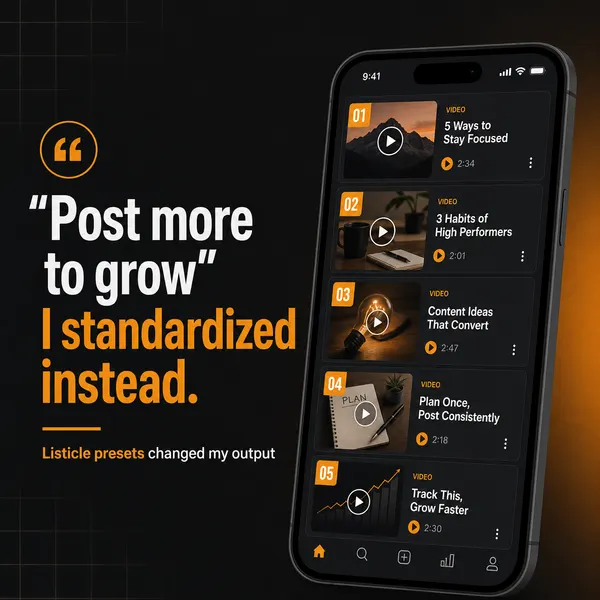
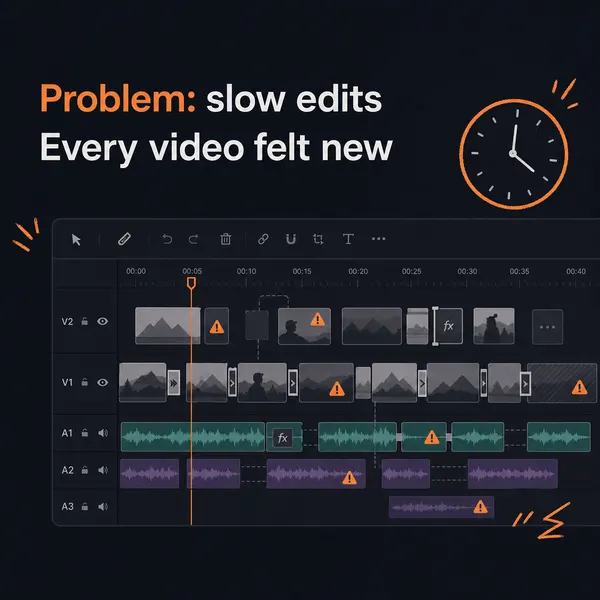
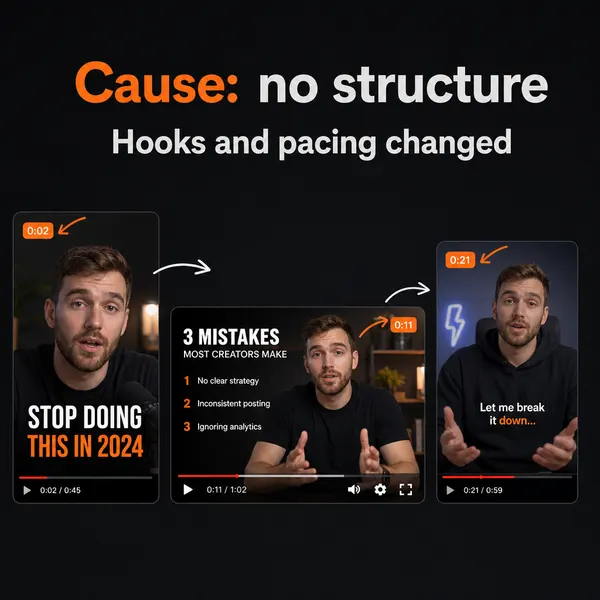
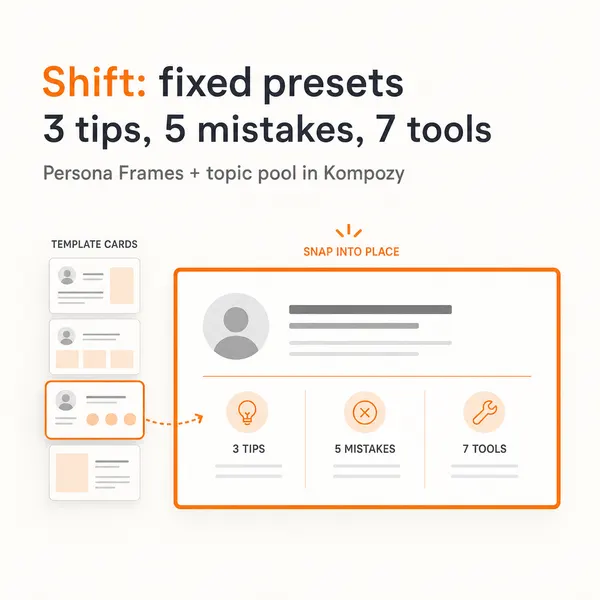
A real carousel made in the Kompozy workspace, shown as an example of the format. It was not made for this guide or for any customer.
Who is this for, and who should skip it?
Best for:
- Teams that publish blog posts every week and send a newsletter.
- B2B marketers who want each post to feed email and social without rewriting from scratch.
- Creators who want a repeatable weekly schedule for one post's derivatives.
Not ideal for:
- Anyone who publishes only occasionally. A free AI chat plus manual posting is cheaper than an orchestration tool.
- Newsletters that aren't tied to a blog, such as curated link roundups.
- Teams that need per-post legal sign-off. Keep manual review and skip autopilot.
Frequently asked questions
How long should the newsletter be compared with the blog post?
Much shorter. Treat the newsletter as the appetizer and the blog as the meal. If the whole post is in the email, readers have no reason to click through.
Should I publish the blog and newsletter on the same day?
Yes. The newsletter announces the blog, and subscribers click through while the post is new. If you send the email days later, the fresh page sits with little traffic in the meantime.
Which platform should I prioritize for the social fan-out?
The one where your audience already is: LinkedIn for B2B, X for tech and SaaS, Instagram for creator and lifestyle brands. Win one platform before you spread out.
Can the newsletter and social posts use the same hook?
Reuse the idea but rewrite the hook for each surface. Newsletter subjects work as direct claims, X openers as contrarian or numbered lines, and LinkedIn openers as stories.
How do I track whether the fan-out is working?
Watch newsletter open rate, blog clicks from each platform using UTM links, and newsletter signups that come from blog traffic. If clicks are flat, check that every social post actually links to the blog.
Is it worth automating this if I only publish once in a while?
No. At low volume, one AI chat session plus manual posting beats paying for an orchestration tool. Automation pays back once you publish every week.
Does repurposing a blog into a newsletter and social posts create duplicate-content problems?
Not if the derivatives are summaries that link back to the blog rather than full copies. The blog stays the canonical long-form page.
How do we know this?
On 2026-10-23 we checked Kompozy's credit costs and plan prices against kompozy.io/pricing and replaced a reference to a hidden plan with the live Starter plan. We removed the open-rate, reach, engagement-drop and time-saving figures because none had a public source, and toned down claims about how Google uses engagement.
Sources
- Kompozy: Pricing (read 2026-10-23)
What other AI content repurposing guides should you read next?
- How to repurpose a podcast into 30+ pieces of social content — The 6-step methodology for fanning a 60-minute podcast episode into shorts, threads, carousels, a blog, and a newsletter.
- Webinar repurposing: 5-8 X threads, 4-6 LinkedIn posts, and a recap blog per session — Extract the load-bearing ideas from each webinar, fact-anchor them, and stretch one event into 30+ outputs.
- Manual repurposing vs AI-automated repurposing: when each one wins — Honest comparison of doing it yourself, hiring an agency, or running an autonomous engine. With unit economics.
Which adjacent topic clusters should you explore next?
- AI Brand Voice & Persona — Without a Persona Brief, every AI output averages to the LLM default voice. This is the 5-section methodology that makes 100+ AI-generated posts feel like one human author wrote them.
- Autonomous Content Creation — How Kompozy autopilot really works: one workspace switch that approves and schedules generated posts, the checks that run before they publish, and a 14-day ramp for turning it on.