Webinar repurposing (2026): turn one session into threads, posts, clips, and a recap blog
Turn one webinar into threads, posts, clips and a recap blog while attendees still remember it. Plan the agenda, mine the Q&A, and check every stat before it ships.
Published 2026-05-18 · Updated
Short answer
To repurpose a webinar, design the agenda as 5-8 named teaching segments, record a speaker-labeled transcript, and split each segment into a claim, a framework, an example and a takeaway, each routed to its own format. Mine the live Q&A for FAQ content, check every number in the AI output against a transcript timestamp, and start publishing right after the session ends, while attendees still remember it.
Key takeaways
- Repurposing starts with the agenda. Named segments with the same shape extract cleanly.
- Each segment's claim, framework, example and takeaway map to a thread, a carousel, a LinkedIn story and a quote graphic.
- Attendee questions are real search queries. Keep their wording and use them in an FAQ.
- Check every number in AI output against the transcript. If a figure isn't there, cut it.
- Never autopilot customer-specific Q&A, live hot takes, numbers recalled from memory or in-jokes.
A webinar is the densest content source most B2B companies will ever record, and the overwhelming majority of that density is thrown away. An hour of structured live teaching contains several distinct teaching segments, a batch of real audience questions, and plenty of quotable lines, and the standard practice is to post the replay link once, watch it get a handful of clicks, and let everything else die in the recording archive. The substance was expensive to produce: a prepared speaker, a live audience, a real Q&A. Reducing all of that to a single replay URL is the content equivalent of catering a dinner and serving one plate.
This is the operator-grade workflow for extracting every viable piece of content from a webinar and shipping it across every channel while the audience is still warm. The structure that makes it work is deliberate from the start: a webinar designed for repurposing produces clean extracts; a webinar designed only to be delivered live produces a transcript that resists extraction. We will walk the agenda design that sets up clean segmentation, the teaching-segment and Q&A extraction passes, the fact-anchor check (done by a person) that keeps an AI engine's invented statistics from shipping, the fast scheduling window that captures attendee momentum, and the honest time-and-cost math across doing it by hand versus with AI review versus on autopilot.
Full disclosure on positioning: Kompozy ingests a webinar transcript as a source and fans it across all five output buckets — video, image, text, blog, and newsletter — on one Persona Brief and one credit pool, which is the core wedge of the product. We are not neutral on AI-assisted repurposing. Where we cite Kompozy pricing we quote the real numbers so the math is checkable, and the podcast-to-social workflow shares the same extraction primitives if your source is audio rather than a live session. See pricing for current tiers and content-repurposing for the broader methodology.
Why are webinars the best B2B repurposing source?
A webinar out-ranks a podcast, a blog, or a video as a repurposing source for a B2B audience. Its advantages are not cosmetic: each one changes the quality or quantity of what you can extract, and together they make the webinar the highest-yield source most teams have access to.
- Substance density. An hour of structured teaching produces a lot of content units, usually more per minute than a podcast or blog, because a webinar is prepared and segmented rather than conversational and meandering.
- Audience validation is built into the source. The live Q&A tells you exactly which sub-topics your audience cares about, so the repurposing pass can prioritize the segments that already proved they land instead of guessing.
- Authority signals carry through. Live teaching reads as more credible than a static post, and that credibility transfers to every derivative output — "live from our webinar" framing inherits the authority of the event.
- Recency creates a momentum window. Attendees expect follow-up content, and in our experience posts land best in the first day or two after the session, while people still remember it.
The fourth point is the one that shapes the entire downstream workflow, so hold onto it: a webinar is not just a dense source, it is a time-boxed one. The substance does not decay, but the audience's attention does, and a fan-out that ships two weeks late forfeits the single biggest reach advantage the format offers. Everything in the scheduling section is built around protecting that window.
Step 1: How do you design a webinar agenda for repurposing?
Build it as 5-8 named teaching segments with the same internal shape. The most leveraged decision in webinar repurposing happens before the webinar is ever recorded, in how the agenda is structured. A webinar built as 5-8 discrete teaching segments produces clean, self-contained extracts; a webinar built as a loose flow of "insights" produces a transcript that an extraction pass has to fight. Design each segment to run 5-8 minutes and to follow the same internal shape — claim, then framework, then example, then tactical takeaway. That shape is what makes each segment map cleanly to a thread, a post, and a blog section downstream.
The difference is concrete. A bad-for-repurposing agenda reads "Introduction, key insights, Q&A, wrap-up" — vague, unsegmented, and impossible to extract from without a human re-listening and imposing structure after the fact. A good-for-repurposing agenda reads "Segment 1: how to pick sources for autopilot. Segment 2: why Persona Briefs beat fine-tuning. Segment 3: the 14-day ramp methodology. Segment 4: industry-specific overrides." Each of those named segments becomes one X thread plus one LinkedIn post plus one blog H2 with no guesswork, because the segmentation work was done in the agenda rather than in post-production.
| Agenda segment (repurposing-ready) | Internal shape | Downstream outputs |
|---|---|---|
| How to pick sources for autopilot | Claim + framework + example + takeaway | 1 X thread + 1 LinkedIn post + 1 carousel + 1 blog H2 |
| Why Persona Briefs beat fine-tuning | Claim + example + takeaway | 1 X thread + 1 story-led LinkedIn post + 1 quote graphic |
| The 14-day ramp methodology | Claim + framework + takeaway | 1 X thread + 1 carousel + 1 blog H2 + 1 clipped short |
| Industry-specific overrides | Claim + example + takeaway | 1 LinkedIn post + 1 blog H2 + 1 quote graphic |
This is the cheapest quality lever in the entire workflow. A few minutes structuring the agenda for repurposing saves hours of extraction effort later and raises the ceiling on every output, because the engine or the human is extracting from clean, pre-segmented material instead of imposing structure on a meandering recording. Design the agenda as the content map it will become.
Step 2: Why does the webinar transcript need speaker labels?
Because your teaching and the audience's questions become different outputs. Everything downstream reads from the transcript, so transcript hygiene sets the ceiling on output quality. Use a transcription tool that produces speaker labels — Otter, Descript, or the recording platform's built-in transcript all qualify — and save it alongside the recording. The speaker labels are not optional polish; they are load-bearing, because the extraction pass needs to distinguish your teaching from the audience's questions. The teaching segments and the Q&A produce different output types, and the only thing that separates them in the raw transcript is who was speaking.
An hour-long webinar yields a long transcript. That is the raw material for the entire fan-out, which is why a garbage transcript caps the whole operation: auto-generated captions with no speaker labels and mangled jargon force every downstream step to work around errors instead of extracting cleanly. Clean the transcript once, reference it in every step.
Step 3: How do you turn teaching segments into content blocks?
Pull four components from each segment and route each to its own format. With a clean, speaker-labeled transcript and an agenda already segmented, the teaching extraction is mechanical. From each agenda segment, pull four components, and each component maps to a different native output format — which is the discipline that keeps the fan-out from producing five copies of the same post in different fonts.
- The core claim (one sentence) becomes the hook for an X thread and a LinkedIn post — it is the scroll-stopper at the top of both.
- The framework (two to four components) becomes a carousel and a blog H2 — structured, sequential content fits a visual deck and a long-form section, not a prose tweet.
- The example (one to two paragraphs) becomes a standalone story-led LinkedIn post — concrete narrative is the shape LinkedIn's B2B audience rewards most.
- The tactical takeaway (one to two sentences) becomes a standalone quote graphic — a single tight, actionable line that stands on its own without context.
Each segment yields four to five downstream outputs on this mapping, so six teaching segments map to 24-30 outputs from the teaching alone, before the Q&A adds more. The format-matching is the part most repurposing attempts skip, and skipping it is why so much repurposed content reads as re-skinned rather than native — a framework crammed into a quote graphic loses its structure, and an example flattened into a carousel slide loses its narrative. Match each component to the format its shape fits. Kompozy runs exactly this extraction against an ingested transcript and produces the format-matched outputs in a single pass on one Persona Brief, so the thread, the carousel caption, and the LinkedIn story all carry the same voice; the manual alternative is a human doing the same mapping by hand, which is where most of the hours go.
Step 4: How do you turn webinar Q&A into FAQ content?
The Q&A is the highest-SEO-value portion of a webinar and the part most teams ignore entirely, which is a mistake, because every question an attendee asked live is a real-world search query stated in a real person's words. That is keyword research you did not have to commission — phrased the way your actual audience phrases it, not the way a keyword tool guesses. Extract each question-and-answer pair and route it four ways.
- Use the question verbatim as a heading in a dedicated FAQ blog post — the verbatim phrasing is what matches the long-tail search query.
- Turn two or three Q&A pairs into standalone X posts framed as "got asked this in our webinar yesterday: [Q]. Here is the answer: [A]" — the live-event framing carries authority and the question carries built-in relevance.
- Add the highest-value Q&As to an FAQ section on your site, where readers and AI assistants can find clean answers. (Since August 2023 Google shows FAQ rich results only for well-known government and health sites, so don't count on the snippet.)
- Use recurring questions to seed future content — if three attendees asked variations of the same thing, that is a future blog post the audience has already told you they want.
The verbatim discipline is what makes this work for SEO and for LLM citation. A question rewritten into marketer-speak loses the match to how people actually search; the customer's own phrasing is the asset. Treat the Q&A transcript as a list of validated, audience-sourced search queries, and the FAQ outputs become some of the longest-lived assets the webinar produces — the blog-to-newsletter workflow then carries that recap blog into the newsletter and a week of social.
Step 5: How do you stop AI from inventing webinar statistics?
Anchor every claim to a transcript timestamp. Webinar repurposing is the workflow where a fact-anchor check matters most, because the risk it guards against is specific and serious: an AI extraction pass can invent a statistic that was never said. A speaker who mentioned "a meaningful increase" can be transcribed by an over-eager engine into "a 43% increase," and that fabricated number then propagates into a thread, a LinkedIn post, a blog, and a quote graphic — four published outputs citing a figure that does not exist. The fact-anchor check is the rule that stops this, and in Kompozy it is a review step you run, not an automated gate: every claim in every repurposed output must trace back to a specific timestamp in the transcript.
The practical check is simple and non-negotiable. When reviewing AI-extracted content, search the transcript for every cited number. If the number is in the transcript at a real timestamp, it ships. If it is not, the claim is rewritten without the number or cut entirely. This is the one step that does not get to be fully autonomous on day one, because a fabricated statistic in a published B2B asset is a credibility and sometimes a legal exposure that no efficiency gain justifies. Anchor first, publish second.
Why does timing matter so much after a webinar? Because attention fades, not quality. The substance is just as good in week two, but the warm attendee audience has moved on. That is why the fan-out should be queued and ready to ship in the first day or two, and why generation speed is a driver of reach, not just cost. Check this against your own analytics by comparing posts shipped right after a session with posts shipped later.
Step 6: When should you publish the webinar fan-out?
Start right after the session ends and land most of it within 48 hours. Because attendee attention fades fast, the scheduling is not a convenience — it is the reach strategy. The fan-out has to be generated, reviewed, and queued fast enough to land the bulk of it while the audience is still warm, then the long tail rolls out across the following week. The optimal cadence for a webinar that ends at T+0:
- T+0 (immediately after the webinar ends): "Just wrapped. Recording link in the next post. Top 3 takeaways: [...]" on X and LinkedIn, while the audience is at peak warmth.
- T+12 hours: the recording link plus the recap-blog draft emailed to the attendee list.
- T+24 hours: the first teaching-segment thread on X.
- T+36 hours: the first teaching-segment LinkedIn post.
- T+48 hours: the Q&A FAQ post plus the clipped-shorts launch.
- T+7 days: the remaining segments roll out across the week to extend the tail past the momentum window.
This cadence is exactly where generation speed becomes a reach multiplier rather than just a cost saver. A manual fan-out that takes a long working day cannot realistically have the first wave queued at T+0 and the teaching threads ready by T+24, because the human is still extracting while the window is closing. An AI-assisted pass that generates the full fan-out quickly and needs only a review can have everything queued before attendee momentum fades. The speed is not a luxury; it decides whether you catch the window or miss it.
What should you never autopilot from a webinar?
Keep customer-specific Q&A and the other categories below human-gated. Autopilot is the right default for the bulk of webinar output, but a specific minority of content must stay human-gated regardless of how dialed-in the Persona Brief is. These are the categories where an unattended engine creates real risk — legal, factual, or reputational.
- Customer-specific Q&A. If an attendee named their company or situation in a question, never publish it without explicit consent — anonymize or drop it.
- Off-the-cuff predictions or hot takes made live. Live spontaneity that landed in the room often needs editing before it survives as a static, context-free post.
- Numbers cited from memory without sourcing. Anything the speaker recalled live rather than read off a slide must be verified against a source before it ships — this is the fact-anchor check applied to the speaker, not just the engine.
- Inside-joke moments with the live audience. The joke depended on shared context that a cold reader does not have; stripped of the room, it reads as confusing or off-brand.
The pattern across all four is that they carry context or stakes the engine cannot evaluate — consent it cannot obtain, sourcing it cannot verify, room-context it cannot reconstruct. This is the webinar-specific instance of the general rule that high-stakes content stays human; the manual-vs-automated breakdown covers the broader principle of which content tiers belong on autopilot and which do not.
How long does webinar repurposing take manually vs with AI?
Manual takes the longest, AI-assisted with review cuts it to a review session, and autopilot needs only a spot-check. The workflow is identical regardless of who runs it; what changes is the time per webinar and the per-output cost. The table assumes a B2B company running one webinar a month and fanning each into the full 30-output set.
| Approach | Time per webinar | Monthly cost | Annual output | Notes |
|---|---|---|---|---|
| Fully manual (content team) | A long working day or more | Team labor | ~360 outputs/yr | Team writes every output from scratch; struggles to ship while attendees are warm |
| AI-assisted with review | A review session | $199 (Kompozy Starter) | ~360 outputs/yr | Engine generates the fan-out; human reviews and fact-anchors before publish |
| Autopilot after ramp | A spot-check | $499 (Kompozy Pro) | ~360 outputs/yr | Persona Brief dialed in; human spot-checks and gates the do-not-autopilot categories |
The arithmetic is decisive: one webinar a month at 30 outputs each is roughly 360 high-quality outputs a year off 12 hours of live recording — which is the ROI most B2B teams leave on the table by stopping at the replay link. The jump from manual to AI-assisted is the high-value move: it turns a day of extraction into a review session and drops per-output cost from labor to a few credits, while making the post-webinar window achievable for the first time. The further jump to autopilot is a smaller, control-based trade — it buys back the last hour of review in exchange for ceding per-output approval, which is appropriate for the recurring teaching content and explicitly not appropriate for the do-not-autopilot categories above. For where that line falls in general, the manual-vs-automated breakdown runs the full breakeven.
What does this look like in Kompozy?
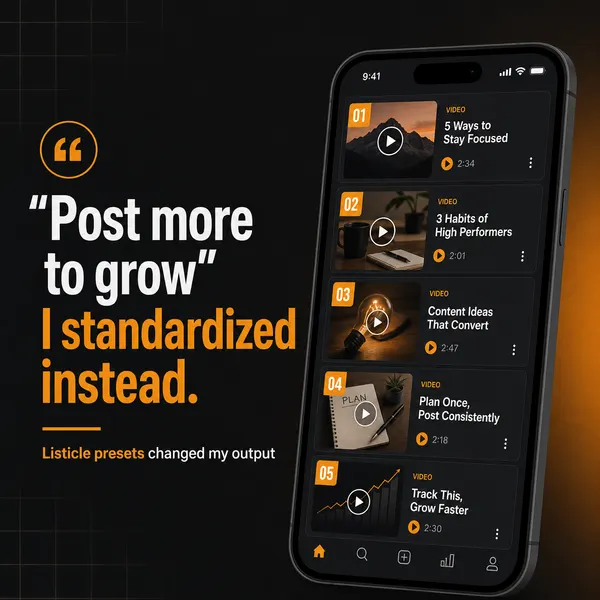
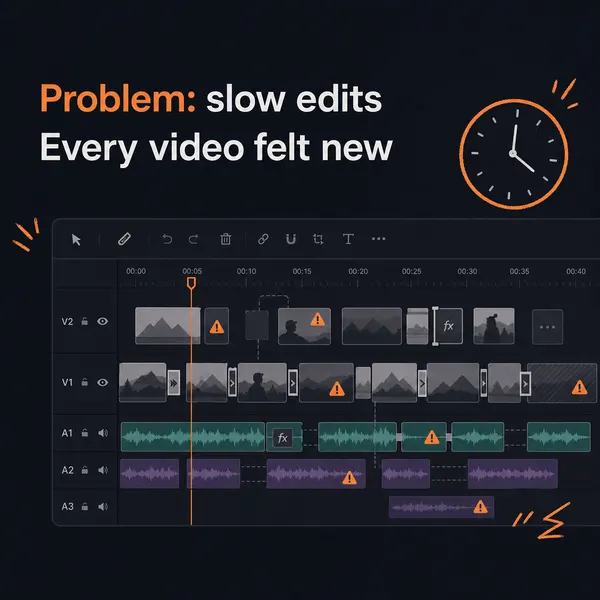
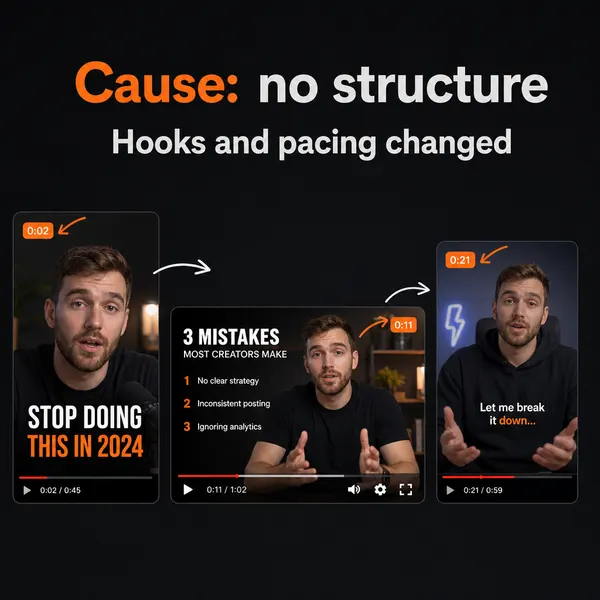
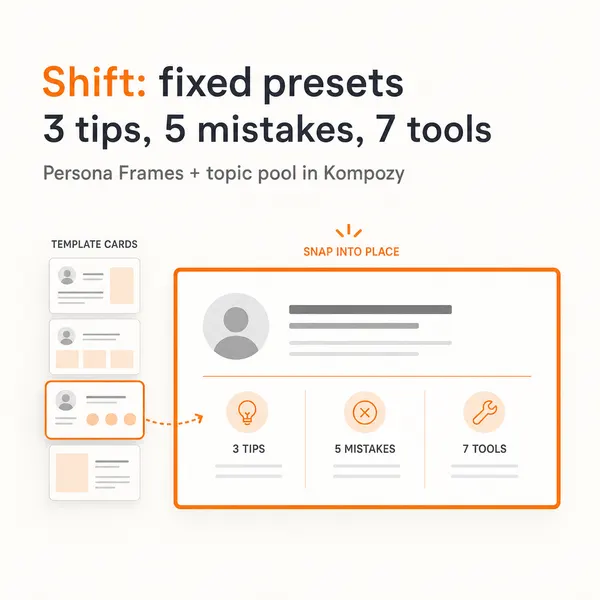
A real carousel made in the Kompozy workspace, shown as an example of the format. It was not made for this guide or for any customer.
Who is this for, and who should skip it?
Best for:
- B2B teams that run webinars every month and stop at the replay link.
- Marketers who want an FAQ and recap blog built from real attendee questions.
- Teams that need content out quickly while attendees are still engaged.
Not ideal for:
- Unstructured, conversational sessions with no clear segments. Fix the agenda first.
- Webinars full of customer-specific details you don't have consent to publish.
- Regulated industries that need every output reviewed by compliance. Keep it manual or AI with review.
Frequently asked questions
How long should a webinar be for repurposing?
Length matters less than structure. A tightly segmented session beats a longer, meandering one, because each named segment becomes its own set of outputs.
Should we publish the full replay or just the clips?
Both. Publish the replay, gated behind email if list growth is the goal, and fan out the derivatives. Replay viewers and social-only audiences are different groups.
How do we handle attendee questions in repurposed content?
Strip identifying details and frame the question as one you hear often. Never name the person who asked without explicit consent. The question still works as content when it's anonymized.
What if the webinar has multiple speakers?
Keep speaker labels in the transcript so each quote is attributed to the right person. Multi-speaker webinars repurpose well as long as the labels are accurate.
How do I stop AI from inventing statistics during extraction?
Run a fact-anchor check yourself; Kompozy does not do it automatically. Search the transcript for every number in the output. If it's there at a real timestamp, it ships; if not, rewrite the claim without the number or cut it.
Why does publishing quickly after a webinar matter?
Attendees' attention fades within days, even though the content stays just as good. A fan-out generated quickly can reach them while they still remember the session.
Can one webinar produce 30 outputs?
With a well-segmented agenda, yes. Six segments mapped to four or five formats each gives 24-30 outputs before you add Q&A posts, the FAQ blog, the newsletter and clipped shorts.
How do we know this?
On 2026-10-23 we checked Kompozy credit costs against kompozy.io/pricing and replaced a reference to a hidden plan with the live Starter plan. We checked the FAQ rich-results rule against Google Search Central. We removed the engagement-decay multipliers, time estimates and transcript-length figures because we could not source them, and dropped the yield claim from the page title.
Sources
- Kompozy: Pricing (read 2026-10-23)
- Google Search Central: Changes to HowTo and FAQ rich results (Aug 2023) (read 2026-10-23)
What other AI content repurposing guides should you read next?
- How to repurpose a podcast into 30+ pieces of social content — The 6-step methodology for fanning a 60-minute podcast episode into shorts, threads, carousels, a blog, and a newsletter.
- Turn every blog post into a newsletter (and a week of social) — Blog-to-email automation with subject-line optimization, preview text, and CTA chains back to the blog for search-traffic compounding.
- Manual repurposing vs AI-automated repurposing: when each one wins — Honest comparison of doing it yourself, hiring an agency, or running an autonomous engine. With unit economics.
- Customer call transcripts → case studies + social proof in one workflow — Pull testimonials, case studies, and pull-quote graphics from sales / customer success call recordings.
- YouTube long-form to TikTok / Reels / Shorts: the complete repurposing workflow — Clip-detection, hook rewriting, platform-native captions, and scheduling cadence for YouTube long-form to short-form.
Which adjacent topic clusters should you explore next?
- Autonomous Content Creation — How Kompozy autopilot really works: one workspace switch that approves and schedules generated posts, the checks that run before they publish, and a 14-day ramp for turning it on.
- AI Brand Voice & Persona — Without a Persona Brief, every AI output averages to the LLM default voice. This is the 5-section methodology that makes 100+ AI-generated posts feel like one human author wrote them.