Email deliverability in 2026: staying out of spam in the AI-content era
The 2026 email deliverability playbook: SPF, DKIM, DMARC, and BIMI, IP and domain warming, content rules for AI-written email, and the engagement signals.
Published 2026-05-19 · Updated
Short answer
Email deliverability in 2026 comes down to four layers, fixed in order. Authenticate with SPF, DKIM and DMARC from a dedicated subdomain, as Gmail requires for senders of over 5,000 messages a day. Warm new IPs and domains gradually. Keep content free of spam language and vary AI copy. Then protect engagement, keeping your Gmail spam rate below 0.10% and never reaching 0.30%.
Key takeaways
- Gmail's bulk sender rules took effect on February 1, 2024.
- Bulk senders need SPF, DKIM, DMARC and one-click unsubscribe.
- Keep the Gmail spam rate below 0.10%; Yahoo asks for below 0.3%.
- Treat every platform migration as a new warm-up.
- Thousands of near-identical AI emails read as one blast, so vary the copy.
Email deliverability in 2026 is shaped by two forces at once. The first is the bulk-sender rules: since February 1, 2024, Gmail has required senders of more than 5,000 messages a day to its users to set up SPF, DKIM and DMARC, offer one-click unsubscribe and keep their spam rate below 0.10%, and Yahoo rolled out matching requirements the same month. Authentication went from best practice to a hard gate. The second is cheap AI content: it is now easy to send thousands of near-identical messages, and identical bodies at volume look exactly like bulk mail.
The operators doing well on deliverability do two things. They are strict about the technical setup (authentication, warming, list hygiene), because getting it wrong is now binary. And they are careful with raw AI generation at scale, because volume without variance earns weak engagement. This guide covers what decides whether your email lands in the inbox, the promotions tab or spam: the four layers in priority order, the published thresholds from Gmail and Yahoo, and where AI content helps versus hurts. It pairs with the email-marketing-tools-2026 comparison and the cold-email-2026 deep-dive.
What are the four layers of 2026 deliverability?
Deliverability is not one setting — it is four layers stacked in a strict priority order, where each lower layer is a prerequisite for the one above it mattering at all. Authentication without engagement is a clean-looking sender nobody opens; engagement without authentication is a message that never arrives to be opened. The mistake most operators make is jumping to layer three (content tweaks) while layers one and two are broken. The honest mapping:
| Layer | What it controls | What it requires | Failure mode if skipped |
|---|---|---|---|
| 1. Authentication | Whether the message is accepted at all | SPF + DKIM + DMARC, sent from a dedicated subdomain | Rejection or spam placement for bulk senders to Gmail and Yahoo |
| 2. Reputation warming | How much volume the IP or domain can send | A gradual ramp, engaged segments only during the warm | Deliverability collapse after a platform migration or new domain |
| 3. Content discipline | Whether the body looks like bulk promotion | No spam-trigger language, mostly text, real variance between sends | Promotions-tab burial or spam placement at volume |
| 4. Engagement signals | Long-term inbox reputation | Gmail spam rate below 0.10% (and never 0.30% or higher), real opens, clicks and replies | Slow reputation decay and eventual spam-folder drift |
The rest of this guide walks the four layers in order, then collapses the common mistakes into a single checklist. The throughline: in 2026 the filters care less about what your email says and more about whether real people want it — but they will not even evaluate that question until your authentication and reputation prove you are a legitimate sender.
It helps to understand why the order is strict rather than a matter of taste. Inbox providers evaluate an incoming message as a funnel. The first question is "is this sender who they claim to be" — answered entirely by authentication. If the answer is no, the message is rejected or quarantined before any content model ever runs, so a beautifully written, perfectly engaging email from an un-authenticated domain simply never arrives. The second question is "does this sender have a track record" — answered by IP and domain reputation, which is why a brand-new sender with flawless authentication still gets throttled. Only after both gates pass does the provider score the content and the recipient's likely reaction. Spend your effort in funnel order and you fix the binding constraint first; spend it out of order and you polish content that the provider rejected three steps earlier.
Layer 1: why is email authentication now mandatory?
Authentication used to be a reputation booster. Since Gmail's and Yahoo's bulk-sender requirements took effect in February 2024, it is a hard gate for anyone sending more than 5,000 messages a day to Gmail, and a strong signal for everyone below that. Every record below lives in DNS and takes minutes to publish.
- SPF (Sender Policy Framework): publishes which servers are allowed to send for your domain. A hard requirement — mail from un-authenticated domains is flagged or rejected. One TXT record per sending domain.
- DKIM (DomainKeys Identified Mail): cryptographically signs each message so the receiver can verify it was not altered in transit. Required for any legitimate sender reputation; most ESPs generate the keys for you to paste into DNS.
- DMARC (Domain-based Message Authentication): publishes a policy telling receivers what to do with mail that fails SPF or DKIM alignment. Yahoo requires at least p=none; p=quarantine (failures go to spam) suits most senders once your reports are clean, and p=reject (failures are dropped) suits high-trust brands. Without a DMARC record, bulk mail to Gmail and Yahoo fails their sender requirements.
- BIMI (Brand Indicators for Message Identification): displays your brand logo next to the sender name in supporting inbox clients. It requires DMARC at enforcement (p=quarantine or p=reject), and providers such as Gmail and Apple also require a certificate (VMC or CMC), which typically means a registered trademark. Worth it for established brands; premature for early-stage senders without a registered mark.
- Dedicated sending subdomain: never send marketing email from your root domain. Use a subdomain such as mail.yourdomain.com so marketing-send reputation is isolated from your transactional and personal mail. A reputation hit on the marketing subdomain then cannot drag down password resets and receipts.
The sequence to publish these in matters. Start with SPF and DKIM because DMARC only does anything once at least one of them is aligned — a DMARC record with no underlying SPF or DKIM pass is a record that approves nothing. Begin DMARC at p=none with reporting turned on, read the aggregate reports for a week or two to confirm your legitimate mail is passing, then move to p=quarantine, and only escalate to p=reject once you are certain no legitimate stream is failing alignment. Operators who jump straight to p=reject before validating their reports routinely blackhole their own transactional mail and spend a frantic afternoon figuring out why receipts stopped arriving. The reporting phase is not optional caution — it is how you discover the forgotten send streams (a billing provider, a help-desk tool, a marketing platform) that are sending as your domain without alignment.
The subdomain discipline deserves the same care. Use one subdomain for marketing, keep transactional mail on its own subdomain or stream, and never let the two share reputation. The reason is asymmetry of risk: marketing mail is the high-volume, complaint-prone stream, while transactional mail (password resets, receipts, security alerts) is the stream you absolutely cannot afford to land in spam. Isolating them means a rough marketing month — a poorly targeted campaign, a complaint spike — cannot take down the operationally critical mail. This is the same logic that governs cold outbound, where senders go further and isolate reputation across many separate sending domains entirely.
Layer 2: when do volume senders need IP and domain warming?
A brand-new sending IP or domain has no reputation, and inbox providers treat unknown high-volume senders with suspicion until they prove themselves. If you send at real volume, or migrate to a new platform (which usually means a new sending IP), warming is not optional. The goal is to build reputation gradually: send small, high-engagement volume first and let the engagement vouch for you.
- Start low on a new IP or domain: a small daily volume for the first week, sent to your best subscribers.
- Increase volume step by step each week, checking reputation metrics at each step rather than ramping blindly.
- Send only to your most-engaged segments while warming. Opens, clicks and replies on small early volume build the reputation that lets you scale.
- Monitor sender reputation with Google Postmaster Tools (Gmail) and Microsoft SNDS (Outlook/Hotmail). Pause the ramp if the spam rate climbs.
- Plan for a multi-week ramp to reach full volume. Rushing it is a common cause of post-migration deliverability collapse.
The ramp has to be gradual because reputation comes from the ratio of good signals to volume, not volume alone. When a small send goes to your most engaged subscribers and nearly all of them open and some reply, the provider sees mail that recipients want and grants more headroom. Jump straight to full volume and that engaged core becomes a rounding error against unproven mail; the ratio collapses and the provider throttles or spam-folders the excess. Stepping up keeps the ratio high at each stage. It is also why you warm to engaged segments only: warming against a stale list manufactures the low-engagement, high-complaint pattern you are trying to prove you are not.
The same warming discipline applies in cold outbound, where it is even more punishing: one inbox pushed to high daily volume burns out fast, while the same volume spread across several warmed inboxes stays healthier. The mechanics carry over from the cold-email-2026 playbook; the difference is that marketing senders warm one reputation while cold senders warm many small ones in parallel. The most common warming failure is forgetting that a platform migration is a warming event: operators switch ESPs, send normal volume on day one from the new IP, and watch deliverability crater because the new IP has no reputation. Treat every migration as a fresh warm.
Layer 3: which content rules matter for AI-written email?
Content used to be a minor deliverability factor behind authentication and reputation. Cheap AI generation raised the stakes: it is now trivial to send thousands of near-identical bodies, and identical mail at volume looks like bulk promotion and earns the weak engagement that hurts reputation. The rules below keep your content out of the promotions tab and out of the bulk pattern.
| Content factor | Rule | Why it matters |
|---|---|---|
| Spam-trigger phrases | Avoid "Don't miss", "Limited time", "Last chance", "Buy now", "Act fast", ALL CAPS and walls of emoji | This is the language of bulk promotion and pushes otherwise clean mail toward spam or promotions |
| Content variance | Vary body copy across a large segment; do not send thousands of near-identical AI-generated emails | Low-variance mail at volume looks like a bulk blast and earns weak engagement |
| Link density | Keep links few and relevant | Link-heavy mail resembles phishing and bulk promotion |
| Text-to-image ratio | Keep the email mostly real text; never image-only | Image-only email is a classic spam-evasion tactic |
| Unsubscribe | One-click unsubscribe plus a visible link in the body | Gmail and Yahoo require one-click unsubscribe for marketing mail from bulk senders, and a hidden link drives spam complaints |
The variance rule deserves emphasis because it is where AI changed the game. Ten thousand emails with the same structure and the same unedited LLM cadence read as one blast, and they earn blast-level engagement, however clean the authentication. The fix is not "stop using AI". It is "use AI that produces varied, brand-voiced copy instead of templated output". This is the gap a content engine closes: Kompozy writes newsletter bodies through a Persona Brief so each send reads in your voice rather than the LLM default. Thin, templated copy from a generic generator is the worst case: low-variance and obviously synthetic. See content-repurposing for how one source becomes many genuinely different platform-native pieces.
The classic spam-trigger rules still apply on top of the variance rule, and they are easy to underestimate because they sound like old advice. Phrases like "act now," "limited time" and "buy now," combined with ALL-CAPS subject lines and a wall of emoji, are the language of bulk promotion. The fix is rarely to neuter the message; it is to express urgency through specifics ("offer ends Friday at midnight" rather than "ACT NOW!!!") and let the value carry the open. Link density and text-to-image ratio work the same way: a couple of relevant links in a body that is mostly real text reads as a human message, while a dozen links around one hero image reads as the bulk template it usually is.
A subtler factor compounds with everything above: list hygiene. When many of your sends bounce because addresses are stale, mistyped or harvested, the bounce rate itself marks you as a low-quality sender. A clean, regularly pruned list is part of content discipline. Suppress hard bounces immediately, re-permission or remove addresses that have not engaged in a long time, and never revive an old list by blasting it after a long silence; that single send creates the bounce-and-complaint spike that takes months to recover from.
Layer 4: why do engagement signals outweigh everything else?
Once authentication and reputation clear the gate, engagement is what decides your long-term inbox placement. Inbox providers watch how real recipients treat your mail and adjust placement accordingly. The signals below are the ones that move reputation in either direction.
| Signal | Healthy | Warning | Why it matters |
|---|---|---|---|
| Spam rate (Gmail) | Below 0.10% | 0.30% or higher must never be reached | Google's published threshold; Yahoo asks bulk senders to stay below 0.3% |
| Clicks | Steady or rising on engaged segments | Falling across sends | Clicks are an active interest signal and harder to inflate than opens |
| Opens | Directional only | Sharp drops after a campaign | Apple Mail Privacy Protection inflates opens, so read them as a trend, not an absolute |
| Unsubscribes | Low and stable | Spikes after specific sends | A spike tells you that send did not match what the audience signed up for |
| Replies | Any replies, even one word | None over time | A reply is clear evidence a person wanted the message |
Google Postmaster Tools and Microsoft SNDS are both free, and most operators never open either. Checking them monthly is one of the highest-leverage deliverability habits, because it surfaces a reputation problem while it is still a slope rather than a cliff. Apple Mail Privacy Protection inflates raw open rates with automatic pre-fetches, so lean on clicks and replies as the trustworthy signals and treat opens as directional.
Because engagement dominates, the highest-leverage deliverability move is often a targeting move, not a technical one. Sending to the whole list every time, including subscribers who have not opened anything in a year, dilutes every engagement metric the provider watches and slowly erodes the reputation you built. Cutting the dead weight from a send raises aggregate engagement, lowers the complaint rate and tells the provider your mail is wanted, which lifts placement for the engaged majority. Operators resist suppressing subscribers because list size feels like an asset, but a big list full of inert addresses is a worse deliverability position than a smaller list that engages. Reputation is computed on ratios, and dead subscribers are pure denominator.
Replies deserve a tactical note because they are both a strong signal and easy to earn honestly. A reply is hard to fake at scale and is clear proof a human engaged. The practical move is to write sends that invite a response: a question the reader would actually answer, a "reply and tell me which of these you want" prompt, and a from-address that is a real monitored inbox rather than a no-reply address. A no-reply address throws away one of the most valuable signals you could collect.
How did AI content change deliverability?
The shift from the older deliverability playbook is that content quality now shows up in the numbers providers watch. A sender with perfect authentication, a warmed IP and a healthy history can still see one campaign land badly because the body was low-variance AI output blasted across the whole list and nobody engaged with it.
The operators who adapted did not abandon AI; they changed how they use it. The losing pattern is "generate one email with an LLM and send it to everyone." The winning pattern is "generate brand-voiced copy with enough variance that the sends do not read as one template, and keep a human editorial pass." Cold email learned the same lesson about personalization: generic AI underperforms, while specific, varied, brand-aligned output wins. A content engine sits upstream of the ESP to solve the "what do I send and how do I make it not read as AI" problem, while the ESP handles delivery and engagement tracking.
There is a second-order effect worth naming. Because providers score the engagement your content produces, deliverability and content quality are now the same problem. You used to be able to send mediocre copy and protect deliverability with technical hygiene. Now mediocre copy is a deliverability liability: it produces low clicks, few replies and more complaints, and that erodes reputation. The teams winning on deliverability are not the ones with the fanciest authentication; they are the ones whose subscribers want to open the mail.
What are the most common deliverability mistakes?
- Sending from the root domain. Mixes transactional, marketing, and personal reputation into one bucket, so a bad marketing campaign can break password-reset delivery. Always use a dedicated subdomain.
- No DMARC policy. Without it, every receiver treats your mail as potentially spoofed — the single most common cause of an otherwise-legitimate sender landing in spam.
- Not warming IPs after a platform migration. Switching ESPs resets your sending IP; sending full volume immediately on cold reputation collapses deliverability for weeks.
- Buying or scraping email lists. Permanent, often unrecoverable damage to sender reputation. Organic opt-in only, always.
- Not pruning disengaged subscribers. Contacts who never open drag down aggregate engagement, the dominant reputation factor. Suppress anyone who has been inactive for a long time.
- Blasting low-variance AI content at scale. Thousands of near-identical AI bodies read as one blast and get blast-level engagement. Vary the copy and keep an editorial pass.
- Ignoring spam-report signals. Spam complaints are the highest-weight negative signal; a spike can cascade. Track them daily, not monthly.
How do you diagnose a sudden deliverability drop?
When inbox placement falls off a cliff, work the four layers in order instead of guessing. First confirm authentication still passes: a lapsed DKIM key or a recent DMARC change is the fastest cause to rule out and the most likely to be a recent infrastructure edit. Next pull the engagement trend: a placement drop usually trails a fall in clicks and replies, which points at content or list quality rather than a technical fault. Then check whether volume spiked: a sudden send to a cold or purchased segment poisons reputation for every campaign that follows. Isolate the one variable that changed before the drop; deliverability rarely degrades without a specific trigger.
The instruments that matter: seed-list inbox-placement tests that show the inbox-versus-spam split across providers before a campaign goes wide, Google Postmaster Tools and Microsoft SNDS for domain and IP reputation, and your ESP's own engagement dashboard. Run a placement test before any send that exceeds your normal volume, not after the complaints arrive — by then the reputation damage is already priced into your next ten campaigns.
What is the one rule of email deliverability?
Deliverability is bottom-up and engagement-led. Publish SPF, DKIM and a DMARC policy from a dedicated subdomain before you optimize anything else; that is the gate. Warm any new IP or domain gradually on engaged segments only. Keep content free of spam-trigger language and keep AI-generated copy varied and brand-voiced so it does not read as one blast. Then let engagement do the heavy lifting: real clicks and replies, a spam rate under Gmail's 0.10% line. Check Postmaster Tools monthly so a slope never becomes a cliff. Pick an ESP for your scale from the email-marketing-tools-2026 comparison, generate the content upstream so it reads human, and see pricing for where Kompozy fits.
What does this look like in Kompozy?
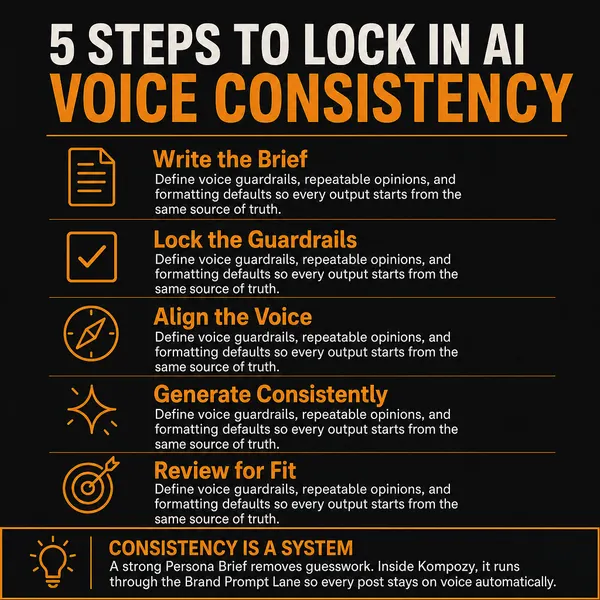
An infographic photo post generated in the Kompozy workspace, a format that turns a checklist like this one into a single shareable image.
Who is this for, and who should skip it?
Best for:
- Marketers sending newsletters or campaigns at volume
- Teams moving to a new ESP or domain
- Senders using AI to write email copy
Not ideal for:
- Cold outbound programs, which need their own inbox rotation playbook
- Transactional-only senders, whose issues are mostly technical
- Anyone after a vendor-specific setup guide
Frequently asked questions
What do Gmail and Yahoo require from bulk senders?
Gmail requires senders of more than 5,000 messages a day to set up SPF, DKIM and DMARC, support one-click unsubscribe, and keep spam rates below 0.10%. Yahoo requires SPF, DKIM, a DMARC policy of at least p=none and a spam rate below 0.3%.
What is BIMI?
BIMI shows your brand logo beside your sender name in supporting inboxes. It needs DMARC at quarantine or reject, and Gmail and Apple also require a certificate, typically backed by a registered trademark.
Does AI-written email hurt deliverability?
Not by itself. The risk is sending thousands of near-identical messages that get weak engagement. Vary the copy and keep a human edit.
How do I check whether my email is landing in spam?
Use Google Postmaster Tools for Gmail and Microsoft SNDS for Outlook, both free, and run placement tests before large sends.
Do I need to warm up a new domain?
Yes. Start with small sends to your most engaged subscribers and raise volume step by step while watching your reputation metrics.
How do we know this?
We checked the sender requirements and thresholds on this page against Google's and Yahoo's published sender guidelines and the BIMI Group FAQ on 2026-10-23. Industry benchmark figures we could not trace to a readable source were removed.
Sources
- Google Workspace Admin Help: Email sender guidelines (read 2026-10-23)
- Yahoo Sender Hub: Sender best practices (read 2026-10-23)
- BIMI Group: FAQs for senders and ESPs (read 2026-10-23)
- Kompozy: Pricing (read 2026-10-23)
Which other AI email marketing guides should you read next?
- Best AI email marketing tools 2026: ConvertKit, Beehiiv, Customer.io, HubSpot compared — The five leading AI-augmented email platforms in 2026 compared on automation depth, segmentation, AI-assist features, and price-per-active-subscriber.
- Email personalization beyond {{first_name}}: behavioral + dynamic at scale — How to do real email personalization in 2026 — behavior-triggered content, dynamic blocks per segment, AI-generated paragraphs personalized to the recipient. With deliverability guardrails.
- AI cold email that works in 2026: deliverability + personalization + scale — Cold email is harder than ever in 2026 due to inbox-provider AI filtering. The 5-step workflow that gets meaningful reply rates: research, personalization, deliverability setup, sequence design, and the rules of compliant scaling.
- AI subject lines that earn 40%+ open rates in 2026 — The 5 subject-line patterns that work in 2026, the AI workflow for generating variants, and the banned phrases that tank open rates instantly.
- Designing email sequences with AI: welcome, nurture, win-back, retention — The 4 essential email sequence templates for 2026, the trigger architecture each requires, and the AI-augmented production workflow that ships them in days not weeks.
- Email segmentation that drives conversion: behavioral + demographic + lifecycle — The 4-axis segmentation model (lifecycle / persona / company size / behavior signals) and how to set it up in ConvertKit, Beehiiv, HubSpot, or Customer.io. With the segmentation that drives the highest conversion lift.
Which related topic clusters cover this from another angle?
- Autonomous Content Creation — How Kompozy autopilot really works: one workspace switch that approves and schedules generated posts, the checks that run before they publish, and a 14-day ramp for turning it on.
- Content Automation — Daily publishing as engineering, not willpower. RSS feeds, webhooks, scrapers, Persona Briefs, and 9-platform scheduling, wired into pipelines that run without you.