Designing email sequences with AI in 2026: welcome, nurture, win-back, retention
The four email sequences every 2026 program needs (welcome, nurture, win-back, retention): email-by-email structure, triggers, and an AI drafting workflow.
Published 2026-05-19 · Updated
Short answer
Every email program needs four sequences. A welcome sequence of about five emails over a week, triggered at signup. A nurture sequence after a lead magnet, demo or trial. A three-email win-back after a long silence, ending with a clear unsubscribe option. A short retention sequence when usage drops. AI drafts the emails fast; people own the structure, the offer and the fact-checking.
Key takeaways
- Welcome, nurture, win-back and retention each have a different trigger and goal.
- Give before you ask: value first, offer last in a welcome sequence.
- Match spacing to warmth: tight for demos and trials, looser for lead magnets.
- Retention emails must fire on behavior, not the calendar.
- AI removes the blank page; humans still edit for voice and accuracy.
Email sequences are the highest-leverage work in an email program because they compound. You design them once and they run on autopilot for years, firing the right message at the right moment for every new subscriber without anyone touching them again. A single well-built welcome sequence can do more lifetime conversion work than a year of one-off broadcasts. And yet most teams ship one or two sequences poorly, skip the other two entirely, and then wonder why their list does not convert.
The baseline that serious programs start from is four sequences: welcome, nurture, win-back, and retention. Each has a distinct trigger, audience state, and goal, and each rewards a different structure. This is the operator-grade design playbook — the exact email-by-email anatomy of each sequence, the trigger architecture underneath them, the AI-augmented workflow that collapses production from weeks to hours, and the mistakes that quietly cap conversion. The throughline: AI writes the drafts fast, but the editorial decisions — tone, offer logic, claim validation — stay human, because a fully-automated sequence reads like every other SaaS funnel and converts like one too. Pairs with our email-personalization-at-scale spoke for the personalization layer these sequences ride inside, and email-marketing-tools-2026 for picking the ESP whose automation depth matches your sequence ambitions.
How do the four core email sequences differ?
Before the anatomy of each, the map. The four sequences are not interchangeable — they fire on different triggers, meet the subscriber in a different state of warmth, and chase a different goal. Confusing them (running a nurture cadence as a welcome, or a welcome tone in a win-back) is the most common structural error. The honest mapping:
| Sequence | Trigger | Length | Audience state | Primary goal |
|---|---|---|---|---|
| Welcome | Signup / subscribe | 5 emails / 7 days | Hottest they will ever be | Set the relationship + first conversion |
| Nurture | Lead magnet, demo, or trial start | 6-9 emails / 30-60 days | Interested, not yet decided | Educate, build trust, close |
| Win-back | 30+ days inactivity | 3 emails / 14 days | Disengaged | Re-engage or cleanly release |
| Retention | Usage drop / feature non-adoption | 2-3 emails / behavior-timed | At-risk customer | Prevent churn before it happens |
The asymmetry worth internalizing: the welcome sequence works with the warmest audience you will ever have, and the win-back works with the coldest. The same copy register cannot serve both. Welcome leans into momentum and generosity; win-back leans into respect and closure. The sections below walk each in its email-by-email form.
Sequence 1: what goes in a welcome sequence (5 emails, 7 days)?
A new subscriber is the hottest they will ever be in the minute after they sign up — they raised their hand voluntarily and your brand is top of mind. The welcome sequence exists to convert that heat into a relationship before it cools, which it does fast. Email 1 is the most-opened message in your entire program; squander it and the rest of the sequence inherits a colder audience.
- Email 1 (immediate): confirmation plus the thing they signed up for. It is usually the most-opened email in the program because the subscriber just asked for it. Deliver the promised asset instantly, no throat-clearing.
- Email 2 (day 1): introduction plus your story. Who you are, why this newsletter or product exists. Personal, not corporate — this is where the relationship register is set.
- Email 3 (day 3): top-value asset. Your single best piece of content, free resource, or quick-win tutorial. Builds early trust by over-delivering before asking for anything.
- Email 4 (day 5): customer story or case study. Social proof framed around the audience's problem, not your product's features.
- Email 5 (day 7): the direct offer or CTA. The action you actually want them to take, earned after a week of trust-building rather than demanded on day zero.
The structural rule is generosity-before-ask: four emails of value, then one clear request. Inverting that — asking on email 1 — burns the warmest moment you will get. Keep one primary CTA per email; a welcome email with three competing asks reads as a brochure, not a welcome.
Sequence 2: how does a nurture sequence work (6-9 emails, 30-60 days)?
The nurture sequence meets a subscriber who is interested but not decided — they downloaded a lead magnet, booked a demo, or started a trial. The goal is to educate, build trust, and close over a longer arc than the welcome, with cadence matched to the audience's readiness to act. Nurtures are not one shape; the right structure depends on what triggered them.
- Demo follow-up nurture (5 emails over 14 days): confirmation, thanks plus a recap of what was discussed, a relevant case study, an ROI or decision framework, then a direct ask. Tight cadence because demo intent decays quickly.
- Trial activation nurture (4 emails over 7 days): getting started, a first-value-action email gated on behavior, a feature spotlight, and a trial-end nudge. The behavior gate matters — do not send "have you tried X?" to someone who already has.
- Lead-magnet nurture (6-9 emails over 30-60 days): expand on the lead-magnet topic, go deeper, present a case study, make a soft offer, then a direct offer. Looser cadence because the audience is colder and earlier in intent.
Cadence is the lever most teams get wrong on nurture. Hot triggers (demo, trial) want tight spacing while intent is live; cold triggers (lead magnet) want looser spacing so the sequence does not exhaust a slowly warming reader. Match spacing to readiness, not to a fixed weekly habit.
Sequence 3: how does a win-back sequence work (3 emails, 14 days)?
The win-back fires after 30+ days of inactivity, when a subscriber has gone quiet. The goal is binary by design: re-engage the ones who can be re-engaged, and cleanly release the ones who cannot — because a disengaged subscriber who never unsubscribes drags down your engagement-based deliverability for the whole list. The structure is short and escalating.
- Email 1 (day 0): "We miss you" plus one specific new thing — a feature, a standout post, a customer story. Concrete, not a generic "come back."
- Email 2 (day 7): a direct ask paired with a value reminder of what they are missing.
- Email 3 (day 14): the "last email", and it should include a clear unsubscribe option. Offering closure respects the subscriber: the engaged ones re-engage, and the truly disengaged ones leave cleanly instead of lingering as dead weight that drags down your engagement-based deliverability.
Sequence 4: when does a retention sequence fire (2-3 emails)?
Retention is the most product-specific of the four and the one most teams skip entirely. It fires on behavior signals — usage drops, feature non-adoption, engagement decline — to catch an at-risk customer before churn becomes a decision rather than a drift. Unlike the calendar-timed sequences, retention is purely behavior-triggered, which makes the event-tracking infrastructure a prerequisite.
- Trial users who have not completed the first-value action by day 3: trigger a "stuck?" email with the specific action spelled out, not a vague nudge.
- Customers whose usage dropped more than 50% from baseline: trigger a check-in email with a relevant case study that re-anchors the value.
- Customers who have not adopted a feature within 30 days of a qualifying behavior: trigger a focused feature spotlight that connects the feature to what they are already doing.
Retention sequences live or die on recency and specificity. A churn-risk email that fires a month after the usage drop is too late, and a generic "is everything okay?" with no behavioral hook reads as noise. The behavior data these triggers need is the same infrastructure tier-3 personalization requires — build it once and both draw on it.
How does AI speed up sequence production?
The reason most teams ship only one or two sequences is production cost: writing a full multi-email sequence by hand is a multi-week project, and there are four of them. The AI-augmented workflow cuts that to a working session or two per sequence, not by removing the human, but by moving the human from blank-page drafting to high-leverage editing.
- Define the sequence: trigger, audience state, goal, number of emails, day spacing, and the one primary CTA per email. This is the human-owned strategic layer — get it wrong and no amount of good copy saves it.
- AI generates first drafts: Claude or a platform-native AI with a Persona Brief override produces each email draft in minutes instead of an hour of writing.
- Human edits aggressively: ban hedge words, add specificity, validate every claim, and calibrate tone against the brand voice. This is where the sequence stops sounding generic.
- Set up triggers and automation in the email platform: wire the entry condition, the spacing, and any behavior gates.
- Run for 30 days and measure open rate, click rate, and conversion rate per email — per email, not just per sequence, so you can see exactly which step leaks.
- Iterate: subject lines weekly, body copy monthly, offer/CTA when the product or pricing changes.
| Workflow stage | Owner | Relative time | What good looks like |
|---|---|---|---|
| Define structure + offer logic | Human | Short | Clear trigger, one CTA per email, the right cadence for the audience's warmth |
| Draft all emails | AI (Persona Brief) | Short | On-voice drafts, no hedge words, claims flagged for checking |
| Edit + validate | Human | The longest human step | Specific, claim-checked, tone-calibrated, no AI tells |
| Wire triggers + automation | Human | Short | Entry condition, spacing and behavior gates set |
| Measure + iterate | Human | Ongoing | Per-email metrics; frequent subject tests, slower body iteration |
The division of labor is the whole point. AI is fast at the part that is slow for humans (producing on-voice first drafts) and unreliable at the part humans are good at (offer logic, claim accuracy, tone judgment). A sequence drafted by AI and shipped without aggressive human editing converts like the generic funnel it reads as. See content-repurposing for how one source recording fans into sequence drafts across formats, and pricing to size the generation tier.
Which sequence mistakes quietly kill conversion?
- Too many emails. Keep welcome and nurture sequences tight; past a handful of emails, fatigue and unsubscribes outrun the marginal gain.
- No clear primary CTA per email. Each email should ask for exactly one specific action. Multiple competing CTAs read as no CTA at all.
- AI-generic tone. Without a Persona Brief override and aggressive human editing, AI sequences read like every other SaaS funnel — same hedge words, same rhythm, same flatness. Calibration is mandatory.
- No segment-specific variants. The same sequence sent to founders, ops people, and analysts underperforms persona-specific variants by a meaningful margin on high-stakes sequences.
- Skipping the cancel link in win-back. Counterintuitive but consistent: omitting it raises long-run unsubscribe rate and drags deliverability by keeping dead weight on the list.
- Calendar-timing a retention sequence. Retention must fire on behavior with tight recency; a usage-drop email a month late is noise, not a save.
Where does Kompozy fit in sequence design?
Kompozy does not run your automation or own your triggers — your ESP does that. What Kompozy does is solve the production bottleneck that keeps teams from shipping all four sequences: generating the email drafts in your brand voice, from one Persona Brief, so every email across every sequence sounds like you rather than like a generic LLM.
Inside Kompozy's newsletter bucket, you brief the sequence (trigger, audience, goal, email count, CTA per email) and the engine produces on-voice drafts for the whole sequence in one pass, ready for the human-editing stage. Kompozy can send a newsletter through a connected Mailchimp account; for triggered sequences and conditional blocks, you load the drafts into the ESP that runs your automation. The split keeps the two hard problems separate: Kompozy owns "make it sound like us and produce it fast," your ESP owns "fire it at the right person at the right moment." Leaning on an ESP's built-in AI to also nail your brand voice tends to produce thin, on-the-nose copy. See pricing for plans, email-personalization-at-scale for the personalization layer these sequences sit inside, and cold-email-2026 for the cold-outreach cousin of the nurture sequence.
What does this look like in Kompozy?
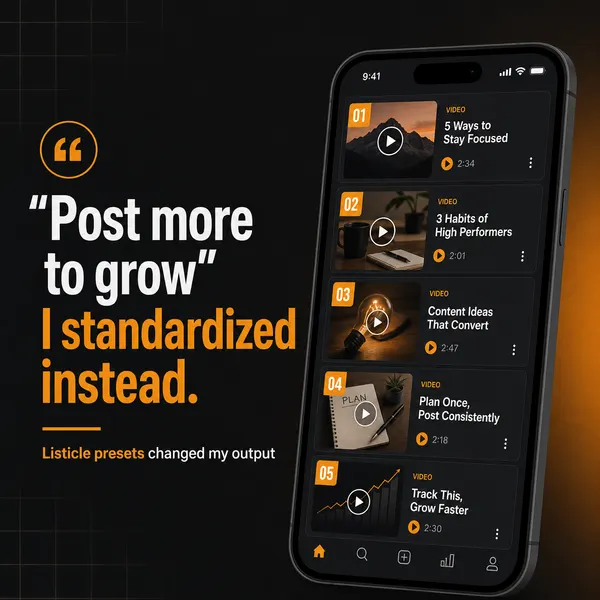
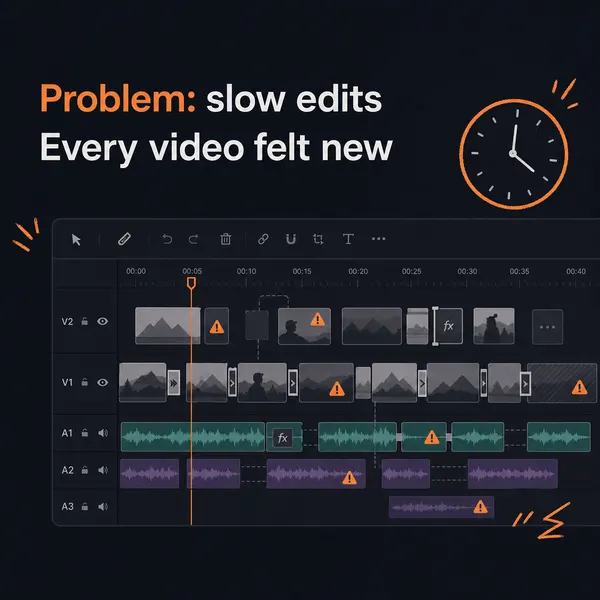
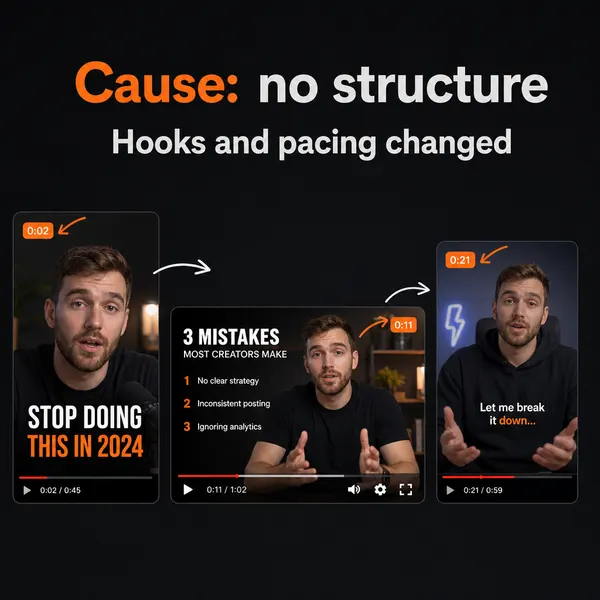
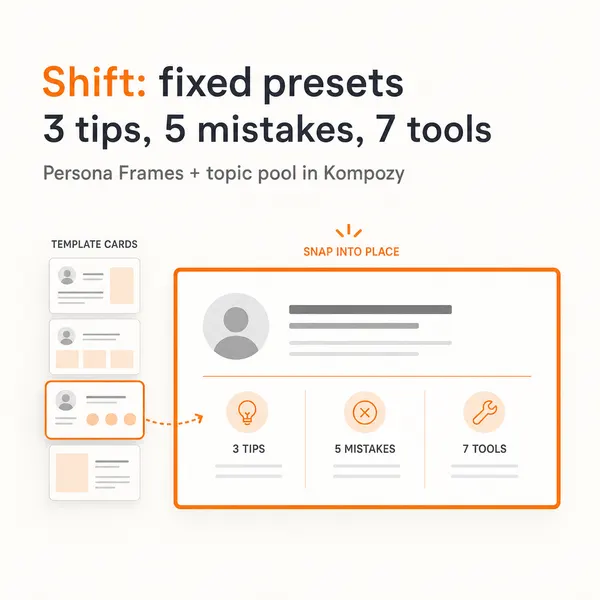
A five-slide carousel generated in the Kompozy workspace. Its step-by-step structure is the same one a sequence brief uses, one idea per slide or email.
Who is this for, and who should skip it?
Best for:
- Teams that have one sequence and need the other three
- SaaS and creator businesses with clear signup and trial events
- Operators who want AI drafts but keep editorial control
Not ideal for:
- Senders without automation in their ESP
- Teams wanting AI to send without review
- Businesses with no product usage data for retention triggers
Frequently asked questions
How long should a welcome sequence be?
About five emails over the first week, with value first and one clear ask at the end.
Should a win-back email include an unsubscribe link?
Yes. A clear way out respects the reader, and clearing out inactive subscribers protects your engagement-based deliverability.
Can AI write a whole sequence?
AI can draft every email, but people should set the structure and offer, check every claim and tune the tone before anything goes live.
How does Kompozy help with sequences?
Kompozy drafts the whole sequence in your brand voice from one Persona Brief. You then load the drafts into the ESP that runs your triggers, or send newsletters through a connected Mailchimp account.
How do we know this?
We reviewed this page on 2026-10-23 and removed production-time and unsubscribe-rate figures that had no published source. The sequence structures are our recommendations, not measured benchmarks. Kompozy details come from kompozy.io/pricing.
Sources
- Kompozy: Pricing (read 2026-10-23)
- Google Workspace Admin Help: Email sender guidelines (read 2026-10-23)
Which other AI email marketing guides should you read next?
- AI subject lines that earn 40%+ open rates in 2026 — The 5 subject-line patterns that work in 2026, the AI workflow for generating variants, and the banned phrases that tank open rates instantly.
- Email personalization beyond {{first_name}}: behavioral + dynamic at scale — How to do real email personalization in 2026 — behavior-triggered content, dynamic blocks per segment, AI-generated paragraphs personalized to the recipient. With deliverability guardrails.
- Email segmentation that drives conversion: behavioral + demographic + lifecycle — The 4-axis segmentation model (lifecycle / persona / company size / behavior signals) and how to set it up in ConvertKit, Beehiiv, HubSpot, or Customer.io. With the segmentation that drives the highest conversion lift.
- Email deliverability in 2026: staying out of spam in the AI-content era — How spam filters changed in 2026 to detect AI-generated email at scale, the technical setup (SPF, DKIM, DMARC, BIMI) that still matters, and the content rules that determine inbox placement.
- Email vs newsletter vs nurture vs transactional: when each format wins — The 4 email formats every operator uses (broadcast email, newsletter, trigger-based nurture, transactional) — when each one wins, when each one fails, and how to architect them together without overlap.
- AI-augmented email list growth: lead magnets, opt-ins, and the new sources that work — The 6 list-growth tactics that work in 2026 — AI-generated lead magnets, exit-intent overlays, content upgrades, gated content, partnerships, social-driven opt-ins. With expected per-source conversion rates.
Which related topic clusters cover this from another angle?
- B2B Content Marketing — B2B content marketing in 2026 is founder-led, AI-augmented, and conversion-tuned. This is the playbook for B2B SaaS teams shipping daily across LinkedIn, blog, and email — without diluting brand voice.
- Autonomous Content Creation — How Kompozy autopilot really works: one workspace switch that approves and schedules generated posts, the checks that run before they publish, and a 14-day ramp for turning it on.