How to block AI crawlers: robots.txt vs server rules (2026)
Block AI crawlers in 2026: robots.txt for compliant bots, server or CDN rules for the rest, and the training-vs-search split that keeps AI-search citations.
Last verified · 2026-10-23 · by Moe Ameen
Published 2026-09-04 · Updated
Short answer
To block AI crawlers, use robots.txt to disallow the training bots (GPTBot, Google-Extended, ClaudeBot, CCBot) and add server or CDN rules for bots that ignore it. RFC 9309 says robots.txt rules are not access authorization, so only a server or CDN block actually stops a request. Keep search crawlers like OAI-SearchBot allowed, or you drop out of AI search answers.
Key takeaways
- robots.txt is a request that crawlers are asked to honor, not a lock.
- Block training crawlers by name and keep search crawlers like OAI-SearchBot allowed.
- Blocking Google-Extended doesn't affect Google Search inclusion or ranking.
- Since September 15, 2026, Cloudflare blocks Training and Agent bots by default on ad pages for new domains.
- Test with curl using the bot's user agent. A 200 means you're not actually blocking.
Blocking AI crawlers looks like a single toggle and is actually two decisions on top of each other. The first is whether to block at all — and if so, which bots, because a blanket block quietly removes you from AI search alongside the training scrapers you meant to stop.
The second is where to enforce it: a robots.txt line is a polite request that well-behaved bots honor and aggressive ones ignore, while a server or CDN rule is an actual barrier that returns a block whether the crawler asks permission or not.
This walks both decisions in order so you end with a policy that stops the scraping you care about without severing the crawlers that send you readers.
One scope limit to hold before you touch a file: any of this governs only a domain you control. It does nothing about your Instagram, TikTok, or YouTube content, which lives on platforms with their own separate AI-data settings and no robots.txt of yours. If you also want to close the training tap on the tools and platforms you publish through, that is a different and larger checklist — the companion tutorial opt out of AI training on your content covers it.
How do you block AI crawlers with robots.txt and server rules?
- Decide what a block can actually protect. Start by naming the goal, because it changes the answer. Blocking crawlers on your site reduces the odds your first-party pages feed a future model and cuts scraper load on your server; it does not remove content already in shipped models, and it reaches only the domain you control. If most of your work lives on social platforms, crawler rules are the wrong lever for that content entirely. Decide here whether you are protecting an owned site, cutting bandwidth from aggressive bots, or making a rights statement — each points at a different mix of the steps below.
- Split the crawlers by purpose before blocking anything. AI bots are not one category, and treating them as one is the classic mistake. Training crawlers fetch pages to build model datasets: GPTBot (OpenAI), Google-Extended (Google's training signal — separate from Googlebot), ClaudeBot (Anthropic's training crawler), CCBot (Common Crawl, which feeds many datasets), and Bytespider (ByteDance). Search and retrieval crawlers fetch a page live to quote and link you in AI answers: OAI-SearchBot, Claude-SearchBot, PerplexityBot, and user-triggered fetchers like ChatGPT-User and Claude-User. Agent crawlers act on a task in real time. Write your policy against these buckets — you almost always want to block training, keep search, and decide on agent case by case.
- Write robots.txt rules for the compliant bots. In the robots.txt at your domain root, add a block per training user-agent, for example a `User-agent: GPTBot` line followed by `Disallow: /`, repeated for Google-Extended, ClaudeBot, CCBot, and Bytespider. The major companies publish these agent names precisely so you can target them, and the well-behaved ones honor the file. Keep the retrieval agents out of your disallow list. Understand what you have built: robots.txt is a voluntary standard (RFC 9309), a sign on the door, not a lock — it stops cooperative crawlers and nothing else.
- Enforce at the server or CDN for the bots that ignore the sign. For crawlers that disregard robots.txt, the block has to sit in front of your content. At the server, a rule that returns 403 to the training user-agents stops the request before it reads a page; at a CDN or WAF like Cloudflare, a managed AI-bot rule or firewall expression does the same at the edge, before traffic reaches you. Cloudflare exposes this as AI Crawl Control with Search, Agent, and Training categories, and a pay-per-crawl option that answers blocked bots with a 402 Payment Required. This layer is where real blocking happens.
- Match user-agent to a verified identity, not just the string. A User-Agent header is trivially spoofed, so a rule keyed on the string alone both misses impersonators and risks blocking the real bot's lookalikes. The major AI companies publish machine-readable lists of their crawlers' authentic IP ranges for exactly this reason. For a server or CDN rule you want to enforce strictly, verify the request comes from a published IP block (or passes reverse-DNS) before trusting the agent name — otherwise you are filtering a header anyone can fake.
- Deliberately keep the search and retrieval crawlers. This is the step that separates a good policy from a self-inflicted wound. Do not use a blanket "block all AI bots" rule or a CDN preset that sweeps everything, because it catches OAI-SearchBot, PerplexityBot, and other answer crawlers that fetch your page to cite and link you in AI search — the surface where high-intent readers increasingly start. Blocking Google-Extended, note, does not affect Google Search ranking; it only controls training. Block training agents by name, leave retrieval agents allowed, and you opt out of the dataset without vanishing from the answers.
- Verify the block works, then re-audit on a schedule. Confirm enforcement rather than assuming it: request a protected URL while sending the bot's user-agent (`curl -A GPTBot https://yoursite.com/`) and check you get a block, not a 200 — a robots.txt Disallow will still return the page to a direct request, which is the tell that you need the server layer. Cloudflare's AI Crawl Control also logs which crawlers hit you and whether they respect the file. Then re-check quarterly: new bots appear, agent names change, and platform defaults shift — Cloudflare moved to blocking Training and Agent categories by default on ad-supported pages for new domains from September 15, 2026, across all tiers.
What mistakes do people make when blocking AI crawlers?
- robots.txt is a request, not a barrier (RFC 9309). A Disallow line stops cooperative crawlers and returns the page normally to anyone who ignores it — real blocking has to live at the server or CDN.
- A blanket AI-bot block is the most common own-goal: it removes you from AI search by catching retrieval crawlers (OAI-SearchBot, PerplexityBot) alongside the training crawlers you meant to stop.
- User-Agent strings are spoofable, so a rule keyed only on the name both misses impersonators and can misfire — verify against the AI companies' published IP ranges for any strict block.
- Hybrid crawlers force a binary choice. Cloudflare notes that blocking Training also blocks multi-purpose bots like Googlebot and Applebot even when Search is allowed, because one crawler serves both — check before you block a shared agent.
- User-fetch bots may skip robots.txt: OpenAI states that because ChatGPT-User actions are started by a user, robots.txt rules may not apply, so robots.txt alone won't stop on-demand retrieval.
- Crawler rules cover only your domain. They do nothing for content you post to Instagram, TikTok, YouTube, or LinkedIn — those have separate in-platform AI settings.
robots.txt and bot rules are technical controls, not by themselves a legal prohibition — their weight depends on jurisdiction. Rules on text-and-data-mining opt-outs differ by country, so a robots.txt line can carry more legal weight in some jurisdictions than in others. Get legal advice if you plan to rely on it. Confirm current behavior in each crawler's published documentation before relying on any single control.
Where does Kompozy fit once your crawler policy is set?
Here is the quiet limit of everything above: a crawler block is a fence around one yard. It governs the pages on a domain you own and nothing else, while most of a creator's audience — and most of their content — lives on platforms where you cannot set a single robots.txt line.
So the block/allow decision protects your owned site, and that is exactly the surface worth having something substantial on. Kompozy is the engine that keeps that surface fed while running the distribution layer where crawler rules simply don't apply.
Kompozy is a content generation and multi-platform publishing engine, not a repurposing add-on. From one source it generates the long-form blog article, the carousel, the quote graphic, the text and image posts, and the persona or avatar video (20 formats in all), then publishes them natively across the 9 platforms it supports in a single pass. Two things follow that matter to a page about blocking bots.
First, Kompozy publishes as your real accounts. It is not another crawler you have to identify and block.
Second, the retrieval crawlers you deliberately kept in step six only pay off if the pages they fetch are fresh and worth citing, and Kompozy is how a solo operator keeps an owned site and every platform stocked with structured, on-brand content instead of a stale homepage behind a locked door.
A single Persona Brief holds voice and banned-word rules across every output, and Autopilot keeps the queue moving behind a per-post review gate. The division of labor is clean: your crawler policy decides who may read your owned domain; Kompozy decides how much there is to read and puts native versions everywhere the fence doesn't reach.
Starter ($199/mo for 5,500 credits) fits a solo creator maintaining one owned site plus cross-platform presence; Pro ($499/mo for 18,000 credits) suits a brand or team publishing everywhere weekly; Enterprise is available through Contact Sales for agencies running many domains and brands.
What does this look like in Kompozy?
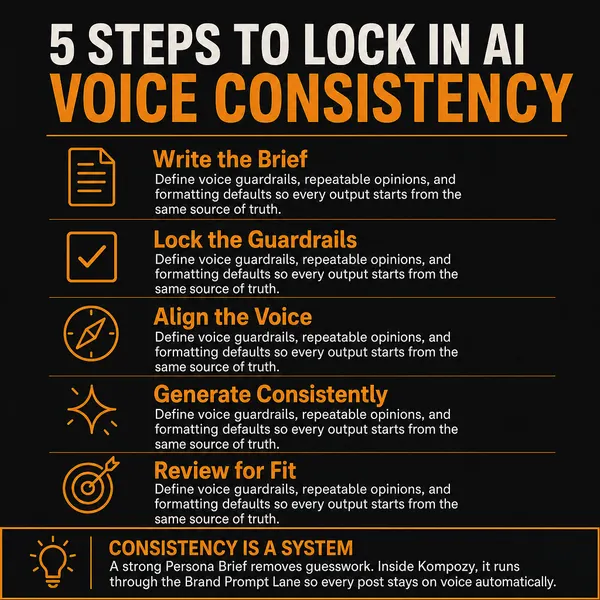
A real infographic photo from the Kompozy workspace, the sort of owned-site content worth letting search crawlers read. It isn't a diagram of crawler rules.
Who is this for, and who should skip it?
Best for:
- Site owners who want out of AI training data but still want AI search citations.
- Sites losing bandwidth to aggressive crawlers.
- Cloudflare users who want to check what the new defaults already block.
Not ideal for:
- Content on Instagram, TikTok or YouTube. Your robots.txt doesn't reach it.
- Anyone expecting to pull content out of models that already trained on it.
- A blanket block-all-AI rule, which also drops you from AI search.
Frequently asked questions
Should I block AI crawlers with robots.txt or server rules?
Use both, for different jobs. robots.txt is the fastest way to tell compliant bots like GPTBot and ClaudeBot to stay out, and the major companies honor it — but it is a voluntary request with no enforcement, so aggressive crawlers ignore it. A server or CDN rule (a 403 by user-agent, or a Cloudflare AI-bot rule) is the actual barrier that blocks requests before they read a page. Start with robots.txt for coverage, add the server layer for the bots that don't respect it.
Which AI bots should I block?
Block the training crawlers: GPTBot (OpenAI), Google-Extended, ClaudeBot (Anthropic), CCBot (Common Crawl), and Bytespider (ByteDance). Deliberately keep the retrieval crawlers — OAI-SearchBot, Claude-SearchBot, PerplexityBot, and user-triggered fetchers like ChatGPT-User and Claude-User — because they quote and link you in AI search. The split is the whole point: block the bots that absorb your content into models, keep the ones that send readers to it.
Will blocking AI crawlers hurt my Google ranking or SEO?
Not if you target the right agents. Google-Extended is Google's training crawler and blocking it has no effect on Google Search — Googlebot is separate. The real risk is a blanket "block all AI bots" rule that also catches the answer-retrieval crawlers behind AI search results, which removes you from that increasingly important surface. Block training agents by name and leave Googlebot and the retrieval crawlers allowed.
Does Cloudflare block AI crawlers automatically?
Increasingly, yes. Cloudflare offers AI Crawl Control with Search, Agent, and Training categories, available on all plans. From September 15, 2026, new domains block Training and Agent crawlers by default on ad-supported pages while Search stays allowed. If you use Cloudflare, check your current AI-bot settings directly — the default may already be doing more, or less, than you intend.
Can I really stop a determined scraper from taking my content?
Not completely. robots.txt is voluntary and a bad actor ignores it; even server and CDN rules can be probed by spoofing user-agents or rotating IPs, which is why verifying against published IP ranges matters. Blocking meaningfully reduces training exposure and load from cooperative and semi-cooperative crawlers, and pay-per-crawl or WAF rules raise the cost for the rest — but treat it as reducing exposure, not building an impenetrable wall.
How do we know this?
We checked every crawler name, default and behavior on this page against the sources listed below on 2026-10-23, and rewrote or removed any figure we couldn't confirm there. Kompozy plan details come from kompozy.io/pricing.
Sources
- IETF — RFC 9309: Robots Exclusion Protocol (read 2026-10-23)
- OpenAI — Overview of OpenAI crawlers (read 2026-10-23)
- Anthropic — Does Anthropic crawl data from the web? (read 2026-10-23)
- Google — Google common crawlers (read 2026-10-23)
- Common Crawl — CCBot (read 2026-10-23)
- Cloudflare — Your site, your rules: new AI traffic options (read 2026-10-23)
- Cloudflare — Introducing pay per crawl (read 2026-10-23)
- Cloudflare Docs — AI Crawl Control (read 2026-10-23)
- Kompozy — Pricing (read 2026-10-23)
Related tutorials
- How to opt out of AI training on your content (2026)
- How to optimize content for Perplexity citations (2026)
- How to make content visible to AI search (2026)
- How to optimize content for AI search (2026)
- How to build local pages AI systems can find and trust (2026)
- How to get your content cited by ChatGPT (2026)