Long-form to Instagram / LinkedIn carousels: the slide-extraction pattern (2026)
Turn a long blog post or video into a short carousel for Instagram and LinkedIn: candidate selection, cover rules, slide anatomy, and costs.
Published 2026-05-18 · Updated
Short answer
To turn a long blog post or video into an Instagram or LinkedIn carousel, pick content with several distinct, framework-shaped ideas that each fit on a short slide. Write a cover that hooks on sight, use slide 2 to name the framework, give every substance slide the same heading, claim and example structure, and close with one call to action. Kompozy generates a 5-slide carousel at 24 credits a slide, with your brand identity and Persona Brief in every prompt.
Key takeaways
- Numbered frameworks make the best carousels. Single stories don't.
- The cover decides whether anyone swipes, so test cover variants when a carousel matters.
- Use slide 2 to name the framework so a curious swipe turns into a full read.
- Give every substance slide the same shape: heading, one claim, one example.
- End with one call to action. Asking for a save, a follow, a comment and a click at once gets none of them.
Carousels are the highest-leverage static format on Instagram and LinkedIn in 2026. They give the audience something to swipe through and save, which a single image rarely does. The catch is production: a brand-consistent carousel built by hand in Canva or Figma takes real design time, and that cost kills the format for most teams the moment they try to run it at a daily cadence.
The way out is the same insight that drives all of repurposing — the substance is already created somewhere else. A long blog post is already a set of distinct, structured ideas. A video transcript already contains the framework. The carousel is not a new act of creation; it is an extraction and a reformat of substance that exists, which is exactly the kind of mechanical work that systematizes and largely automates. Treating long-form as the carousel source, rather than designing each carousel from a blank Figma file, is what makes the format viable at scale.
This is the complete slide-extraction pattern — which long-form sources actually produce good carousels and which do not, why the cover slide decides most of the outcome, the per-slide anatomy that makes a set of slides read as one cohesive piece, how generated slides replace the manual design pass, the credit economics at each Kompozy tier, and the tooling stacks compared. Full positioning disclosure: Kompozy generates carousels as part of the Image bucket of its five-bucket fan-out, so the figures below are checkable against real credit costs. For low-volume or single-platform teams we will say where a design tool is still the simpler answer.
Why do carousels win on Instagram and LinkedIn?
Carousels win on mechanics, starting with saves, not on aesthetic preference. The format wins on four reinforcing axes, and each one feeds the next. The first is saves: audiences save reference material (frameworks, checklists, step-by-step breakdowns) far more than they save opinions or moments, and a carousel is the natural shape for reference material. A saveable carousel is a piece the audience chooses to keep.
The second axis is re-shares, for the same reason: people re-share things that make them look useful to their own audience, and a tight framework carousel is exactly that. The third is time spent: a viewer who swipes through every slide spends far longer on the post than on a single image. The fourth is that engaged viewers tend to come back for the next one, so a run of good carousels builds on itself.
| What to compare | Single image | Carousel | How to check it on your account |
|---|---|---|---|
| Saves | Few for opinion posts | More for reference-style frameworks | Compare saves per post in Instagram Insights |
| Re-shares | Depends on the image | Strong when the framework is useful | Compare shares per post |
| Time spent | A glance | One swipe per slide | Watch average swipe-through where the platform shows it |
| Best content shape | A single moment or claim | A numbered framework | Tag posts by shape and compare |
Step 1: Which long-form content makes a good carousel?
Content with several distinct, condensable, framework-shaped ideas. Not every blog post or video produces a good carousel, and the single biggest waste in this workflow is forcing the format onto source material that does not fit it. A carousel is a framework delivered in discrete swipeable beats, so the source has to contain discrete, condensable beats in the first place. Four criteria separate carousel-worthy long-form from the rest, and a source should clear all four before you commit the production time.
- Has several distinct ideas or sections. A blog with five strong H2 sections or a transcript with six teaching moments produces a natural carousel. Linear narratives (a single story told start to finish) produce only a couple of slides and read as too thin to earn the swipe.
- Each idea is condensable to a few short lines. The carousel slide is a hard constraint: a concept that needs several paragraphs to land does not fit, and cramming it produces a wall-of-text slide the audience swipes past. If an idea cannot survive that compression, it belongs in a blog, not a carousel.
- Topic is framework-shaped. The strongest carousels are numbered frameworks — "the 4 gates," "the 5 sections of a Persona Brief," "7 mistakes." Framework shape gives the carousel its swipe-through logic and its saveability; shapeless reflection does not carousel well.
- Visual potential exists. Some ideas carry a chart, a table, or a before/after comparison, and those become the richest, most-saved slides. A source with visual-ready beats produces a carousel that outperforms an all-text one.
The practical filter is to read the long-form looking for the framework hiding inside it. A long blog post usually has its carousel sitting in the H2 headings: pull the headings, check there are enough of them, confirm each condenses to a slide, and you have your candidate. A video transcript yields its carousel from the teaching moments rather than the headings, but the test is identical. Sources that fail the test are not bad content; they are simply better suited to other buckets — a narrative belongs in a text post or thread, a single deep idea belongs in a blog.
Step 2: Why does the cover slide matter most?
The cover slide determines whether anyone swipes past it, which means it determines whether the other slides are ever seen. In our experience it decides more of a carousel's performance than any other slide. This is the highest-leverage single decision in the entire workflow, and it is the one most operators under-invest in, treating the cover as a title card rather than the hook it actually is. A carousel with strong substance and a weak cover performs like a weak carousel, because the substance never gets the swipe.
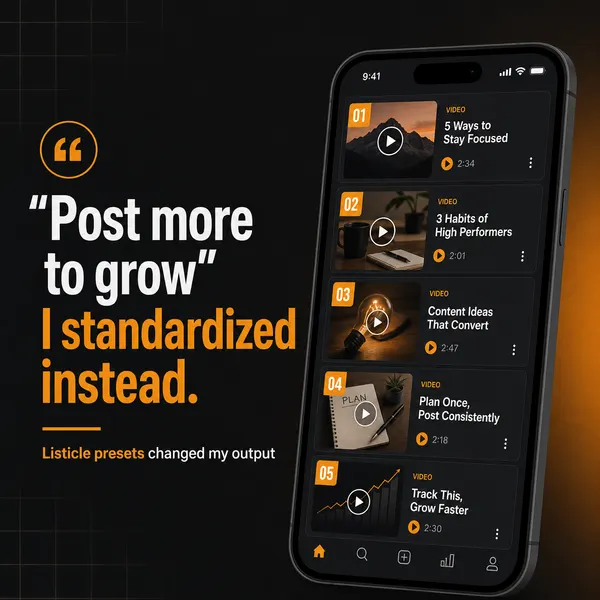
- Hook immediately. The cover has to stop the scroll before the viewer reads anything else. "5 ways to cut content production time" beats "Welcome to my guide" — specificity and promise beat throat-clearing every time.
- Strongest visual element on this slide. The cover should carry the boldest headline, the highest-contrast color, and the cleanest layout of any slide. Front-load the visual weight; a flat cover gets a flat swipe-through rate.
- Promise plus specificity. A vague promise underperforms a concrete one. "5 X tips" is weak; "5 X tips we tested on our own launches" is stronger because it signals the content has been pressure-tested. Only claim what is true.
- No body text on the cover. The cover is a hook, not a slide of substance. Hook, promise, and an optional signature element — nothing more. Body text on the cover dilutes the one job it has.
Because the cover carries so much of the outcome, it is the slide most worth iterating, and it is the slide where AI variant generation earns its place — generate three cover treatments of the same carousel and test which hook stops the scroll, rather than betting the whole piece on a first-draft cover. The substance slides can be near-identical across variants; the cover is the variable worth testing. This is the same test-don't-guess discipline that governs thumbnails on YouTube, covered in the for-youtubers stack.
Step 3: What should slide 2 of a carousel do?
Set up the framework. The cover earns the first swipe; slide 2 earns the commitment to swipe through the whole thing. After the hook, slide 2 introduces the structure — "Here are the 5 steps. We will cover each in detail" — and that explicit promise of a finite, navigable framework is what converts a curious swipe into a full read. Without it, viewers swipe back to the feed after slide 1 because they have no map of what they are committing to.
Slide 2 is also where you set the expectation that makes the carousel saveable. By naming the framework — the five steps, the four gates, the seven mistakes — you signal that the carousel is reference material worth keeping, not a one-time scroll. That framing primes the save before the audience has even reached the substance. Skipping slide 2 and jumping straight from the cover into the first substance point is the second-most-common structural failure after a weak cover, because it asks for the swipe-through without first earning the commitment.
Step 4: How should the substance slides be structured?
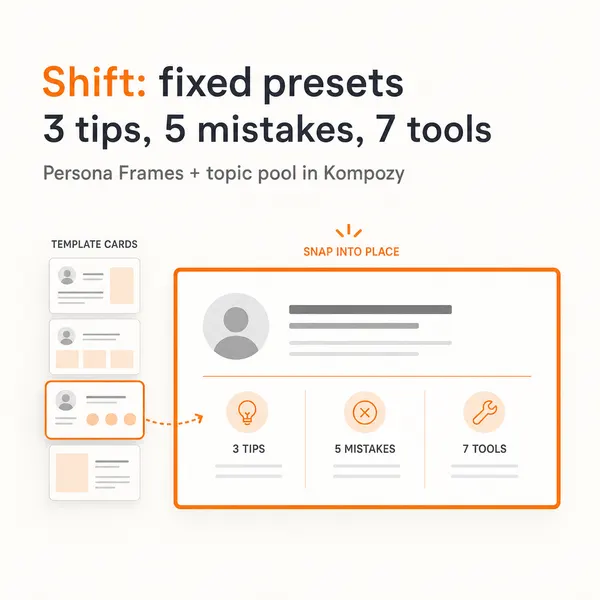
Identically. The substance slides are where the framework gets delivered, and the rule that governs them is consistency — every substance slide follows the identical internal structure so the carousel reads as one cohesive piece rather than a slideshow of unrelated posts. The anatomy that works for each substance slide is fixed: a short heading, one claim, one piece of support, and a consistent visual anchor.
- Heading: the framework step name in a few words. Short enough to scan before the viewer decides to read the slide or swipe on.
- One claim sentence stating the point of this step. One claim per slide — a slide with two claims reads as cramped and breaks the swipe rhythm.
- One supporting example (or a sourced stat) that makes the claim concrete. The support is what separates a useful slide from a platitude slide.
- A visual element — icon, number, or small chart — anchored in the same position across every slide, so the eye lands in the same place each swipe and the set reads as one designed piece.
That keeps each slide short, and the brevity is not a suggestion: it is what keeps each slide readable in the moment a swipe allows. The consistency across slides is what does the real work: same heading treatment, same claim-then-support rhythm, same anchored visual position. A carousel where every slide is structurally identical reads as a single authored framework, which is precisely what the audience saves and re-shares; a carousel where each slide is laid out differently reads as a pile of separate posts and gets neither.
Step 5: What should the closing slide ask for?
One action. The final slide converts the attention the framework earned into something measurable, and the rule is one CTA, not several. After the substance slides the viewer is at peak engagement, and the closing slide is the moment to ask for exactly one action — but only one, because multiple competing asks on the last slide split the response and the carousel converts on none of them. Pick the single action that matters most for this piece and commit the whole slide to it.
- CTA to a specific resource — "Get the full Persona Brief template at kompozy.io/brand-voice." Specific resource links convert because they extend the value the carousel just delivered.
- Save reminder — "Save this carousel to reference when you write your Persona Brief." Explicitly asking for the save lifts save rate, and saves are the signal the algorithm weights most.
- Follow ask — "Follow for more on AI content systems." The right CTA when the goal is audience growth rather than a click.
- Engagement ask — "Comment with the section you found most useful." A specific comment prompt drives comments; a generic "comment below" does not.
The choice among these is a function of the carousel's goal, not a default. A top-of-funnel carousel built for reach closes on a follow or save ask; a carousel built to drive trials closes on the specific-resource link. What never works is stacking all four — "save this, follow me, comment below, and check the link" asks for everything and gets nothing, because the audience at the end of a carousel will take one clear action and is paralyzed by four competing ones.
How do you produce on-brand carousels at scale?
Everything to this point is the editorial layer; the production layer is where carousels actually break for most teams, and it is where the largest time saving lives. Designing each carousel by hand in Canva or Figma (laying out the slides, applying the brand fonts and colors, placing the logo, keeping the visual treatment consistent slide to slide) takes a lot of time per carousel, which is what makes a daily carousel cadence so hard by hand. Generating the slides removes most of that design pass.
Kompozy generates carousels as a set of up to five AI-generated slide images, with the workspace's brand identity and Persona Brief fed into every slide prompt, rather than asking a human to lay each slide out. That covers the parts that eat the manual design time:
- Brand identity in every slide prompt, so colors and visual style follow the workspace identity without per-slide picking.
- Slide copy and caption written against the Persona Brief, so the words sound like you.
- A shared visual direction across the set, so the slides read as one piece rather than five unrelated images.
- Free image regeneration for a carousel that misses: the original slide prompts are saved, so you can re-run the images without paying again.
The on-brand part is what matters, and it runs against the common instinct to make carousels look platform-native. Recognizable branded design beats generic platform-native design, in our view, because a consistent visual identity carried across every carousel builds recognition over time: the audience starts spotting your carousels in the feed before they read the handle. If you need pixel-exact layouts with locked fonts and logo placement, a design tool still gives you more control.
What does a carousel cost to make in Canva vs Kompozy?
Three working stacks cover the long-form-to-carousel workflow, and the right one depends on volume and on whether the carousel is a standalone effort or one bucket of a wider fan-out. The comparison below is per carousel, extracted from a long-form source.
| Stack | Time per carousel | $ cost | Covers | Best for |
|---|---|---|---|---|
| Manual (Canva/Figma) | Longest | Free or paid design plan | You extract, write, and design every slide by hand | Occasional carousels, full design control |
| Canva + AI text helper | Shorter; design still manual | Free or paid design plan | AI drafts the slide copy; you design every slide | Occasional carousels, existing Canva user |
| Kompozy + Persona Brief | Review only | 120 credits ≈ $4.34 | Slide copy + generated slides + caption + schedule + the other 4 buckets | Regular sources, full fan-out |
The honest split mirrors the rest of the repurpose cluster. If you produce one or two carousels a month, you already use Canva, and you want hand control over every slide, manual design is the simpler answer — the per-carousel time cost is real but the setup overhead of an engine is not worth it at that volume. Carousels become a different problem at daily or near-daily cadence, where the design time per piece adds up to more labor than most small teams can sustain.
At that cadence the economics flip toward generated slides. Carousel slides cost 24 credits each, so a 5-slide carousel is 120 credits — about $4.34 on Starter ($199/mo, 5,500 credits) or about $3.33 on Pro ($499/mo, 18,000 credits) — and the slides are generated rather than designed by hand. The deeper advantage is that the same long-form source simultaneously produces the other four buckets: the video clips, the text posts, the blog, and the newsletter. A team running a full multi-platform presence does not buy a design tool plus a writer plus a scheduler; it runs one source through one engine and one Persona Brief. The per-output credit costs and tier comparison are on the pricing page.
What are the most common carousel mistakes?
- Cover slide that does not hook. The single biggest failure, because the cover decides whether the substance is ever seen. Lead with a specific promise and the boldest visual; test cover variants when a carousel matters.
- Too many slides. A long carousel stops feeling finite and navigable, and people swipe away. Keep it tight; if the source has more strong ideas than one carousel can hold, split it into two rather than one bloated one.
- Text overload on the slides. Each slide must be readable at a glance. A wall of text breaks the swipe rhythm. Keep each slide short; if an idea will not compress, it belongs in a blog.
- Inconsistent design across slides. When each slide is laid out differently, the carousel reads as a slideshow of separate posts and earns neither the save nor the re-share. Fix the per-slide anatomy and the anchored visual position so the set reads as one authored piece — brand-exact templating solves this by construction.
- Skipping slide 2's framework setup. Jumping from the cover straight into the first substance point asks for the full swipe-through without first earning the commitment. Name the framework on slide 2 to convert the curious swipe into a full read and prime the save.
- Generic or stacked CTAs. "Comment below" without a specific prompt gets few comments, and stacking multiple asks on the closing slide splits the response so the carousel converts on none. Pick one specific action and commit the whole slide to it.
- Forcing the format onto narrative sources. A single story told start to finish produces a thin carousel. Run the four-criteria candidate filter first; narratives belong in text posts, single deep ideas belong in blogs.
- No Persona Brief. Without it the slide copy averages to the generic LLM register and the carousels read as nobody's voice. The Persona Brief is the fixed cost that keeps the per-slide copy in your voice automatically across every carousel.
Where does Kompozy sit in the long-form-to-carousel workflow?
Kompozy ingests a long-form source (a blog post, a pasted URL, an uploaded file, or a video transcript), writes the slide copy and caption against the workspace Persona Brief, generates the slide images with your brand identity in every prompt, and schedules the finished carousel to Instagram and LinkedIn. The carousel is part of the Image bucket of the five-bucket fan-out; the same ingest simultaneously produces the video, text, blog, and newsletter buckets, which is the structural reason the engine replaces a stack of single-purpose design and scheduling tools.
For the math to be checkable: carousel slides cost 24 credits each, so a 5-slide carousel is 120 credits — roughly $4.34 on Starter ($199/mo, 5,500 credits) or $3.33 on Pro ($499/mo, 18,000 credits). That is the carousel line only; the same source's text posts (4 credits each), clipped shorts (17 credits each), blog (17 credits), and newsletter run inside the same plan. Full tier detail is on pricing.
The workflow is not the right fit for every team. A creator producing one or two carousels a month who already lives in Canva and wants hand control over every slide is genuinely better served by manual design — the honest recommendation. But for a team running carousels at daily or near-daily cadence as one surface of a multi-platform presence, the consolidation is the entire point. What matters is not the slide count; it is that one long-form source, turned into on-brand carousels for every surface the audience uses, costs review time and 120 credits per carousel instead of the design hours that otherwise make the format impossible to sustain.
What does this look like in Kompozy?
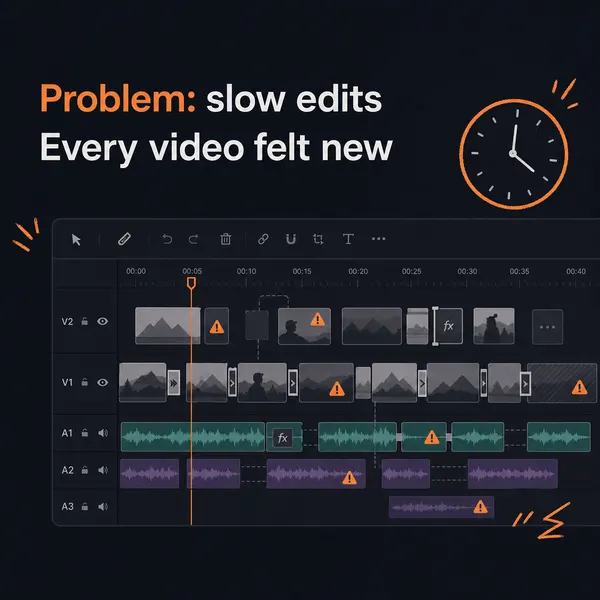
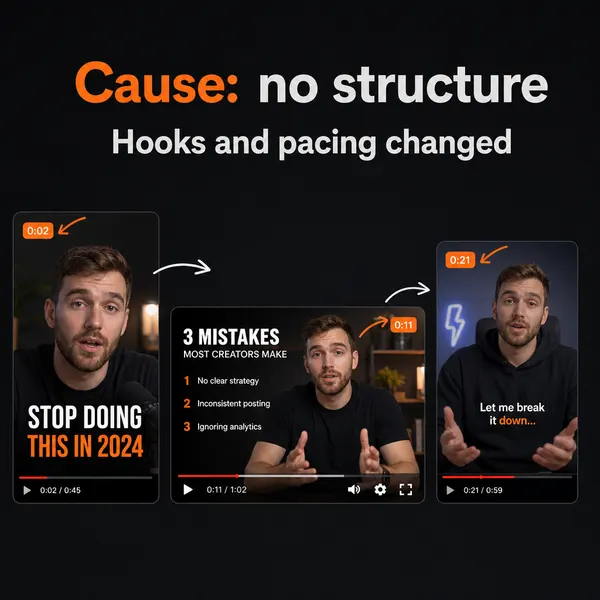
A real carousel made in the Kompozy workspace, shown as an example of the format. It was not made for this guide or for any customer.
Who is this for, and who should skip it?
Best for:
- Teams that publish framework-style blogs or videos and want regular carousels.
- B2B marketers posting on LinkedIn who want reference content people save.
- Creators who also want clips, text posts and a newsletter from the same source.
Not ideal for:
- Anyone making a carousel only now and then. Canva is simpler.
- Designers who need pixel-exact layouts with locked fonts and logo placement. A design tool gives more control.
- Story-driven content with no framework inside it. Use a thread or text post.
Frequently asked questions
How many slides should a carousel have?
As few as the framework needs. Keep it short enough to feel finite, and if the source has more strong ideas than one carousel can hold, split it into two. Kompozy's generated carousels have up to five slides.
Should Instagram and LinkedIn carousels have different content?
The framework and copy can be the same on both. Adjust the caption and hook for each platform's audience.
How much does a Kompozy carousel cost?
Carousel slides cost 24 credits each, so a 5-slide carousel is 120 credits. If the images miss, you can regenerate them for free, because Kompozy saves the original slide prompts.
Why does the cover slide matter so much?
If the cover doesn't stop the scroll, nobody sees the rest. Lead with a specific, true promise and the boldest visual, and keep body text off the cover.
Should carousels follow my brand or each platform's style?
Your brand. A consistent look across carousels helps people recognize your posts in the feed before they read your handle.
What kind of long-form source makes a good carousel?
One with several distinct ideas that each condense to a short slide, ideally in a numbered framework with some visual potential. A blog's carousel usually sits in its H2 headings.
Do I need a Persona Brief for carousels?
Yes, for the copy. Without one, the cover hook, claims and call to action drift to a generic AI voice, even when the visuals look on-brand.
How do we know this?
On 2026-10-23 we checked Kompozy's carousel credit cost on kompozy.io/pricing and its carousel pipeline in the product code. We corrected the page: carousels are generated images (up to five slides at 24 credits each), not 8-credit HyperFrames templates. We removed the save-rate, dwell-time, cover-share and swipe-out figures and the closed Founding tier, because none had a source.
Sources
- Kompozy: Pricing (read 2026-10-23)
What other AI content repurposing guides should you read next?
- How to repurpose a podcast into 30+ pieces of social content — The 6-step methodology for fanning a 60-minute podcast episode into shorts, threads, carousels, a blog, and a newsletter.
- The math: how one source generates a month of content — The output-bucket allocation methodology that produces 100+ posts a month from 4 weekly sources.
- Reverse repurposing: turning X threads into 1,500-word blog posts — The reverse pattern — short-form X content as the seed for long-form SEO blog drafts that rank for cluster keywords.
- YouTube long-form to TikTok / Reels / Shorts: the complete repurposing workflow — Clip-detection, hook rewriting, platform-native captions, and scheduling cadence for YouTube long-form to short-form.
- Webinar repurposing: 5-8 X threads, 4-6 LinkedIn posts, and a recap blog per session — Extract the load-bearing ideas from each webinar, fact-anchor them, and stretch one event into 30+ outputs.
Which adjacent topic clusters should you explore next?
- AI Brand Voice & Persona — Without a Persona Brief, every AI output averages to the LLM default voice. This is the 5-section methodology that makes 100+ AI-generated posts feel like one human author wrote them.
- Autonomous Content Creation — How Kompozy autopilot really works: one workspace switch that approves and schedules generated posts, the checks that run before they publish, and a 14-day ramp for turning it on.